
WhatsApp Sound Stickers: Android Users Can Soon Create Animated Stickers With Voice Recordings and Custom Audio
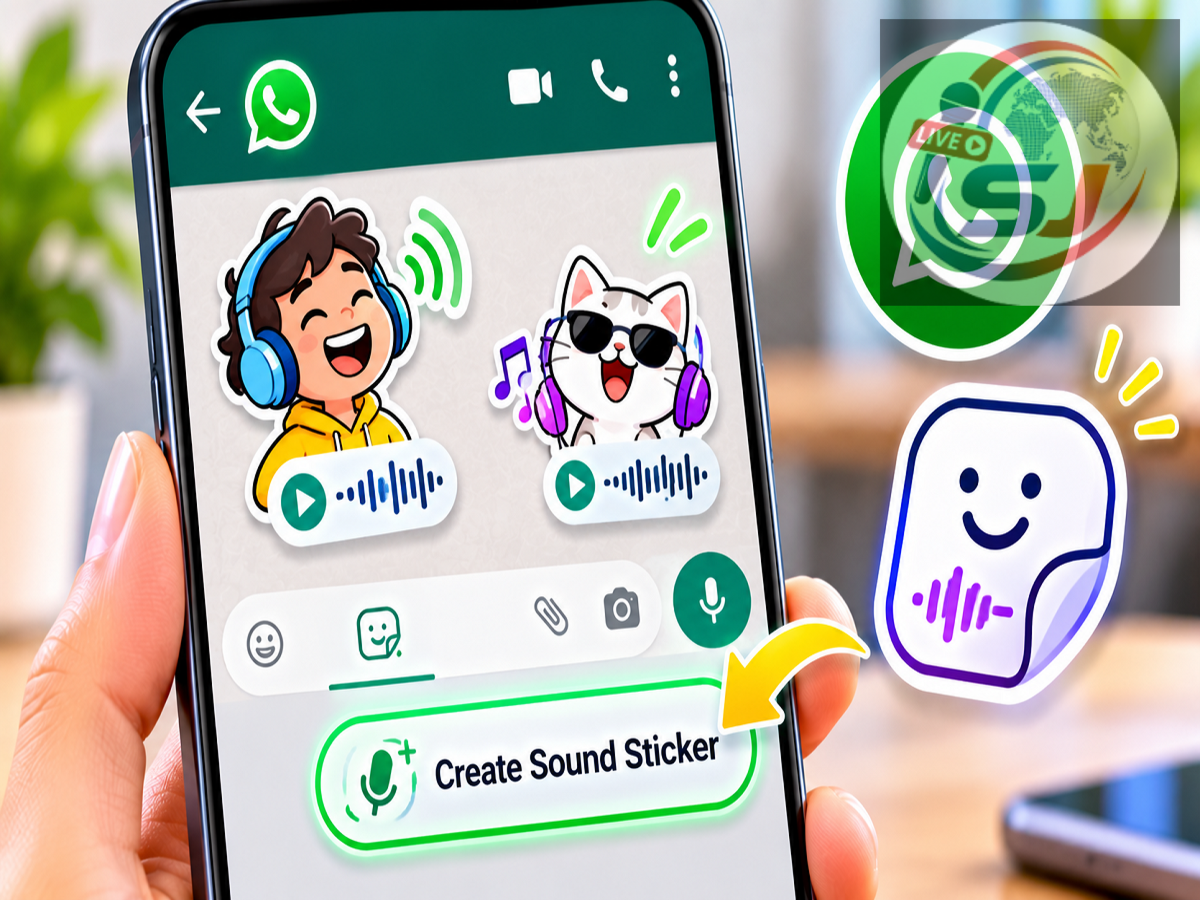
WhatsApp Sound Stickers Update: WhatsApp is reportedly introducing a new feature that could make conversations more entertaining and expressive. The Meta-owned instant messaging platform has started rolling out sound-enabled animated stickers to selected Android beta testers, allowing users to combine visual animations with personalised audio.
Until now, WhatsApp stickers have primarily relied on static images and silent animations. With the new feature, users will be able to add voice recordings, original video sounds, imported audio clips and preset sound effects to their animated stickers.
According to the supplied report, the feature has been spotted in WhatsApp Android beta version 2.26.47.1 and is currently available to a limited number of testers.
Interestingly, these stickers will remain silent by default. Recipients will need to tap the audio icon to listen to the attached sound, helping prevent unwanted audio interruptions during conversations.
What Are WhatsApp Sound Stickers?
Sound stickers are an enhanced version of conventional animated WhatsApp stickers that combine moving visuals with audio.
The feature is designed to give users additional ways to express emotions, share reactions and personalise conversations without sending separate audio messages.
For example, users could create a birthday sticker accompanied by a personalised greeting, a funny animated reaction with laughter or a festive sticker featuring a recorded message.
The addition of audio could make stickers more engaging, particularly during celebrations, group conversations and informal interactions.
WhatsApp Sound Stickers: Key Features
| Feature |
Details |
|---|---|
| Feature name |
Sound stickers |
| Supported platform |
Android beta |
| Beta version |
2.26.47.1 |
| Current availability |
Selected beta testers |
| Sticker format |
Animated stickers with audio |
| Original video sound |
Supported |
| Preset sound effects |
Supported |
| Custom audio files |
Supported |
| Voice recordings |
Supported |
| Automatic audio playback |
Disabled by default |
| Sound activation |
Tap the audio icon |
| Public rollout |
Not yet confirmed |
Four Ways to Add Audio to WhatsApp Stickers
The upcoming feature reportedly provides multiple options for customising animated stickers with sound.
1. Use Original Video Audio
Users creating an animated sticker from a video may retain the original sound associated with the selected video clip.
This could be particularly useful for creating humorous reactions, memorable moments and personalised animated stickers from existing recordings.
2. Add Preset Sound Effects
WhatsApp is reportedly offering built-in sound effects that users can attach to animated stickers.
These effects could make reaction stickers more entertaining without requiring users to record or import separate audio files.
3. Import Custom Audio Files
The feature also allows eligible users to select audio files stored on their smartphones.
This could provide greater flexibility for creating personalised stickers using sound clips, original recordings or other compatible audio content.
Users should ensure they have the necessary rights or permission to share copyrighted audio.
4. Record Your Own Voice
One of the most interesting additions is the ability to attach personal voice recordings to animated stickers.
Instead of sending a separate voice message, users could combine a short spoken greeting or humorous expression with an animated sticker.
How to Create Animated WhatsApp Stickers With Sound
Android beta users who receive the feature may be able to create sound-enabled stickers through WhatsApp's sticker creation interface.
The expected process is as follows:
-
Update WhatsApp to the latest available Android beta version.
-
Open an individual or group conversation.
-
Navigate to the sticker section.
-
Access the sticker creation facility.
-
Select suitable media for creating an animated sticker.
-
Look for the available audio customisation option.
-
Choose original video audio, a preset sound effect, an imported audio file or a voice recording.
-
Review the animated sticker and its associated sound.
-
Complete the creation process and share the sticker.
The exact menu names and creation process may change as WhatsApp continues testing the feature.
Will WhatsApp Sound Stickers Play Audio Automatically?
One of the important aspects of this feature is its controlled audio playback mechanism.
According to the supplied report, sound stickers will remain muted when they appear in a conversation. Recipients will need to tap the audio icon to activate the sound.
This approach could help prevent unexpected audio playback in offices, classrooms, public transport and other quiet environments.
It also allows recipients to decide whether they want to listen to the audio attached to a particular sticker.
WhatsApp Regular Stickers vs Sound Stickers
| Feature |
Regular Stickers |
Sound Stickers |
|---|---|---|
| Visual expressions |
Yes |
Yes |
| Animated graphics |
Available |
Available |
| Audio support |
No |
Yes |
| Custom voice recordings |
No |
Supported |
| Imported audio clips |
No |
Supported |
| Preset sound effects |
No |
Supported |
| Manual sound playback |
Not applicable |
Yes |
| Availability |
Widely available |
Limited beta testing |
Creative Ways to Use WhatsApp Sound Stickers
The new feature could offer several interesting possibilities for personal and professional communication.
| Occasion |
Sound Sticker Idea |
|---|---|
| Birthday celebrations |
Animated cake with a recorded birthday wish |
| Christmas |
Santa Claus animation with a festive greeting |
| New Year |
Fireworks animation with a personalised message |
| Wedding celebrations |
Animated congratulations with a voice greeting |
| Family conversations |
Funny expressions with familiar voices |
| Group chats |
Humorous animations with sound effects |
| Business communication |
Branded festive stickers with original greetings |
| Sports celebrations |
Animated cheering stickers with celebratory sounds |
These are illustrative examples of how users could personalise their conversations once the feature becomes widely available.
Why Are Sound Stickers Not Showing on Your WhatsApp?
Users who cannot find the new sound sticker feature should remember that it is currently reported to be undergoing limited beta testing.
Installing WhatsApp Android beta version 2.26.47.1 may not automatically provide access, as experimental features are often activated gradually for selected accounts.
Users should keep WhatsApp updated through the Google Play Store and wait for the feature to become available on their accounts.
Downloading unofficial WhatsApp applications or modified APK files to access experimental features is not recommended, as these may introduce security and privacy risks.
When Will WhatsApp Sound Stickers Become Available to Everyone?
The supplied report does not mention a confirmed release date for the stable version of WhatsApp or its availability on iPhones.
WhatsApp generally tests new features with selected beta users before expanding their availability. The final design, supported audio formats and functionality may change during development.
The introduction of sound-enabled stickers could represent another significant improvement in WhatsApp's messaging experience. By combining animations, personalised voice recordings and sound effects, the platform aims to offer users more creative ways to communicate beyond conventional text messages and emojis.
Disclaimer: The feature details and beta version are based on the supplied technology report and have not been independently verified. The step-by-step instructions are indicative, and the final interface, audio limitations and public rollout schedule may differ.