
WhatsApp Scheduled Messages Feature: Send Photos, Videos and Text Automatically at Your Chosen Time
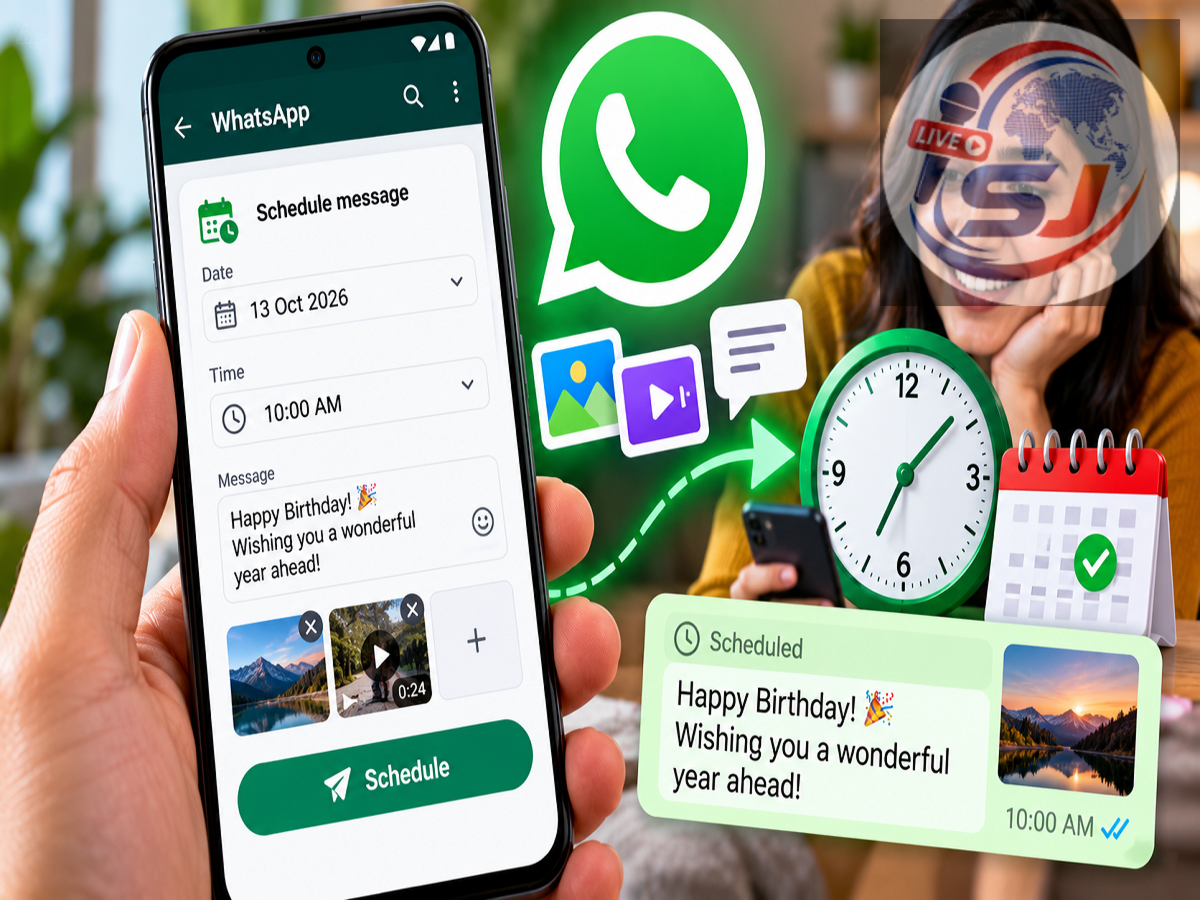
WhatsApp New Feature 2026: WhatsApp is reportedly testing a useful feature that could make everyday communication more convenient for Android users. The popular messaging platform is introducing a scheduled messages option that allows users to prepare text messages, photos, videos and links in advance and send them automatically at a selected time.
According to a report published on October 12, 2026, the feature is being made available to selected Android beta testers. It could eventually eliminate the need to remember when to send birthday wishes, important reminders, business updates or other messages.
The reported feature allows messages to be scheduled from 10 minutes to two weeks in advance. Another notable capability is that scheduled messages may be delivered even when the sender's phone is offline or the WhatsApp application is closed.
However, the feature is currently described as a limited beta rollout, and its wider availability has not been officially confirmed.
Here is everything you need to know about WhatsApp's scheduled messages feature, including how it works, supported media formats and expected availability.
WhatsApp Scheduled Messages Feature Arrives for Android Beta Users
According to WhatsApp feature-tracking website WABetaInfo, the scheduled messages functionality is being introduced to selected users running WhatsApp beta for Android version 2.26.40.7.
The feature is designed to let users decide when a message should be delivered rather than sending it immediately.
This could be particularly helpful for people who regularly communicate across different time zones or need to send information at a specific hour.
For example, a user could prepare a birthday message in advance and schedule it for midnight.
Similarly, someone could arrange for an important reminder or work-related update to be sent the following morning.
The ability to schedule messages directly within WhatsApp would provide an alternative to relying on reminders or third-party automation applications.
How to Schedule a WhatsApp Message
The reported process for scheduling a message is expected to be simple.
Users with access to the beta feature may be able to schedule messages directly from the chat window.
Here is how the functionality is reportedly designed to work:
-
Open WhatsApp on an eligible Android device.
-
Select an individual or group conversation.
-
Type the message you want to send.
-
Press and hold the Send button.
-
If the feature is available, choose the scheduling option.
-
Select the preferred date and time.
-
Confirm the scheduled message.
WhatsApp would then retain the message for delivery at the selected time.
These steps describe the reported beta interface. They may change before the feature becomes widely available.
Users who do not see the scheduling option should not assume that something is wrong with their application, as access is currently limited.
Schedule Messages From 10 Minutes to Two Weeks in Advance
One of the main highlights of the new functionality is its reported scheduling window.
According to the report, users can choose a delivery time ranging from 10 minutes in the future to a maximum of two weeks ahead.
This gives users flexibility for both short-term and longer-term communication.
For example, a person could schedule a meeting reminder for later in the day or prepare a festival greeting several days in advance.
The two-week limit may also help prevent users from accumulating outdated messages scheduled too far into the future.
However, the final scheduling limits could change during beta testing.
Photos and Videos Can Also Be Scheduled
The new feature is reportedly not limited to ordinary text messages.
Users may also be able to schedule links, photographs and videos.
This could make the functionality useful for sharing event invitations, important documents presented as images, promotional materials or personal memories.
The report suggests that users may be able to schedule only one photo or video at a time.
Before scheduling an image, users could have access to WhatsApp's drawing editor and caption tools.
This means a photograph could be edited or accompanied by a message before being scheduled for delivery.
The ability to schedule multiple media files together has not been confirmed in the supplied report.
Will WhatsApp Send Messages When Your Phone Is Offline?
A particularly interesting aspect of the reported feature is its potential ability to deliver messages even when the sender's phone is offline.
According to the beta feature report, WhatsApp may automatically send the scheduled message at the selected time without requiring the sender to keep the application open.
This would be a significant convenience for users who switch off their phones at night, experience temporary internet interruptions or simply forget to open WhatsApp.
For example, someone could schedule a message for 8 AM and expect it to be sent automatically even if the app is closed.
However, the precise technical requirements and delivery guarantees have not been fully established in the supplied information.
As with ordinary messaging, factors such as recipient connectivity and service availability may still affect when a message is actually received.
Will Scheduled Messages Work in WhatsApp Groups?
The feature is also reportedly being developed for group conversations.
This could be helpful for families, students, community groups and work teams.
Group administrators or members could prepare announcements ahead of time rather than waiting until the required moment.
For instance, a group member might schedule an event reminder or an important update.
The report also mentions a possible restriction related to group membership.
Messages may be delivered only to people who were members of the group when the message was originally scheduled.
Users who join the group later might not receive that scheduled message.
This behaviour remains subject to confirmation as the feature is tested.
Can You Delete a Scheduled WhatsApp Message?
Yes, the reported beta functionality may allow users to review and delete scheduled messages before they are sent.
WhatsApp could introduce a dedicated section within the chat information screen where users can see messages awaiting delivery.
This would make it easier to manage upcoming messages and prevent outdated information from being sent.
For example, if a meeting is cancelled, the sender could delete a previously scheduled reminder.
According to the report, deleting a message before its scheduled delivery may not generate a notification for the intended recipient.
That is different from deleting an ordinary message after it has already been delivered.
The exact controls for editing or rescheduling an existing message have not been confirmed.
Will Scheduled Messages Remain End-to-End Encrypted?
WhatsApp is widely known for providing end-to-end encryption for personal messages and calls.
The report suggests that the scheduled messages feature may also support end-to-end encryption.
This would be important because scheduling messages should not unnecessarily compromise the privacy protections users expect from the platform.
However, the supplied information does not explain the complete technical design for storing and delivering messages while the sender's device is offline.
Users should wait for official technical documentation before assuming that every aspect of the feature's security implementation has been confirmed.
Who Can Use the New WhatsApp Feature Right Now?
According to the October 12 report, the scheduled messages feature is being made available to selected Android beta testers through Google Play.
The relevant beta version is reportedly 2.26.40.7.
However, installing the same beta version may not guarantee immediate access.
WhatsApp frequently enables experimental features for a limited number of accounts before expanding availability.
The company may also modify or withdraw a feature during testing.
At present, the supplied report does not confirm a date when scheduled messages will become available to all Android users.
Availability for iPhone users has also not been established in the provided information.
Why Could Scheduled Messages Be Useful?
The new feature could simplify communication for a wide range of WhatsApp users.
For personal communication, it may help with birthday greetings, anniversary wishes and family reminders.
Students could use it to prepare messages about study groups or important deadlines.
Small business owners may find it useful for sending customer updates or reminders at appropriate times.
People working with international teams could also prepare messages during their own working hours and schedule them for delivery in another time zone.
However, users should review scheduled messages carefully to avoid sending outdated, incorrect or unwanted information.
WhatsApp Scheduled Messages: Key Features at a Glance
| Feature | Reported Details |
|---|---|
| Feature name | Scheduled Messages |
| Platform | Android beta |
| Reported beta version | 2.26.40.7 |
| Supported content | Text, links, photos and videos |
| Minimum scheduling time | 10 minutes in advance |
| Maximum scheduling time | Two weeks in advance |
| Individual chats | Expected support |
| Group chats | Expected support |
| Offline sending | Reportedly supported |
| Delete before sending | Reportedly supported |
| End-to-end encryption | Expected, subject to confirmation |
| Public release date | Not announced in the supplied report |
WhatsApp Scheduled Messages 2026: Latest Update
WhatsApp's reported scheduled messages feature could become one of its more practical additions for everyday users.
The ability to prepare messages in advance, select delivery times and manage pending messages could reduce the need for manual reminders.
Support for photographs, videos and group chats may further increase its usefulness.
For now, the feature is reportedly available only to selected Android beta testers, and WhatsApp has not confirmed a general release date in the supplied report.
Users interested in trying it should keep their application updated through official channels and avoid installing modified WhatsApp versions from unknown websites.
Disclaimer: This article is based on a report dated October 12, 2026, citing WhatsApp beta feature tracking. The functionality, supported formats, scheduling limits and rollout timeline may change during testing. Users should refer to official WhatsApp announcements for confirmed availability and final features.