
WhatsApp Profile Photo Privacy: How to Hide Your Picture From Selected Contacts
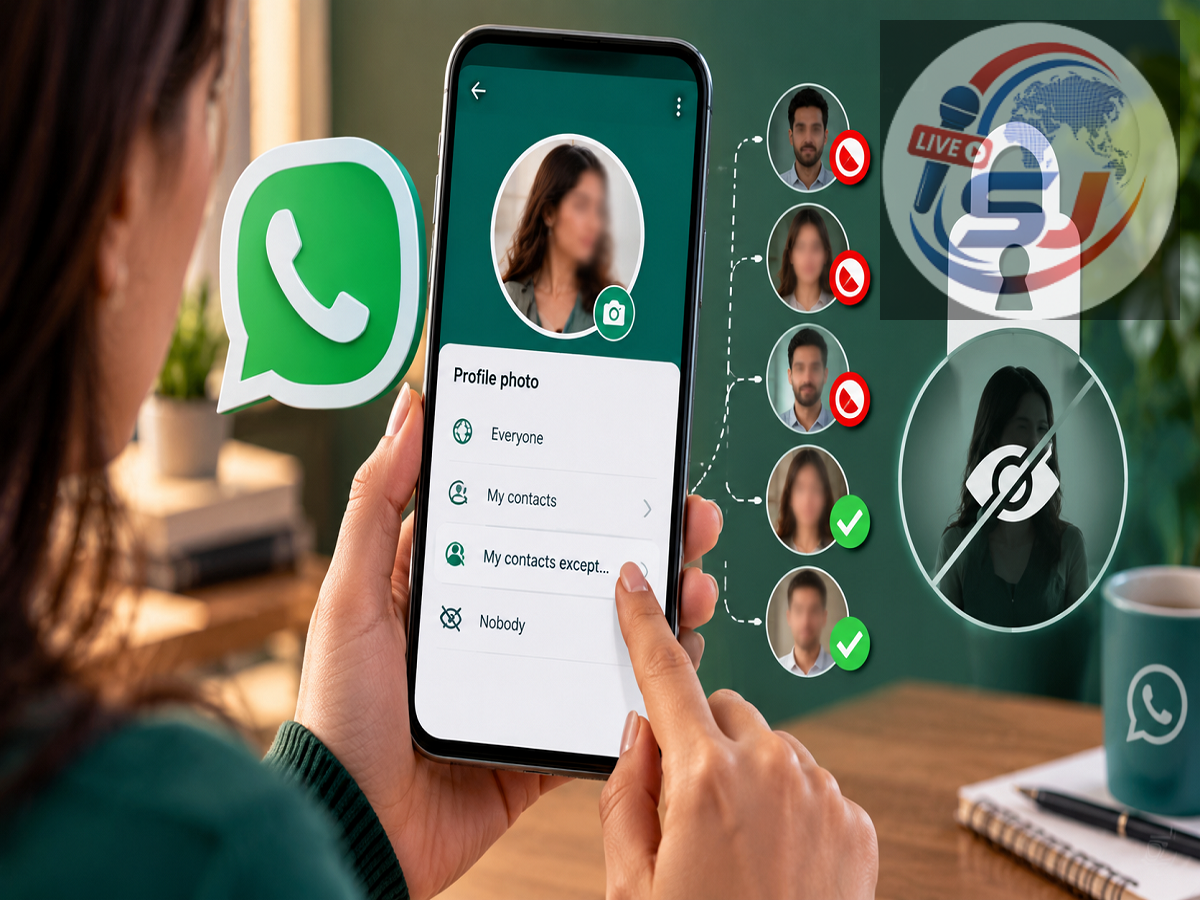
WhatsApp Profile Photo Privacy: Your profile picture is one of the first things people may notice when they open your WhatsApp contact details. While many users are comfortable showing their photo to friends and family, not everyone wants every saved contact to see it.
WhatsApp offers a built-in privacy control that allows users to decide exactly who can view their profile picture. With this setting, you can hide your photo from selected contacts, limit visibility only to people saved in your phone, or prevent everyone from seeing it.
The feature can be especially useful if your contact list includes work-related numbers, people you rarely speak to, delivery contacts, service providers or others with whom you do not want to share your profile photo.
WhatsApp Lets You Control Who Sees Your Profile Photo
WhatsApp gives users several options for managing profile photo visibility.
Instead of making your picture visible to every person who has your number, you can choose a more restricted privacy setting according to your preference.
One of the most useful options is My Contacts Except...
This setting allows you to keep your profile picture visible to most people in your saved contacts while excluding specific individuals.
Anyone you select under this option will no longer be able to see your current WhatsApp profile photo.
This provides more flexibility than hiding your picture from everyone.
How to Hide Your WhatsApp Profile Photo From Specific People
If you want to prevent only certain contacts from viewing your profile picture, you can change the setting in a few simple steps.
Open WhatsApp on your phone and go to Settings.
On Android devices, you can usually access Settings by tapping the three-dot menu in the upper-right corner of the app.
Next, open the Privacy section.
Inside Privacy, look for the Profile Photo option and tap on it.
You will then see the available visibility choices.
Select My Contacts Except...
WhatsApp will display your saved contacts. Choose the people from whom you want to hide your profile picture.
After making your selection, confirm or save the setting.
Once this is done, the contacts you excluded should no longer be able to view your WhatsApp profile picture.
What Does ‘My Contacts Except...’ Mean?
The My Contacts Except... option is designed for users who want more control without completely hiding their photo.
For example, you may have hundreds of contacts saved on your phone but only want to block a few people from seeing your profile picture.
Rather than selecting a setting that hides your image from everyone, you can exclude only those particular contacts.
This can be useful when your saved contact list includes people you know only professionally or individuals with whom you no longer interact regularly.
It is a simple way to make your WhatsApp account more private without changing how most friends and family members see your profile.
How to Hide Your WhatsApp Profile Photo From Everyone
Users who do not want their profile picture visible to anyone can choose the Nobody option.
To use it, go to:
WhatsApp > Settings > Privacy > Profile Photo > Nobody
After selecting this option, your profile photo will not be visible to other WhatsApp users.
This is the most restrictive profile photo privacy setting available and may be useful for people who prefer not to display a personal image on their messaging account.
Want Only Saved Contacts to See Your Picture?
Another option is My Contacts.
When this setting is selected, only people whose numbers are saved in your contacts will be able to view your WhatsApp profile photo.
This gives users a middle ground between broad visibility and completely hiding the picture.
It can be useful if you frequently receive WhatsApp messages from unknown numbers and do not want those users to see your profile image.
Which WhatsApp Profile Photo Setting Should You Choose?
The right privacy setting depends on how much control you want.
If you are comfortable with your saved contacts seeing your picture, My Contacts may be suitable.
If most saved contacts can see it but a few specific people should not, My Contacts Except... is the more practical choice.
Users who want maximum privacy can select Nobody.
The important point is that you do not have to use the same profile photo visibility setting for everyone.
WhatsApp allows you to adjust it according to your own comfort level.
Why This Privacy Setting Can Be Useful
People often save numbers temporarily for work, deliveries, services, local businesses or one-time conversations.
Even after the conversation ends, those numbers may remain in the contact list.
In such situations, users may not necessarily want those individuals to have access to their personal profile photo.
The My Contacts Except... setting solves this problem by allowing users to exclude selected people while leaving the picture visible to everyone else in their contacts.
This also means you do not need to remove your profile photo completely just to keep it hidden from a small group of people.
Review Your WhatsApp Privacy Settings Regularly
Profile photo visibility is only one part of WhatsApp's privacy controls.
Users who are concerned about personal information being visible to others may also want to review who can see other account details and activity information available through the app's Privacy section.
Your contact list can change over time, so it can be useful to revisit the profile photo setting occasionally.
If new numbers have been added or your privacy preference has changed, you can update the excluded-contact list whenever necessary.
For users who want greater control over their WhatsApp profile picture, the My Contacts Except... option offers a simple solution. It allows you to keep your photo available to the people you trust while hiding it from selected contacts without removing the picture entirely.