
WhatsApp Privacy Settings: 5 Features You Should Enable to Protect Chats and Personal Data
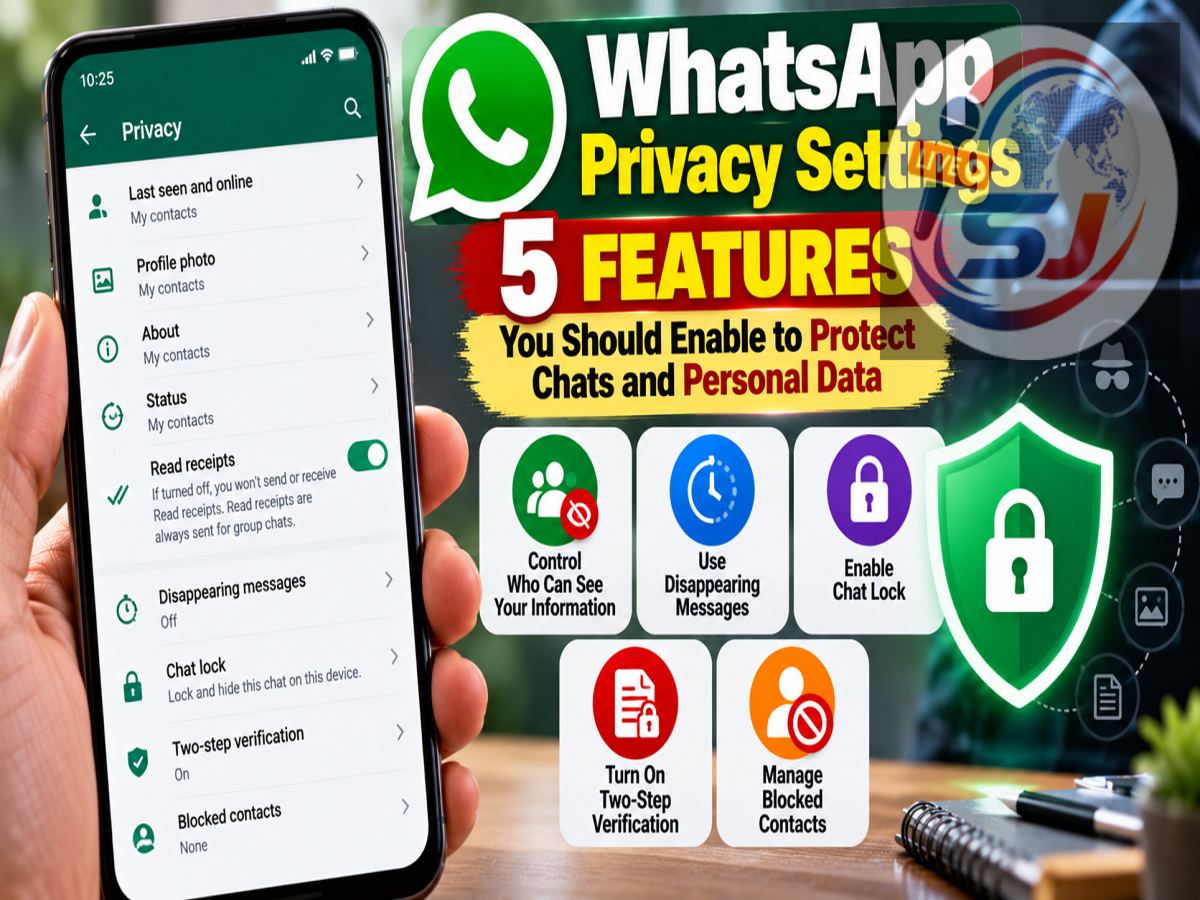
WhatsApp is used for much more than casual conversations. People routinely exchange family photos, office documents, personal information and sometimes even sensitive financial details through the messaging platform.
WhatsApp already protects messages with end-to-end encryption while they travel between users. However, encryption alone cannot stop someone from reading your conversations if they gain access to your unlocked smartphone.
Fortunately, WhatsApp provides several privacy and security settings that can add extra layers of protection. Features such as Chat Lock, disappearing messages, Two-Step Verification and encrypted backups can reduce the risk of someone accessing your conversations or account.
Here are five important WhatsApp privacy features users should know about.
1. Use Chat Lock for Sensitive Conversations
If you have personal conversations that you don't want appearing alongside ordinary WhatsApp chats, Chat Lock can provide an additional level of privacy.
Users can open an individual or group conversation, access its chat information and select the option to lock the chat.
Once enabled, the conversation is moved away from the normal inbox and protected using the smartphone's authentication system, which may include a fingerprint, Face ID or device passcode.
WhatsApp also provides a Secret Code feature for locked conversations.
Secret Code can make protected conversations more difficult to discover by allowing users to create a separate code and hide locked chats from their normal chat list.
This can be particularly useful when other people occasionally have physical access to your smartphone.
The supplied article also highlights Advanced Chat Privacy, which can provide additional controls within individual conversations, including restrictions on chat exports, automatic media downloads and certain AI-related functionality.
2. Turn On Disappearing Messages
Not every WhatsApp conversation needs to remain permanently stored on your phone.
With Disappearing Messages, users can configure new messages to automatically disappear after a selected period.
The available durations highlighted in the source are 24 hours, 7 days and 90 days. Users can also configure a default disappearing-message timer for new conversations.
For photos and videos that don't need to remain permanently accessible, WhatsApp also provides the View Once option.
However, disappearing messages and View Once should not be treated as guarantees that content can never be saved.
For example, another person may be able to photograph the screen using a separate device. These features are therefore more useful for reducing how long information remains readily available than for making copying completely impossible.
3. Control Last Seen, Online Status and Read Receipts
WhatsApp also lets users control how much information others can see about their activity.
Under the Privacy settings, users can open Last Seen and Online and select who is allowed to see when they were last active or when they are currently online.
Users who don't want contacts seeing the familiar blue ticks after messages have been read can also disable Read Receipts.
There are some exceptions to how read receipts work, including certain group-chat situations, but these settings still provide greater control over the activity information visible to other users.
4. Enable WhatsApp Two-Step Verification
Protecting the conversations stored on your phone is only one part of WhatsApp security. Protecting the account itself is equally important.
WhatsApp accounts are linked to phone numbers, and Two-Step Verification provides another layer of protection.
The feature allows users to create a PIN that WhatsApp can request when the phone number is registered on another device.
This can help strengthen account security beyond simply using a screen lock on the smartphone.
According to the supplied article, users can enable the feature by navigating to:
WhatsApp Settings > Account > Two-Step Verification > Enable
Users should select a PIN they can remember but that would be difficult for another person to guess.
WhatsApp also provides security notifications that can alert users when the security code associated with a conversation changes, which can happen when a contact changes phones or reinstalls WhatsApp.
5. Protect Your WhatsApp Backup
Users sometimes focus entirely on the conversations stored inside WhatsApp and overlook their cloud backups.
If WhatsApp chat backups are enabled, copies of conversations and media may be stored in a cloud service such as iCloud or Google Drive.
WhatsApp offers an End-to-End Encrypted Backup option that provides additional protection for stored chat history.
People who regularly exchange sensitive information through WhatsApp should therefore review their backup security settings.
Users can also choose not to maintain a cloud backup, but that comes with a trade-off.
Without a backup, restoring previous WhatsApp conversations may become difficult or impossible if the smartphone is lost, damaged or replaced.
What Does WhatsApp End-to-End Encryption Protect?
End-to-end encryption is an important part of WhatsApp's security architecture, but users should understand its limitations.
It protects messages while they are being transmitted between participants in a conversation.
Once the message reaches the recipient's device, however, it can normally be opened and read there.
Therefore, end-to-end encryption cannot prevent someone holding your unlocked smartphone from opening WhatsApp and reading accessible conversations.
This is why features such as smartphone screen locks, Chat Lock and Secret Code remain important even when conversations are encrypted.
What If Your Phone Is Lost or Stolen?
WhatsApp privacy settings become even more important when a smartphone goes missing.
The supplied article recommends using the operating system's built-in tracking tools as quickly as possible to locate, lock or erase a missing smartphone.
iPhone users can use Apple's Find My service to locate their device, mark it as lost or remotely erase it when necessary.
If an iPhone is offline, an erase request can take effect after the device reconnects to the internet. Users can also contact their mobile operator to suspend cellular service if required.
Android users can use Google's Find Hub to locate, secure or erase a missing device. For these functions to work, relevant requirements such as internet connectivity, a linked Google Account and enabled device-finding functionality generally need to be satisfied.
Privacy Features Cannot Prevent Every Type of Data Leak
Even the strongest privacy settings have limitations.
Once you voluntarily send a message, photograph, document or other information to another person, you lose some control over what happens to it.
The recipient may potentially forward the content, capture a screenshot or photograph the screen with another device.
For extremely sensitive information, avoiding unnecessary digital sharing remains one of the safest options.
Check These WhatsApp Settings Today
WhatsApp's end-to-end encryption provides an important security foundation, but protecting personal conversations requires more than encryption alone.
Users should consider locking sensitive chats, reviewing Last Seen and Online visibility, enabling Two-Step Verification, using disappearing messages when appropriate and checking whether their cloud backups have sufficient protection.
It is also worth ensuring that the smartphone itself has a strong PIN, password, fingerprint or other screen lock and that lost-device protection is enabled.
Reviewing these settings can take only a few minutes, but doing so before a phone is lost or an account is compromised can make protecting personal WhatsApp data considerably easier.