
WhatsApp New Update 2026: Floating Navigation Bar, Hidden Text Labels and Smarter Scrolling Coming to Android
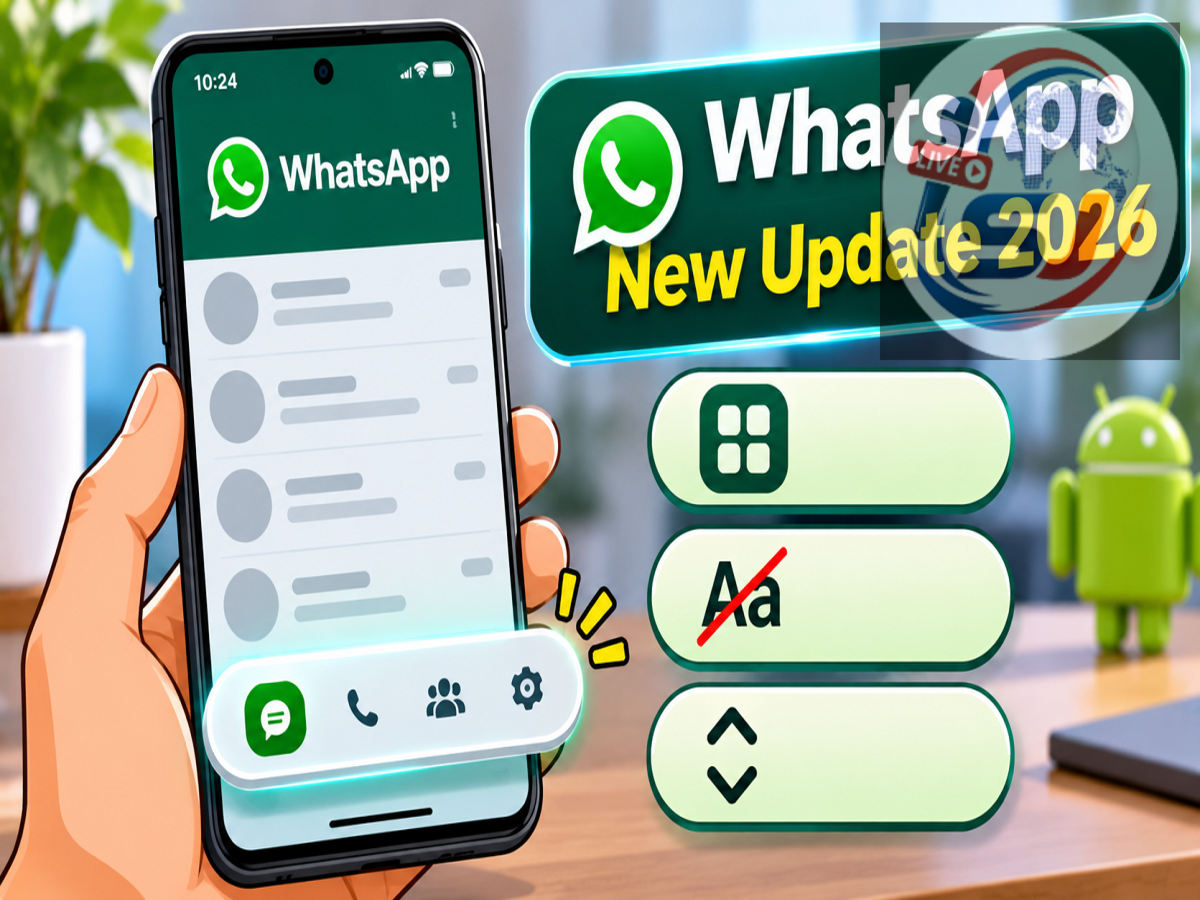
WhatsApp Latest Update November 2026: WhatsApp is reportedly testing a major interface redesign for Android users, introducing a floating bottom navigation bar that automatically changes its size as users scroll through the application. The upcoming design aims to make the messaging platform look cleaner, more modern, and easier to navigate.
According to WhatsApp feature-tracking platform WABetaInfo, the redesigned navigation interface has been spotted in WhatsApp beta for Android version 2.26.45.5, distributed through the Google Play Store beta programme.
The update introduces several visual improvements, including the removal of text labels beneath navigation icons, circular selection indicators, a compact floating layout, and a progressive blur effect.
However, the redesigned interface is currently available only to selected beta testers. WhatsApp has not confirmed when the new navigation bar will become available to all Android users.
WhatsApp Introduces a Floating Bottom Navigation Bar
One of the most noticeable changes in the latest WhatsApp beta is the redesigned bottom navigation bar.
In the existing interface, the navigation section is positioned along the bottom of the screen and remains part of the main application layout.
The experimental design replaces this traditional arrangement with a floating navigation bar that appears slightly above the bottom edge.
Instead of stretching across the entire width of the display, the new bar has rounded corners and visible spacing around its edges.
This creates a more compact appearance and visually separates the navigation controls from the content displayed above them.
The change is intended to give WhatsApp a cleaner interface while maintaining convenient access to important sections of the application.
Text Labels Removed From Navigation Icons
Another significant design change involves the removal of text labels from the bottom navigation bar.
Currently, WhatsApp uses icons alongside text labels to help users identify different sections of the application.
In the experimental interface, the navigation bar relies primarily on icons.
Removing the labels reduces the amount of space occupied by the navigation controls and creates a more minimal appearance.
Users will still be able to recognise familiar sections through their respective icons.
However, people who depend on text labels for navigation may need some time to become familiar with the updated design.
The effectiveness of this change will depend on how clearly the icons communicate their functions.
Navigation Bar Automatically Shrinks While Scrolling
The most interesting feature of the new design is its ability to respond to scrolling activity.
When users scroll down through their chat list, WhatsApp gradually reduces the navigation bar's width and height.
As scrolling continues, the bar becomes a smaller floating element that occupies less screen space.
Despite the reduced size, the navigation icons remain visible, allowing users to switch between sections without returning to the top of the screen.
When users scroll upward, the navigation bar gradually expands to its original size.
This adaptive behaviour is designed to give more screen space to conversations and other content while keeping navigation controls accessible.
Circular Highlights Replace the Existing Pill-Shaped Design
WhatsApp is also experimenting with a different visual indicator for the currently selected navigation tab.
The redesigned interface uses a circular highlight around the active icon instead of the previous pill-shaped selection style.
This makes the selected section stand out while maintaining the overall compact appearance of the floating bar.
The circular indicator also complements the rounded edges of the redesigned navigation container.
Although this is primarily a cosmetic change, it contributes to a more consistent visual design.
Progressive Blur Effect Makes the Interface Look Modern
The reported update also introduces a progressive blur effect around the navigation bar.
This visual treatment creates a smoother transition between the floating navigation controls and the content behind them.
Rather than appearing as a solid block separated from the rest of the screen, the bar blends more naturally into the interface.
The effect is intended to improve the overall appearance without removing access to important navigation options.
WhatsApp is also reportedly refining the design to work with edge-to-edge Android layouts, allowing application content to make better use of the available display area.
WhatsApp Old vs New Navigation Bar: Key Differences
| Feature |
Existing Navigation Bar |
New Beta Navigation Bar |
|---|---|---|
| Design |
Fixed bottom layout |
Floating rounded layout |
| Text Labels |
Visible |
Removed |
| Active Tab Indicator |
Pill-shaped |
Circular |
| Scrolling Behaviour |
Mostly static |
Expands and contracts |
| Screen Space |
Occupies a fixed area |
Becomes compact while scrolling |
| Visual Effect |
Conventional background |
Progressive blur |
| Availability |
Regular WhatsApp users |
Selected Android beta testers |
The changes primarily affect the application's appearance and navigation behaviour.
They do not introduce new messaging, calling, or privacy functions by themselves.
Which Android Users Can Access the New WhatsApp Design?
The redesigned bottom navigation bar has reportedly appeared in WhatsApp beta for Android version 2.26.45.5.
However, installing this beta version does not guarantee access to the feature.
WhatsApp commonly releases experimental changes to a limited number of users before expanding availability.
This allows the company to evaluate interface performance, identify possible problems, and collect feedback.
Some beta testers may receive the new navigation bar immediately, while others using the same application version may continue seeing the existing design.
Users running the stable version of WhatsApp may need to wait for a future rollout.
How to Check for the Latest WhatsApp Beta Update
Android users interested in testing upcoming WhatsApp features can check whether the official beta programme is accepting participants.
The general process is:
-
Open the Google Play Store on your Android smartphone.
-
Search for WhatsApp Messenger.
-
Open the application's official listing.
-
Check whether the beta testing programme is available.
-
Join the programme if enrolment is open.
-
Install the latest beta update when offered.
Users should remember that beta software may contain bugs, performance issues, or unfinished features.
Joining the beta programme also does not guarantee that every experimental feature will become available immediately.
For users who prioritise reliability, the stable WhatsApp application remains the more suitable option.
Will WhatsApp Remove Navigation Text Permanently?
There is currently no confirmation that WhatsApp will permanently remove text labels from the bottom navigation bar for every Android user.
The company may modify the design based on feedback from beta testers.
It is also possible that some interface elements will change before the feature reaches the stable application.
WhatsApp frequently experiments with new layouts, and not every tested feature receives a global release.
Therefore, users should treat the floating navigation bar as an experimental design rather than a confirmed permanent replacement.
Why Is WhatsApp Redesigning Its Android Interface?
WhatsApp continues to introduce changes aimed at improving usability and making its interface more consistent with modern smartphone design trends.
As the application expands beyond basic messaging to include calls, status updates, channels, communities, and other features, efficient navigation becomes increasingly important.
A compact navigation bar could help users focus on the content they are viewing while preserving access to commonly used sections.
The adaptive scrolling behaviour may also make the interface feel less crowded, particularly on smartphones with smaller screens.
However, whether the new design provides a better experience will ultimately depend on user feedback and accessibility considerations.
Final Update
WhatsApp's experimental floating navigation bar represents a noticeable visual change for Android users.
The redesigned interface removes text labels, introduces circular tab highlights, adjusts its size during scrolling, and adds a progressive blur effect.
These improvements are intended to create a cleaner and more flexible navigation experience.
The feature has been reported in WhatsApp beta for Android 2.26.45.5, but it is not yet confirmed for a global stable release.
Android users should keep WhatsApp updated through the official Google Play Store and wait for further announcements regarding wider availability.
Disclaimer: Features observed in beta versions may be modified, delayed, or discontinued before public release. Availability can differ between devices and accounts.