
WhatsApp Is Giving Its iPhone App a Fresh Makeover: Media Editing and Video Controls to Get a Glassy Interface
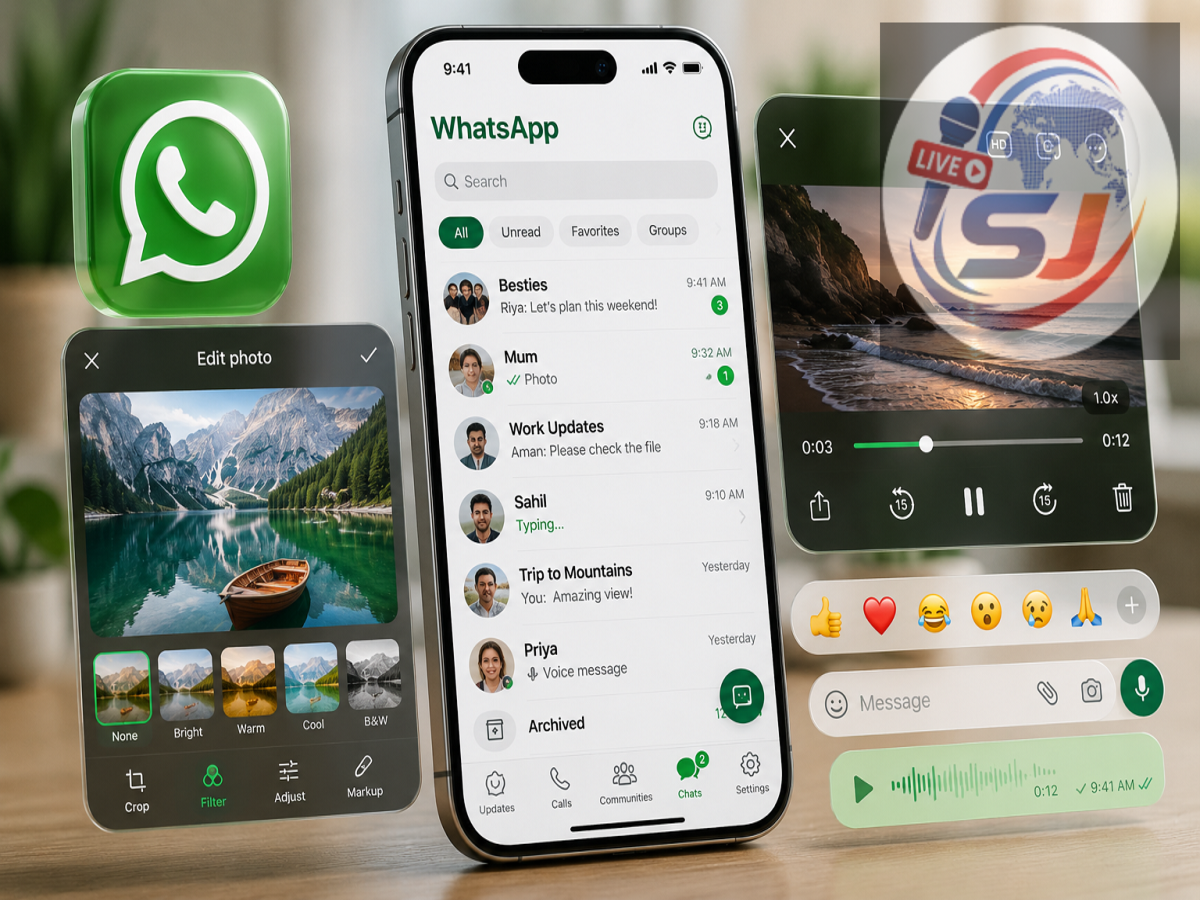
WhatsApp is continuing to refresh the appearance of its iPhone application, with another set of visual changes reportedly being prepared for users. Instead of limiting the new interface to the main areas of the messaging platform, the company is now working on updating smaller tools that people frequently encounter while sharing photos, editing media or watching videos.
The upcoming changes are expected to affect WhatsApp’s media-editing controls and in-app video playback interface. The new appearance follows the translucent, layered visual approach associated with Apple’s latest software design language.
The changes have reportedly surfaced during development of a recent WhatsApp beta for iOS. However, users should note that these particular improvements are not yet ready for general beta testing, meaning their appearance and functionality could still change before release.
WhatsApp’s iPhone Makeover Is Moving Into Media Tools
WhatsApp has been gradually modernising its interface on iOS rather than replacing everything in a single update. The latest development suggests that the redesign is now moving deeper into the application.
One area being prepared for an overhaul is the screen users see when they select a photograph, video or GIF and make changes before sending it.
This interface contains several everyday editing options. Users can write something over an image, add stickers, draw manually or make other adjustments before sharing the media in a conversation.
Under the proposed redesign, these controls are expected to receive a more transparent and layered appearance. The intention appears to be to make them feel visually integrated with Apple's newer iPhone interface rather than looking like separate traditional buttons.
Sending Edited Photos Could Look Noticeably Different
The functionality of WhatsApp's editing tools isn't expected to change dramatically because of the visual update.
Instead, the biggest difference should be in presentation.
When users prepare an image or video for sharing, the editing buttons could appear lighter and more glass-like, with elements of the underlying media remaining visible around or through parts of the interface.
This could be particularly noticeable when editing colourful photographs or videos because the controls would visually interact with the content displayed behind them.
In practical terms, users should still be able to perform familiar actions such as adding text, stickers or drawings. The objective is primarily to give those familiar features a more contemporary appearance.
Watching Videos Inside WhatsApp Is Also Being Refined
WhatsApp is reportedly applying the same visual philosophy to its built-in video experience.
One of the elements being modified is the playback progress indicator that helps viewers understand how much of a video they have already watched.
Rather than leaving this component with its existing appearance while surrounding sections of the app adopt the new design, WhatsApp appears to be bringing it into the same visual system.
It is a relatively small interface element, but changes like this are important when a company wants an application to feel consistent from one screen to another.
Why Is WhatsApp Changing Its iPhone Appearance?
The redesign is closely connected with the broader visual changes introduced across Apple's software ecosystem.
Apple's newer interface philosophy makes extensive use of transparency, depth, reflections and layered surfaces. Controls can appear to float above the content instead of occupying completely solid blocks.
WhatsApp's adoption of similar visual characteristics allows the messaging platform to feel more at home on newer versions of iOS.
The company isn't simply changing colours or icons. It appears to be gradually adapting different sections of the app so that navigation controls, media tools and playback elements share a common visual identity.
Some iPhone Owners May Still See the Older Interface
An important point for users is that WhatsApp's interface updates aren't necessarily activated for everyone simultaneously.
Even though parts of the redesigned experience have already started reaching iPhone users, some people may continue seeing the previous interface.
That doesn't necessarily indicate a problem with their device.
Large applications such as WhatsApp commonly introduce significant changes in stages. A limited number of accounts may receive an update first, allowing developers to monitor how it performs before expanding it to a much larger audience.
Consequently, two people using similar iPhones and seemingly identical versions of WhatsApp can sometimes see slightly different interfaces.
Updating WhatsApp May Not Unlock the Design Immediately
Users hoping to see the refreshed appearance might naturally head to the App Store and check for the newest WhatsApp version.
Keeping the application updated is generally useful, but it may not be enough to activate a feature immediately.
WhatsApp can control certain changes from its side and gradually enable them for groups of users. This means a feature may technically exist within a particular app build without being available to every account using that version.
The same situation applies even more strongly to the newly spotted changes in the editing and video interfaces because these features are reportedly still being developed.
Beta Users Shouldn't Expect Immediate Access Either
Seeing a feature mentioned in connection with a WhatsApp beta doesn't necessarily mean everyone participating in beta testing can use it.
Developers frequently include unfinished components in development builds before activating them for testers.
The company may continue experimenting with the appearance, positioning and behaviour of the new controls before deciding that they are ready for broader evaluation.
Therefore, users shouldn't reinstall WhatsApp or change device settings simply because the updated media interface hasn't appeared yet.
Will Messaging Work Differently After the Update?
For most people, probably not.
The reported changes primarily concern how certain controls look and feel, rather than fundamentally changing the process of sending messages or sharing media.
Users should still be able to choose a photograph, customise it and send it using familiar steps. Videos should also continue playing within chats as they currently do.
The difference will be the visual presentation surrounding those actions.
This is significant because WhatsApp is an application many people open dozens of times every day. Even subtle changes to commonly used controls can make the overall experience feel considerably different.
Android Users May See a Different Approach
The latest developments specifically concern the iPhone version of WhatsApp.
Because the refreshed appearance is designed around Apple's interface conventions, Android users shouldn't automatically expect exactly the same visual treatment.
WhatsApp frequently maintains feature parity between Android and iOS while allowing each version to follow the design language of its respective operating system.
Android may therefore receive its own interface refinements without necessarily copying every translucent visual element appearing on the iPhone.
A Bigger Visual Transformation Is Taking Shape
What initially appears to be a small adjustment to editing buttons or a video progress indicator is actually part of a wider transformation.
WhatsApp is gradually updating different areas of its iOS application so users encounter a consistent visual experience whether they are reading conversations, preparing photographs, sharing videos or navigating through other sections.
The process is happening incrementally, which explains why some users may notice new elements before others.
For now, the refreshed media-editing and video controls remain a work in progress. A wider release timeline hasn't been confirmed.
Once these changes are ready, however, iPhone users could find WhatsApp looking considerably more integrated with Apple's latest software environment—without having to relearn how their everyday messaging features work.