
WhatsApp Guest Calling 2026: Join Voice and Video Calls Without an Account, Up to 32 Participants Supported
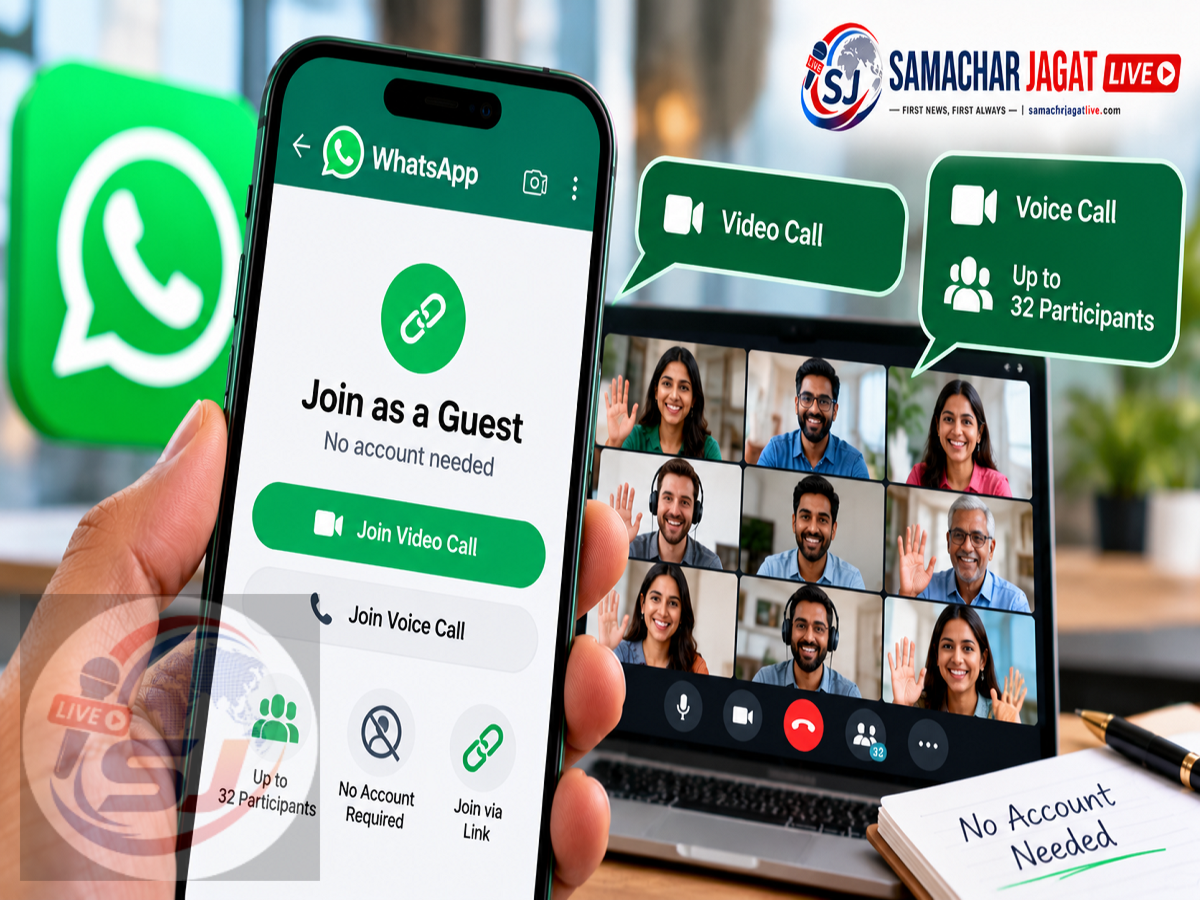
WhatsApp New Feature 2026: WhatsApp has introduced a new feature called Guest Calling, designed to make voice and video conversations more accessible. The feature allows people to join WhatsApp calls without creating an account or installing the application on their devices.
According to a report published on October 15, 2026, users can participate in WhatsApp voice and video calls through a shared link using a compatible desktop web browser.
The feature could be particularly useful for online meetings, virtual classes, business discussions and family conversations involving people who do not regularly use WhatsApp.
One of its major highlights is support for group calls with up to 32 participants, along with features such as screen sharing, emoji reactions and hand-raising.
However, there is an important condition: while guests can join without registering, the person creating the call link must have a WhatsApp account.
Here is how WhatsApp Guest Calling works, what features it offers and how it could change online communication.
What Is WhatsApp Guest Calling?
WhatsApp Guest Calling is a feature that allows people without WhatsApp accounts to participate in voice and video calls initiated by registered WhatsApp users.
Traditionally, WhatsApp calling has been closely connected to the platform's registered user accounts.
The new guest-access option is intended to reduce that requirement for people who only need to join an occasional conversation.
Instead of asking every participant to install WhatsApp and complete account registration, the host can create a call link and share it with the intended participants.
Recipients can then use the link to access the call through their desktop web browsers.
This approach makes WhatsApp calling more convenient for occasional users who do not want to create a separate messaging account.
How to Join a WhatsApp Call Without an Account
The process described in the report is relatively simple.
A registered WhatsApp user first creates a call link and shares it with the person they want to invite.
The invited person can then follow these steps:
-
Receive the WhatsApp call invitation link from the host.
-
Open the link in a compatible web browser on a computer.
-
Enter the name that will be displayed during the call.
-
Complete any browser permission requests needed for the microphone or camera.
-
Wait for the host to approve the request to join.
-
Enter the voice or video call after receiving permission.
The guest does not need to register a WhatsApp account merely to participate in the call.
However, the exact interface may vary depending on the browser, device and availability of the feature.
Does Guest Calling Require WhatsApp Installation?
According to the supplied report, guest participants can join through a computer's web browser without installing the WhatsApp application.
This is one of the main advantages of the feature.
For example, a person invited to an occasional office meeting may be able to participate without downloading another application.
Similarly, a family member who does not use WhatsApp could join a video conversation through an invitation link.
The report specifically describes desktop browser access. It does not establish that the same account-free experience is available on every mobile browser.
Users should therefore check the supported devices and browsers before relying on the feature for an important meeting.
WhatsApp Guest Calling Supports Up to 32 People
Another notable feature is support for group calls involving up to 32 participants.
This makes the service suitable for more than just individual conversations.
Potential uses include online team meetings, virtual tuition sessions, family gatherings and small group discussions.
The reported 32-person limit provides flexibility for groups that need to communicate without requiring every participant to register for WhatsApp.
However, the maximum supported number of participants does not necessarily guarantee identical performance on every device or internet connection.
Call quality may depend on factors such as network stability, hardware and browser compatibility.
Voice and Video Calls Both Supported
Guest Calling is not limited to video meetings.
According to the report, the feature supports both voice and video conversations.
This allows hosts to choose the communication format that best suits their needs.
For a quick discussion, a voice call may be sufficient.
For a meeting involving presentations, demonstrations or face-to-face interaction, a video call may be more appropriate.
Guests can participate through the shared call link without needing a registered WhatsApp account.
The host, however, must be a WhatsApp user to create the invitation.
Screen Sharing Available During Calls
Screen sharing is another important feature mentioned in the report.
It allows participants to display content from their screens during a conversation, subject to the supported controls.
This can be particularly useful for explaining documents, demonstrating software or discussing presentations.
For example, an employee could use screen sharing to explain a project update to colleagues.
A teacher might use the feature to display learning material during an online session.
The availability and exact controls for screen sharing may depend on the guest interface and supported browser.
Users should avoid displaying passwords, private messages or confidential documents while sharing their screens.
Hand-Raising and Emoji Reactions Make Meetings Easier
WhatsApp Guest Calling also reportedly includes interactive features such as hand-raising and emoji reactions.
These tools can improve communication during group calls.
The hand-raising feature allows participants to indicate that they want to speak without interrupting someone else.
Emoji reactions provide a quick way to respond during a discussion.
For example, participants may use reactions to acknowledge information or express agreement without speaking.
These features could make larger group conversations easier to manage, especially when several participants are present.
Guest Participants Must Wait for Host Approval
Security and participant management are important aspects of the new feature.
According to the report, guests must enter their names before joining.
They are then placed in a waiting room.
The host can review the request and decide whether to admit the guest.
This means receiving a call link does not necessarily provide immediate access to the conversation.
The host also has the ability to remove guests from an ongoing call.
These controls can help prevent unwanted participants from disrupting meetings.
However, hosts should still share invitation links carefully and verify the identities of unfamiliar participants.
Can Guests See Other Participants' Phone Numbers?
Privacy is another important consideration.
The supplied report states that guest participants will not be able to view other participants' phone numbers.
This could be especially useful in professional meetings involving people who do not know one another personally.
The feature is also reportedly designed to restrict certain guest activities.
For example, guests cannot send messages during the call or independently add other people to the conversation.
These limitations help distinguish guest participation from the broader privileges available to registered WhatsApp users.
Are WhatsApp Guest Calls End-to-End Encrypted?
According to the supplied report, WhatsApp says Guest Calling conversations are protected by end-to-end encryption.
End-to-end encryption is intended to protect the contents of communications from unauthorised access while they are transmitted.
This is an important consideration for people using online calling platforms.
However, encryption does not eliminate every privacy risk.
Participants may still be able to record information through external devices, and screen sharing can expose sensitive content if used carelessly.
Hosts should therefore admit only intended participants and avoid sharing confidential information unnecessarily.
WhatsApp Guest Calling vs Regular WhatsApp Calling
The main difference is the account requirement for invited participants.
| Feature | Regular WhatsApp Calling | WhatsApp Guest Calling |
|---|---|---|
| WhatsApp Account Required to Create Call | Yes | Yes |
| Guest Can Join Without Account | Not the usual calling method | Yes |
| Joining Through Shared Link | Supported | Supported |
| Desktop Browser Access Without App | Account-dependent | Reportedly supported for guests |
| Voice Calling | Yes | Yes |
| Video Calling | Yes | Yes |
| Group Calls | Supported | Up to 32 participants reported |
| Host Approval for Guests | Depends on calling flow | Reportedly required |
| Guest Messaging During Call | Not applicable in the same way | Restricted |
The comparison is based on the capabilities described in the supplied report. Exact behaviour may depend on the version and rollout status.
Could WhatsApp Compete With Google Meet and Zoom?
The new feature could make WhatsApp a more practical option for occasional online meetings.
Services such as Google Meet and Zoom already offer browser-based participation options, depending on their settings and plans.
WhatsApp Guest Calling brings a similar convenience to a platform already widely used for personal and business communication.
The ability to invite people without requiring them to create accounts could reduce friction when organising quick discussions.
Features such as screen sharing, waiting rooms and participant reactions may also make the platform more suitable for structured group conversations.
However, WhatsApp Guest Calling should not automatically be considered a complete replacement for dedicated meeting platforms.
Professional users may still require capabilities such as advanced administrative controls, recordings, meeting scheduling integrations or support for larger groups.
The best platform will depend on the type of meeting and the features required.
Is WhatsApp Guest Calling Free?
The supplied report does not mention a separate subscription charge for Guest Calling.
WhatsApp's standard calling services generally use an internet connection rather than traditional cellular voice minutes.
However, normal internet or mobile data charges may apply.
Users should also verify whether any business-specific terms or limitations apply to their particular use case.
Who Can Benefit From the New Feature?
Guest Calling could be useful for several categories of users.
Office teams may find it easier to invite external participants who do not use WhatsApp.
Teachers and students may benefit from simple browser-based participation in occasional virtual discussions.
Families could use the feature to include relatives who have not installed the application.
Small businesses may also find it convenient for customer consultations or informal meetings.
The main advantage is that invited participants can join a conversation without completing the usual WhatsApp account registration process.
Frequently Asked Questions
Can I join a WhatsApp video call without an account?
According to the October 15, 2026 report, Guest Calling allows invited participants to join through a desktop web browser without creating a WhatsApp account.
Do I need to download WhatsApp to join as a guest?
The reported feature allows guests to participate through a compatible computer browser without installing the application.
How many people can join a WhatsApp Guest Call?
The supplied report states that up to 32 participants can join a call.
Can guests share their screens?
Screen sharing is among the reported features, although the exact availability and controls should be checked in the supported interface.
Can anyone join using the call link?
Guests reportedly enter a waiting room and require host approval before joining.
Can guests see participants' phone numbers?
According to the report, guest users cannot see other participants' phone numbers.
Can guests invite additional people?
The supplied report states that guests cannot independently add other participants to the call.
Final Thoughts
WhatsApp Guest Calling could make online communication easier by allowing people to join voice and video calls without registering for an account or installing the application.
With reported support for up to 32 participants, screen sharing, emoji reactions and host-controlled entry, the feature offers useful options for personal conversations and small online meetings.
The biggest advantage is the ability to invite someone to a WhatsApp call without requiring that person to become a WhatsApp user.
However, the person creating the invitation must still have a registered account, and guest access is described as operating through desktop web browsers.
Users should check the feature's availability and supported devices before relying on it for important meetings.
Disclaimer: This article is based on the supplied October 15, 2026 report. The exact rollout status, browser compatibility and feature availability have not been independently verified against WhatsApp's current official documentation.