
WhatsApp Adds New Chat Themes for iPhone: Animated Wallpapers Can Give Conversations a Fresh Look
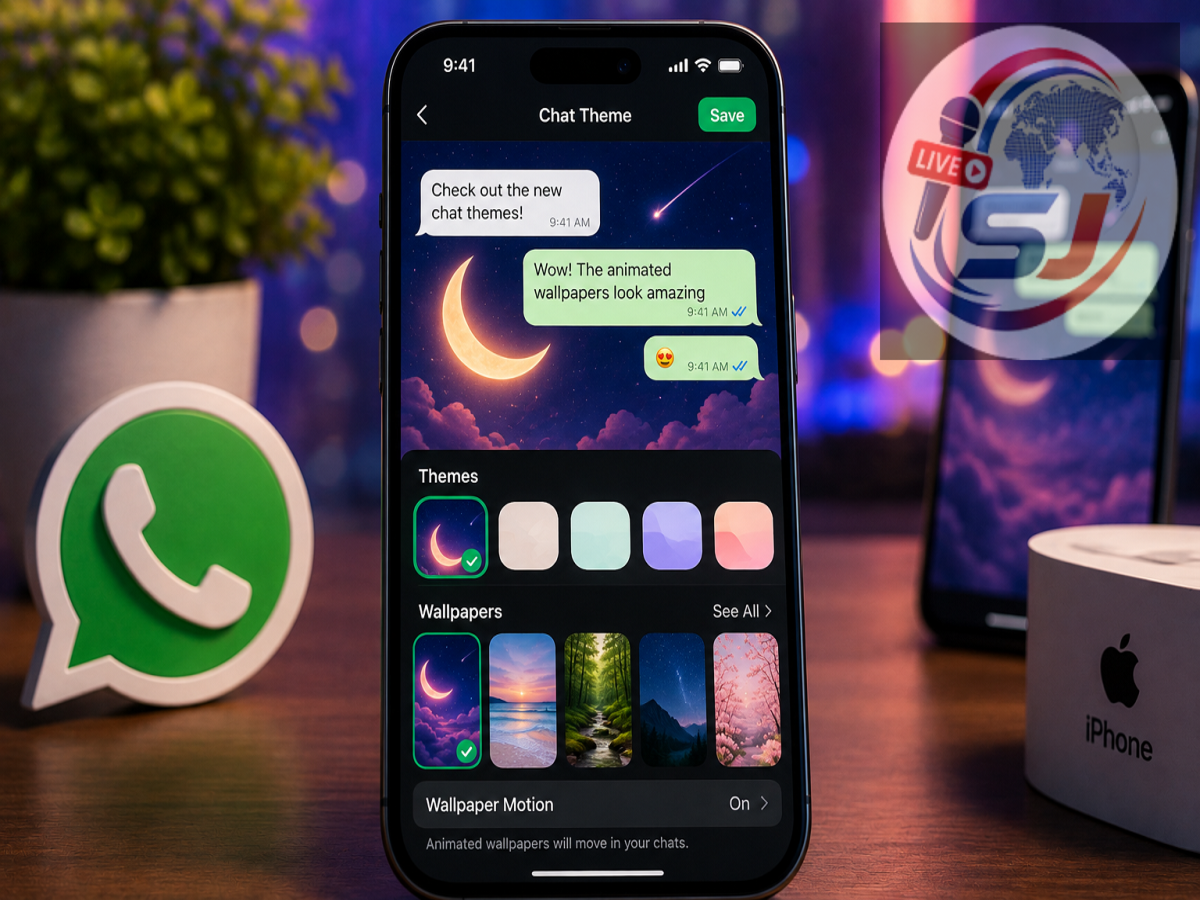
WhatsApp users on iPhone are getting more ways to personalise how their conversations appear on screen. The messaging platform has introduced new chat themes and wallpaper options, allowing users to give their chats a different visual style without changing the actual conversation.
The new customisation options are divided into several categories, giving users a choice between colourful designs, nature-inspired backgrounds, minimalist styles and even wallpapers with subtle animation.
For now, the feature is being rolled out to iPhone users. Some users may receive it earlier than others because the update is being released gradually. There is currently no official confirmation mentioned in the report about when the same collection will become available to all Android users.
Here is what the new WhatsApp chat theme feature offers and how iPhone users can try it.
WhatsApp Gets Five New Theme Categories
According to the report, WhatsApp has organised its latest chat theme collection into five categories: Featured, Nature, Live, Minimal and Doodle.
Each category has been designed to provide a different visual experience.
Instead of using the same conventional background for every conversation, users can browse through these collections and select a theme that matches their preference.
Someone looking for a clean and distraction-free chat window, for instance, can choose a minimalist design. Users who prefer a more colourful or expressive appearance can explore some of the other available categories.
The additional choices make it easier to personalise WhatsApp without affecting the basic functionality of the messaging app.
Live Wallpapers Are the Big Attraction
Among the new options, the Live category is likely to attract the most attention.
Unlike a conventional static wallpaper, backgrounds available in this category include subtle or slow-moving animations.
This means the background can have some movement while the user is viewing a conversation, giving the chat screen a more dynamic appearance.
Animated wallpapers can make WhatsApp conversations feel visually different from the familiar static backgrounds that users have traditionally used.
However, people who prefer a simpler interface still have other categories available, so using animated backgrounds is entirely optional.
Nature Themes Offer Outdoor-Inspired Backgrounds
For users who prefer landscapes and natural scenery, WhatsApp's Nature category provides another option.
The collection includes wallpapers inspired by natural environments and outdoor landscapes. These can give the chat screen a calmer and more scenic appearance compared with bright or heavily designed backgrounds.
Having dedicated categories also makes theme selection easier because users do not have to browse through a large collection of unrelated designs.
They can simply select the category that best matches the style they want and then choose a specific wallpaper from the available gallery.
Minimal Themes Keep Chats Simple
Not everyone wants an elaborate wallpaper behind their messages.
Users who prefer a cleaner interface can explore the Minimal category. These backgrounds are aimed at people who want to personalise their conversations without making the chat window appear overly colourful or visually busy.
This can also be useful for people who spend a significant amount of time on WhatsApp and prefer a relatively distraction-free interface.
The Doodle and Featured categories provide additional choices for users looking for different visual styles.
Together, the five categories provide a broader selection than simply choosing one standard wallpaper.
How to Change the WhatsApp Chat Theme on iPhone
Using the new themes is relatively straightforward for eligible iPhone users.
Open WhatsApp and navigate to the Chat Theme settings. From there, browse through the available theme and wallpaper gallery.
You can explore the Featured, Nature, Live, Minimal and Doodle collections and select the design you prefer.
After choosing a theme, apply it to give the chat interface its new appearance.
The exact options visible on your device may depend on the WhatsApp version installed and whether the latest feature has reached your account.
Can't Find the New Themes? Here's Why
Some iPhone users may open WhatsApp and discover that the new theme collection is not available yet.
That does not necessarily mean there is a problem with the device or account.
According to the report, WhatsApp is introducing the feature through a gradual rollout. Features released in phases can take time to reach every eligible user.
The first thing users can do is check whether they have installed the latest available version of WhatsApp on their iPhone.
If the application is already updated but the new themes are still missing, users may simply need to wait until the feature is activated for their account.
Reinstalling the app or changing unrelated phone settings is unlikely to be necessary solely because the option has not yet appeared.
What About Android Users?
The current update highlighted in the report is for iPhone users.
There is speculation that similar functionality could eventually become available to Android users as well. However, no official timeline for a wider Android rollout was provided in the source report.
Android users should therefore wait for an official WhatsApp update rather than relying on third-party applications or unofficial modified versions of the messaging platform to access similar visual features.
Installing unofficial WhatsApp versions can create privacy and security risks.
WhatsApp Is Giving Users More Control Over Chat Appearance
WhatsApp has evolved considerably beyond its original simple messaging interface. Personalisation has increasingly become part of the experience, allowing people to adjust how the app looks in addition to how they communicate.
The latest theme update extends those customisation choices for iPhone users.
With Featured, Nature, Live, Minimal and Doodle categories, users can choose between different visual styles, while animated wallpapers in the Live collection provide a particularly distinctive option.
If the new chat themes are not yet visible on your iPhone, make sure WhatsApp is updated to the latest available version and check again later. Since the feature is being released gradually, availability can vary from one user to another.