
Wedding Invitation APK Scam 2026: Beware of Fake WhatsApp Invites That Can Steal Banking Details
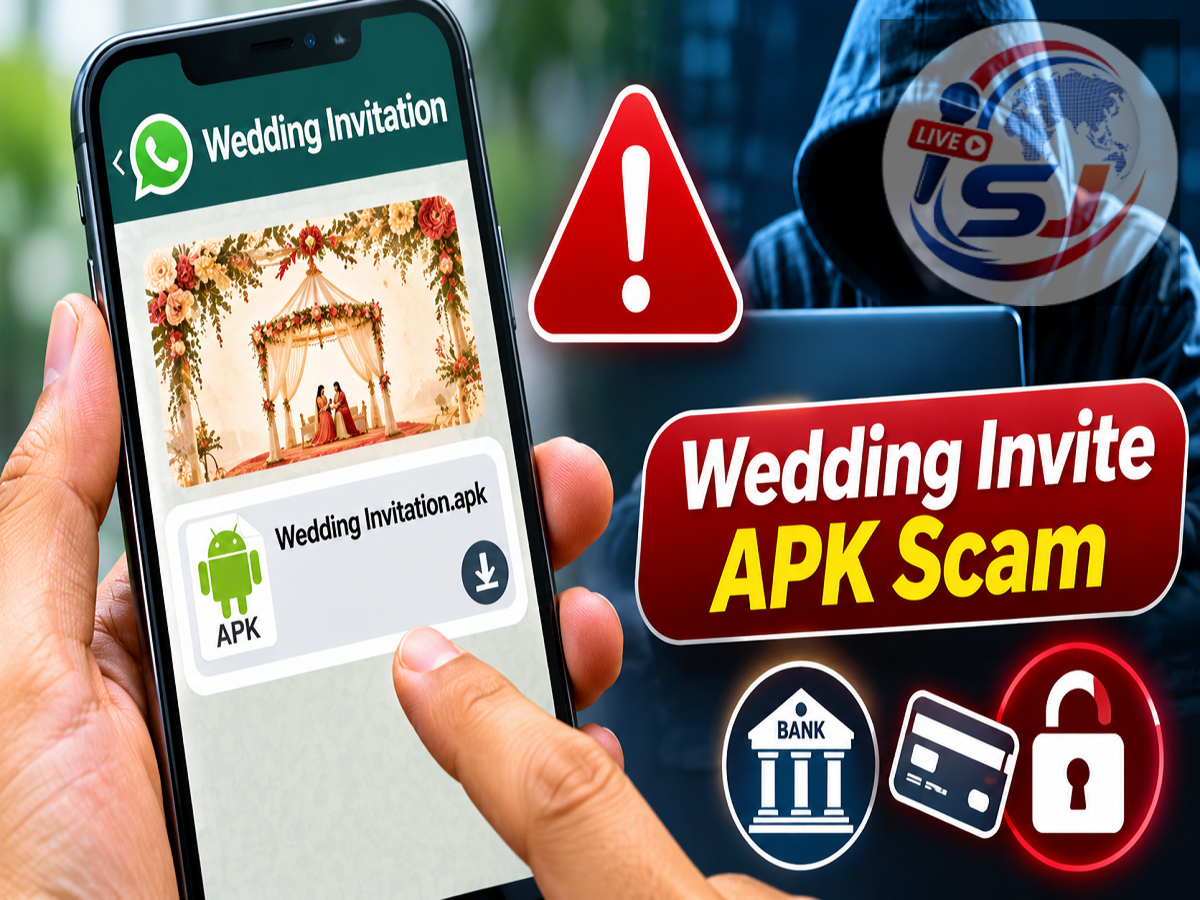
Wedding Invitation APK Scam 2026: Cybercriminals are using fake wedding invitations to trick smartphone users into downloading potentially harmful Android application files. These invitations may arrive through WhatsApp, SMS or other messaging platforms and appear to contain details of a wedding ceremony. However, instead of a genuine invitation card, the message may include an APK file designed to compromise the recipient's smartphone.
A recent cyber safety advisory warns users against downloading files received from unknown numbers, particularly when they are disguised as wedding invitations.
Fraudsters may exploit the excitement and curiosity surrounding wedding celebrations to persuade recipients to install suspicious applications. Once installed and granted dangerous permissions, such applications can potentially access sensitive information, intercept messages or facilitate financial fraud.
People who experience financial cyber fraud should immediately contact the national cybercrime helpline at 1930. For UPI-related assistance, users can visit the official NPCI support portal at https://upihelp.npci.org.in.
What Is the Wedding Invitation APK Scam?
The wedding invitation APK scam is a form of mobile malware distribution in which fraudsters disguise malicious Android application packages as digital wedding cards.
During the wedding season, people frequently receive invitations through messaging applications.
Cybercriminals take advantage of this familiar practice by sending messages that resemble legitimate invitations.
The message may include a file with a name suggesting that it contains wedding details, such as an invitation card or event schedule.
However, the attachment may actually be an Android Package Kit (APK) file.
APK files are used to install applications on Android devices. Although APK files are not inherently malicious, installing an application from an untrusted source can expose a device to security risks.
How Does the Fake Wedding Invitation Scam Work?
Fraudsters typically begin by sending an unexpected invitation message to a mobile number.
The message may appear friendly and personal, encouraging the recipient to open the attached file.
In some cases, scammers may use familiar names, photographs or social engineering techniques to make the invitation appear trustworthy.
The recipient may be asked to download an application to view the wedding card.
If the user installs the application and grants sensitive permissions, the software may be able to perform harmful activities.
Depending on the malware's capabilities and permissions, attackers could attempt to access messages, notifications, contacts or other information.
Some malicious applications may also misuse accessibility permissions to interact with the device.
Importantly, receiving an APK file does not automatically compromise a phone. The main danger arises when a user installs an untrusted application and grants it permissions that can be abused.
Wedding Invitation APK Scam: Key Warning Signs
| Warning Sign | Why It May Be Suspicious |
|---|---|
| Invitation from an unknown number | Sender's identity cannot be confirmed |
File ending in .apk |
It is an Android installation package, not a standard invitation document |
| Request to install an app | Unnecessary for viewing most wedding invitations |
| Pressure to open immediately | May be intended to prevent careful verification |
| Request for SMS or accessibility permissions | Could expose sensitive device functions |
| Unusual links or shortened URLs | Destination may be difficult to identify |
| Requests for OTP or banking information | Strong indication of possible fraud |
A genuine wedding invitation can usually be shared as an image, PDF or ordinary message without requiring installation of an unfamiliar application.
Why Are APK Files Dangerous?
An APK file is the installation package format commonly associated with Android applications.
Legitimate developers use APK files to distribute software, but cybercriminals can also create harmful applications.
When an application is installed from an untrusted source, the user may be exposed to malware, spyware or other security threats.
The level of risk depends on the application's code, the permissions granted and the security protections available on the device.
A malicious application may attempt to collect sensitive data, display deceptive screens or interfere with normal phone operations.
Some malware families target financial applications or attempt to capture information used during online transactions.
Users should therefore avoid installing APK files received unexpectedly through WhatsApp or other messaging services.
Can Fake Wedding Invitations Lead to UPI Fraud?
Potentially, yes.
A malicious application may attempt to steal information or misuse device permissions in ways that facilitate financial fraud.
For example, malware with access to sensitive notifications or accessibility functions may try to interfere with authentication processes.
However, the exact consequences depend on the malware involved.
Downloading an APK file does not necessarily mean that a bank account has been accessed or money has been stolen.
Users should remain cautious about applications requesting unnecessary permissions, particularly those involving SMS, notifications, accessibility services or screen interaction.
They should also remember that a UPI PIN is used to authorize payments and should never be shared with another person.
How to Protect Your Phone From Wedding Invitation Scams
Smartphone users can reduce their exposure to this type of fraud by following basic digital safety practices.
1. Verify the sender: If a wedding invitation arrives unexpectedly, contact the person through a trusted phone number before opening attachments.
2. Avoid unknown APK files: Do not install Android applications sent by unfamiliar contacts or through suspicious messages.
3. Check file extensions: An invitation card normally does not require an Android installation package.
4. Review app permissions: Be cautious when an unfamiliar application requests access to SMS, notifications, accessibility services or other sensitive functions.
5. Keep security updates installed: Regular Android and application updates help protect devices against known vulnerabilities.
6. Use trusted app sources: Prefer official application stores and verify the developer before installing software.
7. Never disclose financial credentials: Do not share UPI PINs, banking passwords or OTPs in response to an invitation or unexpected message.
8. Warn family members: Share scam awareness information with relatives, particularly those who may be unfamiliar with APK files.
What Should You Do If You Downloaded a Suspicious APK?
If you downloaded an APK but did not install it, avoid opening or installing the file and delete it.
If you installed the application, take additional precautions.
Disconnecting the device from the internet can help limit further communication by potentially malicious software.
Do not open banking applications or enter sensitive credentials on a device you suspect is compromised.
Use a trusted device to contact your bank if financial information may have been exposed.
Review recently installed applications and unusual permissions. If possible, remove the suspicious application.
Some malware may resist normal removal or interfere with security settings. In such cases, seek assistance from a qualified technician or the device manufacturer's support service.
Changing important passwords from a clean device may also be appropriate.
If the compromise cannot be resolved reliably, a factory reset may be necessary after safely preserving essential data. Users should avoid restoring suspicious applications from backups.
What to Do If Money Has Been Stolen
Victims of financial cyber fraud should act quickly.
Step 1: Call the national cybercrime helpline at 1930 as soon as possible.
Step 2: Contact your bank or payment service provider through its official customer support channel.
Step 3: Report the unauthorized transaction and request appropriate account protection measures.
Step 4: File a complaint through the National Cyber Crime Reporting Portal at https://cybercrime.gov.in.
Step 5: Preserve relevant evidence, including messages, screenshots, transaction reference numbers and suspicious phone numbers.
Step 6: Follow the instructions provided by the bank and cybercrime authorities.
Prompt reporting may improve the chances of intervention, although recovery of lost money is not guaranteed.
NPCI UPI Help Portal: Where to Get Assistance
Users facing UPI-related issues can visit the official NPCI support portal:
The portal provides access to UPI-related support information and available assistance mechanisms.
For an unauthorized transaction, users should also contact their bank or UPI application provider immediately.
The NPCI help portal should not be confused with the national cybercrime reporting system.
Financial cyber fraud should be reported through 1930 and the official cybercrime portal.
How to Identify a Genuine Digital Wedding Invitation
A legitimate wedding invitation usually contains recognizable information about the hosts, event date, venue and ceremony.
It may be shared as an image, PDF, video or message.
However, even familiar names and attractive invitation designs cannot guarantee that an attachment is safe.
A scammer may impersonate a known contact or use a compromised messaging account.
The safest approach is to verify unexpected invitations independently, especially when the message asks the recipient to install software.
A genuine invitation should not require users to provide banking passwords, UPI PINs or OTPs.
Why Wedding Season Can Attract Cybercriminals
Wedding invitations are widely exchanged through digital platforms, making them an attractive disguise for online scams.
People may be more likely to open an invitation when it appears to come from a friend, colleague or relative.
Fraudsters exploit this familiarity to encourage quick action.
Messages may also use emotional language or urgency to persuade recipients to download attachments without checking their authenticity.
Awareness of these tactics can help users recognize suspicious messages before installing harmful software.
Important Cyber Safety Reminder
The most important precaution is to avoid installing unfamiliar applications merely to view a wedding invitation.
If a message appears suspicious, verify the sender before taking any action.
Users should also remember that unknown links, unexpected APK files and requests for sensitive permissions can indicate potential cyber threats.
Anyone who suspects financial fraud should report the incident promptly rather than waiting for further losses.
Conclusion
Fake wedding invitation APK files are a potential threat to Android smartphone users.
Cybercriminals may disguise harmful applications as digital invitations and attempt to persuade recipients to install them.
Once installed with sensitive permissions, malicious software can expose personal information and potentially facilitate financial fraud.
Users should avoid downloading files from unknown numbers, verify unexpected invitations and never share banking credentials or UPI PINs.
For financial cyber fraud, immediately call 1930 or report the incident at https://cybercrime.gov.in. For UPI-related assistance, visit https://upihelp.npci.org.in.
Source Credit: Cyber safety advisory supplied in the original awareness message, including guidance on suspicious wedding invitation APK files, the national cybercrime helpline and NPCI's UPI help portal. Additional official resources: National Cyber Crime Reporting Portal (https://cybercrime.gov.in) and NPCI UPI Help (https://upihelp.npci.org.in).