
UPI Payment Update 2026: Approve Transactions With Face Scan or Fingerprint, Know How Biometric Authentication Works
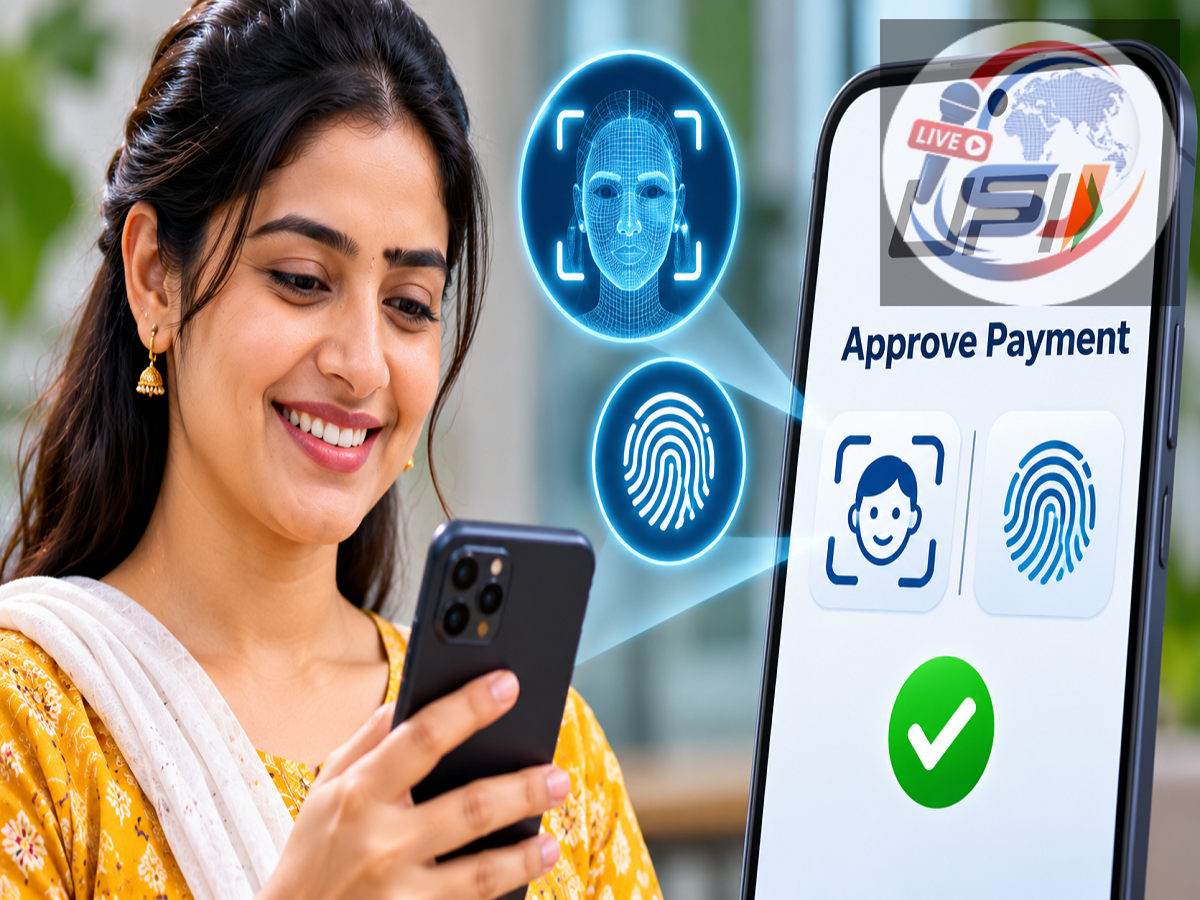
UPI Biometric Authentication 2026: Making digital payments in India is becoming more convenient with the introduction of biometric authentication options for Unified Payments Interface (UPI) transactions. Users of supported UPI applications can authorise eligible payments using their smartphone's facial recognition or fingerprint scanning features, offering an alternative to entering a UPI PIN for every supported transaction.
The National Payments Corporation of India (NPCI), which operates the UPI ecosystem, has highlighted the convenience of using biometric technology for digital payment authorisation. In a recent awareness message, the organisation explained that the same facial recognition and fingerprint features people use to unlock their smartphones can also help approve UPI payments.
The initiative aims to make everyday digital transactions simpler while maintaining authentication safeguards. However, the availability of biometric payment approval depends on the UPI application, participating bank, compatible smartphone and applicable transaction rules.
NPCI has also encouraged users to explore the available authentication options and share whether they prefer facial recognition or fingerprint verification.
UPI Biometric Authentication 2026: Important Details
| Feature |
Details |
|---|---|
| Payment System |
Unified Payments Interface (UPI) |
| Organisation |
National Payments Corporation of India (NPCI) |
| Authentication Options |
Face recognition and fingerprint verification |
| Purpose |
Authorising eligible UPI transactions |
| Supported Devices |
Compatible smartphones with biometric authentication |
| Availability |
Depends on participating banks and supported UPI applications |
| Alternative Authentication |
Traditional UPI PIN |
| Official UPI Help Portal |
upihelp.npci.org.in |
What Is UPI Biometric Authentication?
UPI biometric authentication is a payment authorisation feature that allows users to verify eligible transactions through biometric capabilities available on their smartphones.
Traditionally, UPI payments are approved by entering a UPI PIN. This security code helps confirm that the person initiating the transaction is authorised to use the linked bank account.
With biometric authentication, supported applications can use the device's fingerprint reader or facial recognition system as an alternative method of approval for eligible transactions.
The technology is intended to make the payment experience faster and more convenient, particularly for users who frequently make digital payments.
However, biometric verification does not mean that all UPI security requirements have been eliminated. Users may still need their UPI PIN for certain transactions, registration procedures or other situations where biometric approval is unavailable.
How Does Face Recognition Work for UPI Payments?
Facial recognition allows a compatible smartphone to verify a user's identity using its built-in biometric authentication technology.
When the feature is supported and enabled, a user may be able to approve an eligible UPI payment by completing facial verification.
The general process can involve the following steps:
-
Open a UPI application that supports biometric payment authentication.
-
Select the payment option and enter the required transaction details.
-
Review the recipient's information and payment amount.
-
Choose facial authentication if the option is available.
-
Complete the device's facial recognition process.
-
Wait for the application to display the transaction result.
The exact process may differ across applications and devices.
Users should also remember that not every smartphone offering face unlock will necessarily support biometric authorisation for UPI payments.
Compatibility depends on the security capabilities of the device and the requirements of the payment application.
Fingerprint Authentication: Another Way to Approve UPI Transactions
Fingerprint verification is another biometric option highlighted in NPCI's awareness campaign.
Many smartphones already include fingerprint sensors that allow users to unlock their devices, access applications and verify certain sensitive activities.
With UPI biometric authentication, supported applications can use this capability to approve eligible payments.
Instead of manually entering a UPI PIN for a supported transaction, the user may be prompted to place a registered finger on the smartphone's fingerprint sensor.
The device then performs biometric verification, and the payment application processes the authentication result according to its supported security framework.
This option may be particularly convenient for people who already use fingerprint verification regularly.
Nevertheless, users must ensure that the feature is supported by their bank, UPI application and device before expecting it to work for payments.
Face Scan vs Fingerprint: Which UPI Authentication Method Is Better?
Both facial recognition and fingerprint verification are designed to make identity confirmation convenient.
However, the experience may differ depending on the smartphone and the user's preferences.
| Feature |
Face Recognition |
Fingerprint Authentication |
|---|---|---|
| Verification Method |
Uses the device's facial recognition system |
Uses the device's fingerprint sensor |
| User Action |
Look at the device for verification |
Place a registered finger on the sensor |
| Device Requirement |
Compatible facial biometric hardware and software |
Compatible fingerprint sensor |
| Convenience |
Can offer touch-free verification |
Familiar touch-based verification |
| Availability |
Depends on app, bank and device support |
Depends on app, bank and device support |
| Security |
Depends on the device's biometric security implementation |
Depends on the device's biometric security implementation |
Neither option should automatically be considered more secure in every situation. The actual level of protection depends on the smartphone's hardware, operating system and authentication safeguards.
Will UPI PINs Be Completely Replaced by Biometrics?
The availability of biometric authentication does not mean that UPI PINs are being discontinued.
UPI PIN authentication remains an established method of approving transactions and may still be required for payments or activities that do not support biometric verification.
Biometric authentication is an additional option within the supported payment framework rather than a universal replacement for all existing security procedures.
Users should therefore keep their UPI PIN confidential and avoid sharing it with anyone, even if they regularly use facial recognition or fingerprint authentication.
They should also continue to follow the security instructions provided by their banks and payment applications.
How to Enable Biometric Authentication for UPI Payments
Users interested in biometric payment approval should first check whether their preferred UPI application supports the feature.
The general process may include:
-
Update the UPI application to its latest available version.
-
Ensure that fingerprint or facial authentication is configured on the smartphone.
-
Open the application's security or payment authentication settings.
-
Check whether biometric authentication is available for UPI transactions.
-
Follow the application's instructions to enable the feature, if supported.
-
Complete any required verification before using biometric payment approval.
The actual activation process may vary, and some applications may not yet offer this functionality.
Users should rely on the official instructions of their UPI application rather than attempting to enable the feature through unofficial links or third-party software.
Is Biometric Authentication Safe for UPI Transactions?
Biometric authentication can provide a convenient method of confirming a user's identity, but its security depends on proper implementation.
Smartphones typically use dedicated security mechanisms to protect biometric authentication processes.
However, users should not assume that biometric verification makes digital payments completely immune to fraud.
Fraudsters may still attempt to deceive users through fake payment requests, misleading QR codes, phishing messages or fraudulent customer support calls.
Before authorising any payment, users should always verify the recipient's details and the transaction amount.
It is also important to remember that receiving money through UPI generally does not require entering a UPI PIN or approving a payment request.
Users should avoid authorising unfamiliar transactions, regardless of whether the application asks for a PIN, fingerprint or face scan.
Where Can Users Get Help With UPI Payments?
NPCI has directed users to its official UPI assistance platform for payment-related support.
People experiencing difficulties with UPI transactions, authentication or other payment-related services can visit:
Official UPI Help Portal: upihelp.npci.org.in
The portal provides a channel for UPI-related assistance and information.
For account-specific problems, users may also need to contact their bank or the customer support service of their UPI application.
Consumers should avoid sharing sensitive banking credentials, OTPs or UPI PINs with anyone claiming to provide technical assistance.
UPI Biometric Authentication 2026: What Users Should Remember
NPCI's latest awareness message highlights how familiar smartphone security features can make eligible digital payment approvals more convenient.
Facial recognition and fingerprint authentication offer additional ways to verify transactions on supported UPI applications.
However, the availability of these options depends on device compatibility, participating banks, application support and applicable payment limits.
Users should check the latest features offered by their preferred UPI applications before enabling biometric authentication.
As India's digital payment ecosystem continues to develop, biometric verification could make routine transactions easier for users who prefer alternatives to repeatedly entering a payment PIN.
For safe usage, consumers should continue verifying payment details, protecting their devices and following official banking security guidelines.
Source Credit: National Payments Corporation of India (NPCI) — UPI Chalega official awareness campaign on UPI Biometric Authentication, shared through social media. For official assistance and additional information, visit the NPCI UPI Help Portal.