Screen Sharing App Scam 2026: Never Give Remote Access to Unknown Callers, Rajasthan Government Issues Cyber Alert
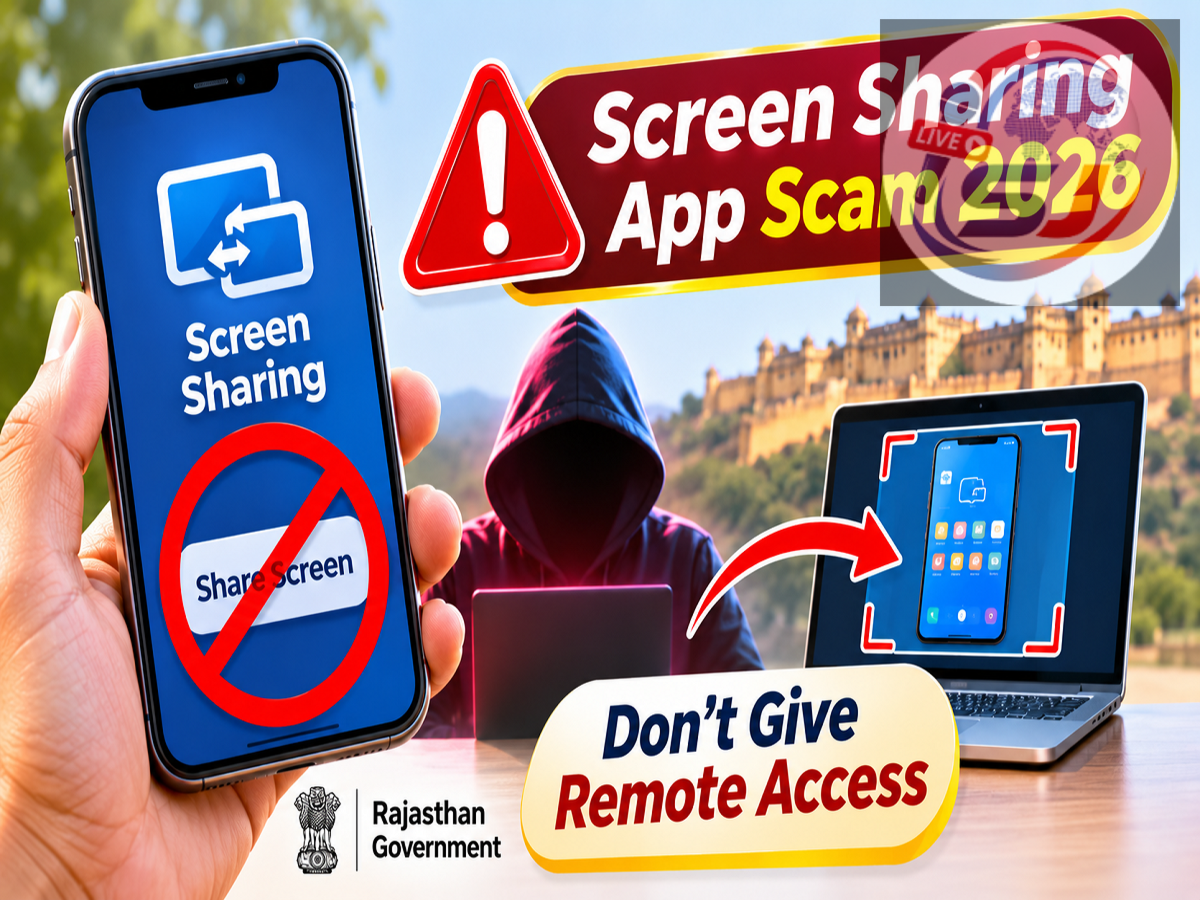
Screen Sharing Fraud Alert 2026: Smartphone users are being urged to remain cautious about screen-sharing and remote-access applications, as cybercriminals can misuse these tools to steal sensitive information and commit financial fraud. The Rajasthan government's Department of Information Technology and Communication (DoIT&C) has shared an important cyber safety advisory warning people against installing remote-access applications or sharing their mobile screens at the request of unknown callers.
The advisory highlights the risks associated with allowing strangers to view or control a smartphone remotely. Fraudsters may impersonate bank employees, customer care representatives or technical support executives to convince users to install applications that provide access to their devices.
Once screen-sharing or remote-control permissions are granted, criminals may be able to view sensitive information, monitor financial transactions or manipulate the device, depending on the permissions provided.
Rajasthan Government Warns Against Screen-Sharing Fraud
The Rajasthan government's cyber awareness message focuses on protecting users from fraudulent requests involving remote-access software.
Screen-sharing applications are legitimate tools commonly used for online meetings, technical support and remote collaboration.
However, the same technology can be misused when users unknowingly grant access to cybercriminals.
Scammers often create a sense of urgency by claiming that a bank account has been blocked, a refund is pending or a technical problem needs immediate attention.
They may then instruct the victim to download an application and enable screen sharing or remote-control permissions.
The government advisory encourages users to reject such requests from unknown individuals.
What Is a Screen-Sharing App Scam?
A screen-sharing scam occurs when a fraudster persuades someone to share their device screen or provide remote access under a false pretext.
The scammer may pretend to offer assistance with banking, online payments, mobile services or account verification.
For example, a person might receive a phone call from someone claiming to represent a bank's customer support department.
The caller may say that the customer's account requires urgent verification and ask them to install a screen-sharing application.
If the user follows these instructions, the fraudster may be able to observe activity on the device.
In more serious cases, remote-control permissions can allow an attacker to interact with applications or change certain settings.
The exact level of access depends on the application, operating system and permissions granted.
How Do Fraudsters Use Remote-Access Applications?
Cybercriminals commonly use social engineering techniques to convince people to provide access voluntarily.
A typical fraud attempt may begin with an unexpected phone call or message.
The caller claims that there is a problem with the user's bank account, UPI service, online shopping order or mobile connection.
To make the request appear genuine, the scammer may use official-sounding language or claim to be a technical support representative.
The victim is then asked to download a remote-support application or start a screen-sharing session.
Once access is enabled, the scammer may attempt to observe personal information or guide the victim into performing financial transactions.
Some attackers may also ask for additional permissions that increase their ability to interact with the device.
This is why users should never install or activate such software merely because an unknown caller requests it.
Can Screen Sharing Expose Your Banking Information?
Yes. Screen sharing can reveal sensitive information displayed on a smartphone or computer.
Depending on the application's capabilities and the device's security protections, a remote viewer may be able to see account information, transaction details, messages or other personal data.
If the user opens a banking application while sharing their screen, certain information may become visible to the other person.
Some banking applications and operating systems restrict screenshots or screen capture of sensitive screens, but users should not assume that every piece of information is automatically protected.
Remote-control access can create additional risks because the person controlling the device may be able to interact with applications.
Users should therefore avoid opening financial applications or entering confidential credentials during an untrusted screen-sharing session.
Common Tricks Used in Screen-Sharing Scams
Fraudsters may use different stories to convince victims that remote access is necessary.
Some common examples include:
-
Fake bank verification: A caller claims that the customer's bank account will be suspended unless an application is installed.
-
UPI payment problems: The scammer says that a failed transaction or pending refund can only be resolved through screen sharing.
-
Online shopping refunds: A fraudster impersonates a customer support executive and offers to process a refund remotely.
-
KYC update requests: The caller claims that identity verification must be completed immediately to prevent service disruption.
-
Technical support fraud: A scammer warns that the device contains a virus or security problem and offers remote assistance.
-
Prize or cashback scams: The victim is told that remote access is needed to claim a reward.
These scenarios are examples of common fraud techniques, not a list of specific incidents identified in the Rajasthan government's brief advisory.
Warning Signs of a Remote-Access Scam
Users should be suspicious when an unknown caller insists on installing an application or enabling screen sharing.
Other warning signs include requests for banking passwords, UPI PINs, OTPs or debit card details.
Fraudsters may also discourage users from disconnecting the call or contacting official customer support.
Another warning sign is pressure to act immediately, especially when the caller threatens account suspension or financial loss.
Legitimate customer support interactions should not require users to disclose confidential banking credentials to strangers.
If a caller claims to represent a financial institution, the safest approach is to disconnect and contact the organisation through its verified official channels.
Screen Sharing vs Remote Access: Understand the Difference
Although the terms are sometimes used interchangeably, screen sharing and remote access are not identical.
| Feature |
Screen Sharing |
Remote Access |
|---|---|---|
| Main purpose |
Allows another person to view the screen |
May allow another person to interact with the device |
| Typical use |
Meetings and demonstrations |
Technical support and device management |
| Information exposure |
Visible on-screen information |
Potentially broader access, depending on permissions |
| Device control |
Usually remains with the owner |
May be granted to the remote user |
| Fraud risk |
Sensitive information may be exposed |
Unauthorised actions may be possible |
Both technologies can be useful when used with trusted individuals and appropriate security precautions.
However, granting either form of access to an unknown person can create unnecessary risks.
What Should You Do If You Have Already Installed a Suspicious App?
If a person suspects that a remote-access application has been installed at a scammer's request, immediate precautions are advisable.
First, end the screen-sharing or remote-control session.
Disconnecting the device from the internet can help interrupt an active remote connection.
Next, review the installed applications and remove any suspicious remote-access software.
Users should also check whether the application has been granted sensitive permissions, including accessibility access, screen capture or device administration privileges.
If financial credentials may have been exposed, contact the bank immediately through its official customer support channels.
Passwords and other compromised credentials should be changed from a trusted device.
If unauthorised transactions have occurred, the incident should be reported promptly.
In serious cases, users may need professional assistance to confirm that the device is secure.
How to Report Screen-Sharing Financial Fraud in India
Victims of financial cyber fraud can report incidents through the national cybercrime helpline 1930.
Complaints can also be filed through the Government of India's official National Cyber Crime Reporting Portal.
When submitting a complaint, victims should provide relevant information, including transaction references, suspicious phone numbers, messages and details of any applications installed.
It is also important to notify the bank or payment service provider as soon as possible.
Early reporting may help authorities and financial institutions respond more quickly, although recovery of lost funds cannot be guaranteed.
How to Protect Your Smartphone From Remote-Access Fraud
Smartphone users can reduce the risk of screen-sharing scams by following basic digital safety practices.
Applications should be downloaded only when genuinely needed and preferably through trusted official sources.
Users should carefully examine permission requests before allowing an application to access the screen or control device functions.
Unnecessary permissions should be denied.
It is also advisable to keep the smartphone operating system and security updates current.
Banking applications should be protected with strong authentication, and financial credentials should never be shared during unsolicited support calls.
Users should also educate family members about the risks of remote-access scams, particularly those who may be unfamiliar with smartphone security settings.
Why Cyber Awareness Is Important for Digital Payment Users
As digital banking and online services become more common, scammers continue to develop new methods of exploiting users' trust.
Many fraud attempts do not begin with sophisticated hacking techniques.
Instead, criminals persuade individuals to perform actions that compromise their own security.
Installing a remote-access application at a stranger's request is one example.
The Rajasthan government's advisory emphasises the importance of recognising these tactics before granting device access.
A simple decision to refuse an unexpected screen-sharing request can prevent the exposure of personal information and financial credentials.
Final Takeaway: Never Share Your Screen With an Unknown Caller
The Rajasthan government's latest cyber safety warning delivers a clear message for smartphone and digital banking users.
Never install a remote-access application or share your screen simply because an unknown caller asks you to do so.
Screen-sharing tools are not inherently unsafe, but they can become dangerous when used by fraudsters to access sensitive information or manipulate a device.
Before accepting technical assistance, users should independently verify the identity of the person requesting access.
Anyone who suspects financial fraud should contact their bank immediately and report the incident through the official cybercrime reporting system.
Source Credit: Rajasthan Government Department of Information Technology and Communication (DoIT&C) — Public cyber safety advisory shared under #DOITC, #CyberSafety, #DigitalSafety, #CyberAwareness and #Rajasthan. Additional explanations about screen-sharing fraud, remote-access risks and reporting procedures have been included for public awareness.