
Online Fraud Alert 2026: 8 Simple Ways to Identify Fake Shopping Websites, Scam Links and Malicious Apps
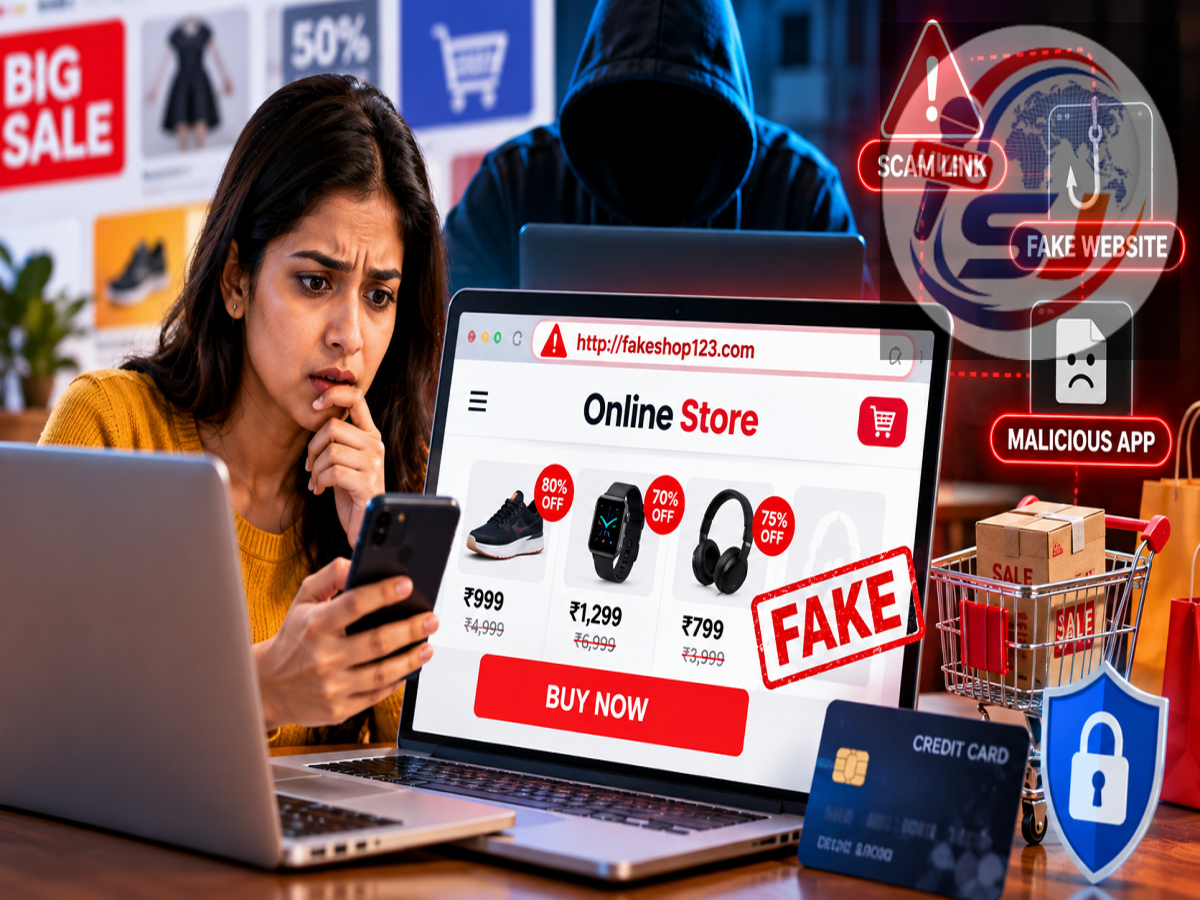
Cyber Safety Tips 2026: Online shopping has made purchasing products and services easier than ever, but it has also created new opportunities for cybercriminals. From attractive shopping discounts to unfamiliar mobile applications, scammers are using increasingly convincing methods to trick people into sharing personal and financial information.
A website offering a premium smartphone at an unbelievably low price or an app promising instant cashback may appear genuine at first glance. However, such offers can sometimes be traps designed to steal banking credentials, passwords, OTPs, or sensitive personal details.
Cybercriminals frequently create fraudulent websites that imitate popular shopping platforms, banking services, and trusted brands. They may also distribute counterfeit applications that look similar to legitimate apps.
The good news is that users can reduce their risk by checking a few important details before clicking links, installing applications, or making online payments.
Here are eight practical ways to identify suspicious websites and apps and protect yourself from online fraud.
1. Check the Website URL Before Entering Personal Information
One of the most common techniques used in online scams involves creating website addresses that closely resemble genuine brands.
Fraudsters may replace a letter, add an extra word, or use a misleading domain extension to make a fake website appear legitimate.
For example, a fraudulent shopping website may imitate a well-known retailer's name while directing visitors to a completely different domain.
Before entering your mobile number, password, card details, or other information, carefully examine the website address.
Pay particular attention to spelling mistakes, unusual characters, and unexpected redirects.
For safer access, type the official website address directly into your browser or open the company's verified mobile application.
Remember that HTTPS and a padlock icon indicate an encrypted connection, but they do not guarantee that a website is genuine.
2. Be Suspicious of Discounts That Look Too Good to Be True
Everyone enjoys shopping discounts, especially during festive sales and promotional events.
However, cybercriminals frequently exploit customers' interest in low prices.
A website advertising an expensive smartphone at an extremely low price may be attempting to attract visitors to a fraudulent payment page.
Scammers may also display messages such as "Only Two Items Left" or "Offer Ends in Five Minutes" to create a sense of urgency.
These pressure tactics encourage people to complete transactions without checking the seller's authenticity.
Before making a payment, compare the product's price with established online retailers and the manufacturer's official website.
If an offer appears unusually generous and the seller cannot be independently verified, avoiding the transaction may be the safest option.
3. Examine Website Design and Product Information
The appearance of a website can sometimes reveal warning signs.
Poorly written product descriptions, repeated spelling mistakes, broken pages, and low-quality photographs may suggest that a shopping platform has not been professionally maintained.
However, users should not assume that every attractive website is trustworthy.
Modern cybercriminals can create highly convincing pages using professional templates and artificial intelligence tools.
Some fraudulent platforms copy logos, product photographs, and website layouts from genuine businesses.
Therefore, visual appearance should be considered alongside other indicators, including the website address, company details, and payment methods.
4. Verify Customer Support and Business Contact Details
Before purchasing from an unfamiliar website, check whether the company provides reliable contact information.
Look for a registered business name, physical address, customer support details, and clear policies for refunds, returns, and deliveries.
A website that provides only an unfamiliar email address or does not explain how customers can contact the seller deserves additional scrutiny.
Even when a phone number or business address is displayed, it may not be genuine.
Consumers should verify the information independently rather than trusting everything published on the website.
Checking whether the company has an established online presence can also help identify potentially fraudulent sellers.
5. Download Apps Only From Trusted Sources
Fake mobile applications are another common tool used by online fraudsters.
These applications may imitate popular shopping platforms, banking apps, payment services, or government utilities.
Once installed, a malicious application may attempt to collect sensitive information, display misleading login screens, or request access to important smartphone features.
Users should generally download applications through recognised platforms such as Google Play Store or Apple App Store.
However, even official app marketplaces cannot guarantee that every listed application is completely safe.
Before downloading an unfamiliar app, check the developer's name, application description, publishing history, and official website.
Avoid installing APK files received through unknown WhatsApp messages, suspicious advertisements, or unsolicited SMS links.
6. Check App Permissions Before Installing
Application permissions can reveal whether software is requesting unnecessary access to your smartphone.
For example, a navigation application may legitimately need location access, while a video-calling app may require microphone and camera permissions.
However, if a basic shopping application requests access to call logs, SMS messages, contacts, or unrelated device functions, users should investigate why those permissions are necessary.
Some malicious apps attempt to misuse sensitive permissions to collect information or interfere with device security.
Android and iPhone users can review and manage permissions through their phone settings.
Grant access only when it is necessary for the application's intended function.
Restricting unnecessary permissions can improve both privacy and smartphone security.
7. Read App Reviews, but Do Not Trust Ratings Blindly
Many smartphone users decide whether to install an application based on its star rating.
However, high ratings do not always indicate that an app is safe.
Fraudulent applications may use manipulated reviews or misleading descriptions to appear legitimate.
Before installing an unfamiliar application, examine recent reviews and look for repeated complaints about unexpected charges, suspicious behaviour, or poor customer support.
Also consider how long the application has been available and whether the developer has published other reliable products.
A high download count can indicate popularity, but it does not guarantee security.
Users should evaluate several factors together rather than relying on ratings alone.
8. Keep Google Play Protect Enabled
Android smartphones include a security feature called Google Play Protect.
This service helps identify potentially harmful applications by scanning installed software and checking for suspicious behaviour.
Users can review Google Play Protect through the Google Play Store.
To access it, open the Play Store, tap the profile icon, and select Play Protect.
From there, users can check the available security status and scanning settings.
Keeping this feature enabled provides an additional layer of protection against known malicious applications.
However, Google Play Protect cannot detect every possible threat.
Regular operating-system updates, careful permission management, and responsible downloading habits remain essential.
What Should You Do If You Accidentally Open a Fake Website?
Opening a suspicious website does not automatically mean your smartphone or bank account has been compromised.
However, users should avoid entering personal information or downloading files from unfamiliar pages.
If you have entered a password on a suspected phishing website, change it immediately using the genuine service.
Enable two-factor authentication wherever possible to add another layer of account protection.
If you have shared banking credentials or payment information, contact your bank through its official customer support number.
Anyone who has installed a suspicious application should remove it, review device permissions, and perform a security check.
If money has been stolen, report the incident promptly.
In India, victims of financial cybercrime can call the national cybercrime helpline at 1930 or file a complaint through cybercrime.gov.in.
Reporting quickly may improve the chances of action being taken, although recovery of stolen money is not guaranteed.
Important Online Shopping Safety Tips
Online shoppers can reduce their exposure to cybercrime by following a few basic precautions.
-
Never share your OTP, ATM PIN, UPI PIN, or banking password.
-
Avoid making payments through links sent by unknown individuals.
-
Check website addresses before entering sensitive information.
-
Verify unusually attractive discounts through official retailers.
-
Download applications from recognised sources.
-
Keep smartphone security features and software updated.
-
Review bank statements and transaction notifications regularly.
-
Avoid granting unnecessary permissions to unfamiliar applications.
These habits are particularly important during festive shopping seasons, when fraudulent advertisements and misleading discount offers may become more noticeable.
Conclusion
Cybercriminals are constantly developing new methods to deceive internet users through fake websites, fraudulent shopping offers, and malicious mobile applications.
Although some scams are difficult to recognise immediately, checking website URLs, verifying sellers, reviewing app permissions, and examining developer information can significantly reduce the risk.
The most important rule of online safety is simple: verify the website or app before sharing information, downloading software, or making a payment.
A few extra moments of caution can help protect your bank account, passwords, personal information, and digital identity from online fraud.