Microsoft 365 Phishing Alert 2026: Hackers Send Fake Outage Emails, Warn Users of 24-Hour Deadline
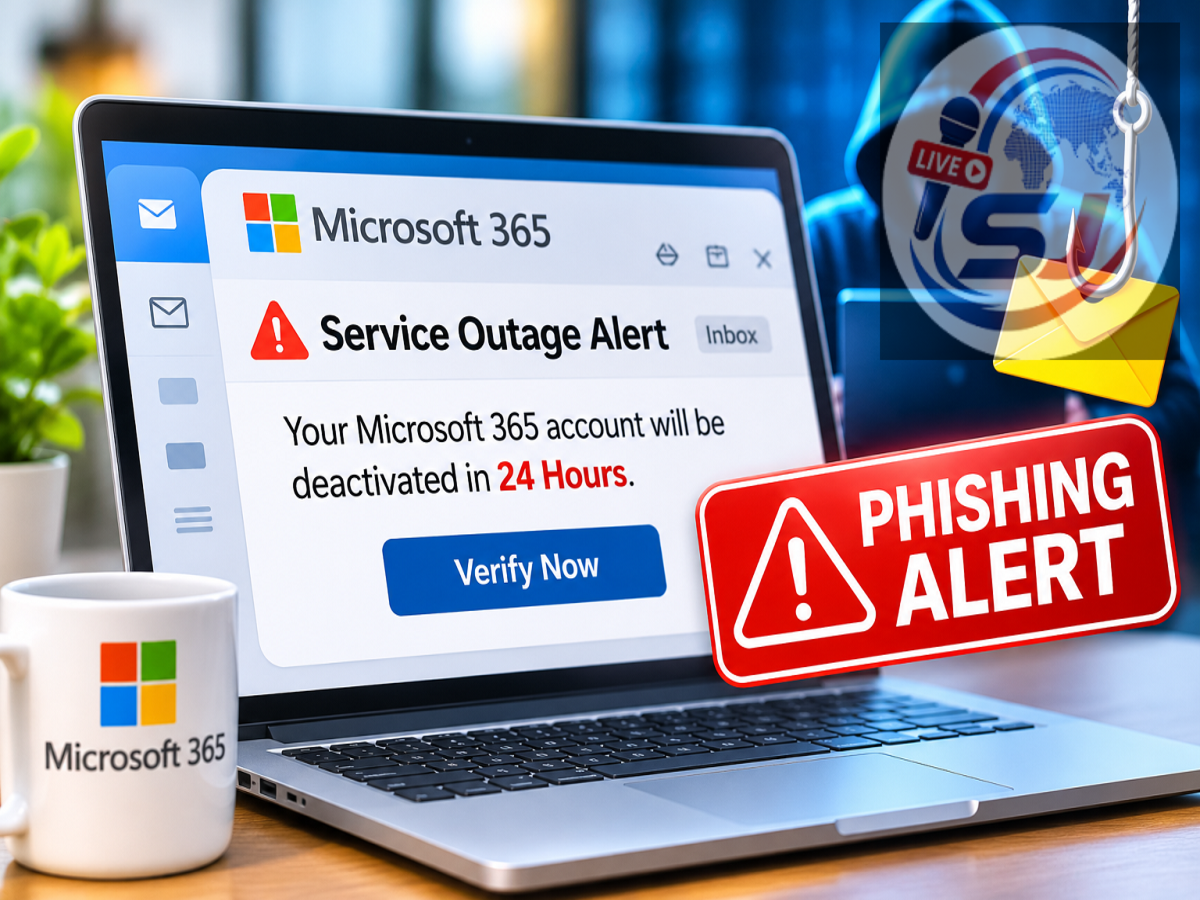
Microsoft Outage Phishing Scam 2026: Microsoft 365 users are facing a new cybersecurity threat as hackers exploit a recent service outage to distribute fraudulent emails. Cybercriminals are reportedly impersonating Microsoft service notifications and warning recipients that important emails could be permanently deleted unless they take immediate action.
Microsoft Threat Intelligence has alerted users and security teams about the suspicious campaign, which uses fake service health notifications to trick people into opening potentially malicious links.
According to a Live Hindustan report published on November 14, 2026, the fraudulent messages claim that emails held during Microsoft's recent service disruption must be recovered within 24 hours.
The attackers are using convincing subject lines, familiar notification formats and tracking links to make their messages appear legitimate.
Microsoft has advised users to verify service-related information through official channels instead of trusting unexpected emails.
Hackers Exploit Microsoft 365 Outage to Launch Phishing Campaign
Cybercriminals frequently take advantage of major technology disruptions because users may already be expecting service updates from affected companies.
The latest campaign follows a Microsoft outage that caused difficulties for users accessing certain services.
Attackers are exploiting the situation by sending messages that appear to originate from Microsoft's service health notification system.
These emails claim that some messages were temporarily held during the disruption and are now at risk of deletion.
Recipients are encouraged to click a link to recover the supposedly affected emails.
However, the warnings are fraudulent and should not be confused with legitimate Microsoft service announcements.
The campaign demonstrates how attackers can turn a real technical incident into an opportunity for social engineering.
Fake Microsoft Emails Threaten to Delete Messages Within 24 Hours
One of the main tactics used in the phishing campaign is creating a false sense of urgency.
The fraudulent emails tell recipients that messages delayed during the outage will be deleted within 24 hours unless they complete a recovery process.
This deadline is intended to pressure users into acting without verifying the sender or destination website.
For employees who depend on Microsoft 365 for business communication, the possibility of losing important messages can be particularly concerning.
Attackers exploit that concern by presenting the malicious link as a necessary step to restore email access.
Users should remember that an unexpected email demanding immediate action is not proof of a genuine Microsoft service issue.
How to Identify Fake Microsoft Outage Notifications
Microsoft has identified several warning signs associated with this phishing campaign.
One common subject-line format is:
Outage - [six-character code]
The sender's display name may also contain terms such as "Outage Notification" or "Service Health," sometimes preceded by an organisation-specific name.
These details are designed to resemble legitimate Microsoft 365 communications.
Attackers have also referenced a genuine Exchange Online service incident, identified as EX1550543, to make their emails appear more credible.
Microsoft detected examples of these messages on November 13, one day after the service disruption began.
Microsoft Identifies Three Sender Domains Used in the Attack
Microsoft Threat Intelligence has identified three sender domains associated with the suspicious campaign.
| Reported Domain |
Role in the Campaign |
|---|---|
|
|
Sender domain used in phishing emails |
|
|
Sender domain associated with the campaign |
|
|
Another identified sender domain |
|
|
Reported redirect destination |
The suspicious messages contain recipient-specific SendGrid tracking links. These links redirect users to a webpage on the reported destination domain, including a path ending in /themelist0.html.
The domains are displayed here in a non-clickable format for safety.
Security teams can use these indicators to investigate potentially malicious messages. However, the absence of these exact domains does not guarantee that an email is legitimate, because attackers can change their infrastructure.
Several US Companies Targeted by the Phishing Campaign
Microsoft says the campaign has targeted organisations across multiple industries in the United States.
The activity appears consistent with an attempt to steal account credentials, although Microsoft has not confirmed that attackers successfully obtained passwords or delivered malware through this campaign.
This distinction is important because the discovery of phishing emails does not necessarily mean that every targeted account has been compromised.
The company has not publicly attributed the campaign to a specific hacking group.
Microsoft Recommends Defender Security Tools
Microsoft has advised enterprise security teams to investigate suspicious emails using its security products.
Microsoft Defender for Office 365 Threat Explorer can help administrators identify suspicious messages and inspect potentially dangerous URLs.
Meanwhile, Microsoft Defender XDR's advanced hunting capabilities allow security teams to examine email activity and investigate whether users interacted with suspicious links.
Microsoft specifically highlighted the following data tables:
-
EmailEvents— for examining email-related activity. -
EmailUrlInfo— for analysing URLs associated with messages. -
UrlClickEvents— for investigating interactions with suspicious links.
The company also recommended checking Microsoft Defender Safe Links policies, which can provide protection against malicious URLs when configured correctly.
How to Protect Yourself From Fake Microsoft Emails
Microsoft 365 users should take precautions when receiving unexpected messages about service disruptions, account recovery or email restoration.
A message claiming that emails will be deleted within 24 hours should be independently verified before any action is taken.
Users should avoid opening unfamiliar links, downloading unexpected attachments or entering login credentials on websites reached through suspicious emails.
Business users can contact their organisation's IT administrator to verify whether an outage-related notification is genuine.
Administrators should check service health information directly through the official Microsoft 365 Admin Center rather than following links in unsolicited messages.
Enabling multifactor authentication and using phishing-resistant authentication methods can also help reduce the risk of account compromise.
What Should You Do If You Already Clicked the Link?
If you have opened a suspicious link but have not entered any information, close the webpage and report the message to your IT or security team.
If you entered your Microsoft account password, change it immediately through the official Microsoft website.
You should also review recent account activity, report the incident to your organisation's administrator and follow its account recovery procedures.
For business accounts, administrators may need to revoke active sessions, reset credentials and investigate unusual sign-in attempts.
If an unexpected file was downloaded, avoid opening it and have the device checked using approved security tools.
Final Takeaway
Microsoft's latest warning highlights how cybercriminals can exploit genuine service outages to create convincing phishing campaigns.
The attackers are sending fake Microsoft 365 notifications claiming that delayed emails will be deleted unless users restore them within 24 hours.
Microsoft has identified suspicious sender domains, tracking links and message patterns associated with the campaign.
Although successful credential theft or malware delivery has not been confirmed, users and organisations should remain alert.
The safest approach is to verify Microsoft 365 service notifications through official channels and avoid clicking recovery links in unexpected emails.