
Lost iPhone Scam Alert 2026: Government Warns Against Fake Apple Support Messages and Find My Links
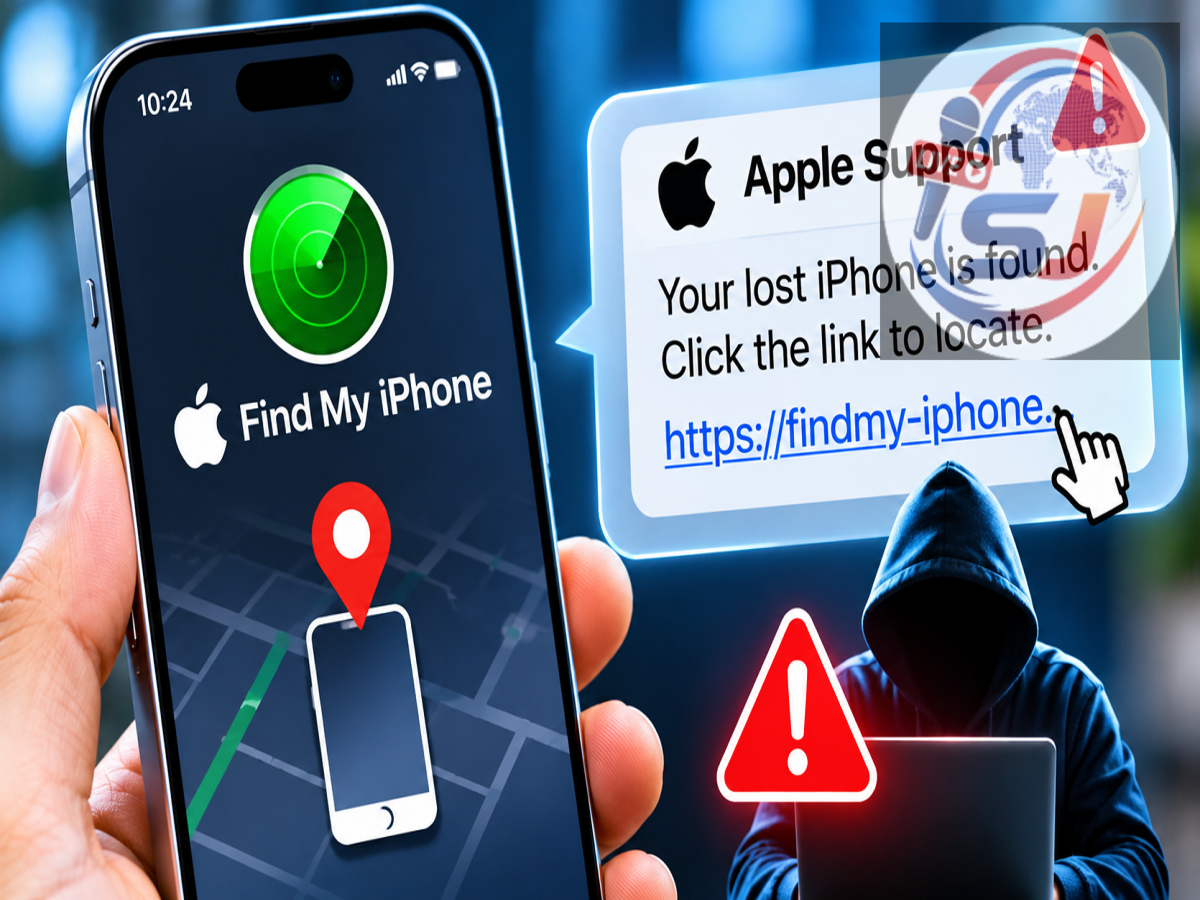
iPhone Cyber Fraud Alert 2026: If your iPhone has been lost or stolen, receiving a message claiming that the device has been found might seem like good news. However, cybersecurity experts are warning users to be extremely cautious about such messages, as criminals are exploiting the anxiety of phone theft victims to steal their Apple Account credentials and other sensitive information.
According to a report published by Live Hindustan on November 17, 2026, cybercriminals are impersonating Apple Support and the Find My service to send fraudulent SMS messages. These messages often claim that a missing iPhone has been located and ask the owner to click a link to recover it.
The Indian Cyber Crime Coordination Centre (I4C), which operates under the Ministry of Home Affairs, has reportedly issued a warning about this type of phishing scam.
The fraud is particularly dangerous because victims may unknowingly reveal their Apple Account passwords and two-factor authentication codes while attempting to recover their devices.
How Does the Fake Apple Support Scam Work?
The scam typically begins after someone loses an iPhone or reports that it has been stolen.
Fraudsters send a text message claiming to represent Apple Support, Find My or another device recovery service.
The message may state that the missing smartphone has been located and that its current position can be viewed through a provided link.
In some cases, criminals create a sense of urgency by suggesting that the recovery opportunity will expire unless the user acts immediately.
The link redirects the victim to a fraudulent website designed to resemble Apple's official login page.
Once the user enters their Apple Account email address and password, the information may be captured by the attackers.
The website may then request a one-time password or two-factor authentication code, allowing criminals to attempt unauthorised access to the account.
Fake Apple Login Pages Designed to Steal Passwords
A major component of this scam involves convincing replicas of legitimate Apple websites.
These fraudulent pages may display familiar logos, colours and account sign-in forms to make them appear authentic.
Victims may believe that entering their credentials is necessary to confirm ownership of the missing device.
However, submitting information to such a website can expose the account to cybercriminals.
Attackers may attempt to access services associated with the compromised Apple Account, including certain iCloud information, depending on the account's security settings and whether additional authentication barriers are bypassed.
The attackers may also attempt to interfere with security protections associated with the stolen device.
Importantly, obtaining an Apple Account password does not automatically disable Activation Lock or provide unrestricted access to every protected service. Additional security requirements may still apply.
Why Do Criminals Target Owners of Stolen iPhones?
Apple devices include security features such as Find My and Activation Lock, which are designed to discourage theft and make unauthorised reuse more difficult.
When Find My is enabled, Activation Lock can remain associated with the owner's Apple Account.
This can prevent another person from activating or using the device normally without satisfying Apple's security requirements.
Criminals who possess a stolen iPhone may therefore attempt to trick its owner into revealing credentials or removing the device from their account.
A successful phishing attack could help attackers compromise account security or persuade the owner to remove protections that would otherwise restrict the device's reuse.
The scam also creates risks beyond the stolen smartphone because an Apple Account may be connected to photographs, contacts, backups and other personal information.
Five Warning Signs of a Fake Find My iPhone Message
Users should watch for the following suspicious behaviour when receiving messages about a missing device.
1. Unexpected Claims That Your iPhone Has Been Found
A message from an unknown number claiming that your stolen phone has been recovered should be treated cautiously.
Do not assume that a message is genuine simply because it mentions your device model or appears to contain accurate information.
2. Pressure to Take Immediate Action
Fraudulent messages often demand quick action.
They may warn that the phone's location will disappear or that the recovery request will expire.
Such urgency is designed to discourage users from carefully checking the message.
3. Links to Unfamiliar Websites
A phishing message may contain a website address that looks similar to an official Apple domain.
Criminals sometimes use additional words, unusual characters or misleading subdomains to imitate trusted services.
Users should avoid opening recovery links received through unsolicited SMS messages.
4. Requests for Apple Account Passwords
A website reached through an unexpected text message that asks for your Apple Account credentials is a significant warning sign.
Instead of using the supplied link, access Apple's services independently through a trusted app or by entering the official address yourself.
5. Requests for OTPs or Verification Codes
Two-factor authentication codes are intended to protect accounts from unauthorised access.
Never disclose these codes to unknown callers, senders or suspicious websites.
Apple does not require users to share passwords, device passcodes or two-factor authentication codes with someone claiming to provide support.
What Should You Do If Your iPhone Is Lost or Stolen?
If your iPhone goes missing, the safest approach is to use Apple's official device recovery features rather than responding to unexpected messages.
Step 1: Open Find My
Use the Find My application on another trusted Apple device or visit the official iCloud Find Devices service at https://www.icloud.com/find.
Step 2: Check the Device's Location
If the missing iPhone is connected and location information is available, you may be able to view its last reported or current location.
Location availability depends on the device's connectivity, settings and other conditions.
Step 3: Mark the iPhone as Lost
Enable Lost Mode or the equivalent lost-device option through Find My.
This can help secure the device and display contact information for someone who finds it.
Step 4: Contact the Police and Telecom Operator
Report the theft to the police and ask your mobile service provider to suspend the affected SIM or mobile connection where appropriate.
Step 5: Keep the Device Associated With Your Apple Account
Do not remove a stolen iPhone from Find My merely because an unknown person sends a recovery message.
Removing a device from the account can affect Activation Lock protection.
Step 6: Consider Remote Erasure
If recovery appears unlikely and sensitive information is at risk, Apple's remote erase option may be appropriate.
However, users should understand the consequences before proceeding, including possible limitations on future location tracking.
What If You Already Clicked a Fake Apple Link?
Clicking a suspicious link does not necessarily mean that your account has been compromised.
However, users who entered credentials or verification codes should take immediate precautions.
Change the Apple Account password through official Apple settings or Apple's account management website.
Review the devices associated with the account and remove unfamiliar sessions or devices where appropriate.
Check trusted phone numbers and other account recovery information for unauthorised changes.
If the same password was used for other services, change those passwords as well.
Users should also review account activity and contact Apple Support through official channels if they suspect unauthorised access.
How to Report This Cyber Scam in India
Victims of suspected phishing or account-related cybercrime can submit a complaint through the National Cyber Crime Reporting Portal at https://cybercrime.gov.in.
If the incident involves financial fraud, users can also contact India's cybercrime helpline at 1930.
Preserve screenshots of suspicious messages, website addresses and other relevant evidence.
Avoid deleting potentially useful records before reporting the incident.
Important Apple Security Tips for iPhone Users
Keeping Find My enabled is an important precaution against device theft.
Users should also activate two-factor authentication, maintain a strong device passcode and enable Stolen Device Protection on supported iPhones.
Regular software updates can help protect devices against known security vulnerabilities.
Most importantly, users should never trust a recovery message solely because it contains the Apple logo or claims to come from Apple Support.
Always verify account-related information through official Apple services.
Conclusion
The fake Find My iPhone recovery scam demonstrates how cybercriminals can exploit the distress caused by losing an expensive smartphone.
By sending convincing messages claiming that a stolen device has been located, attackers attempt to lure victims onto fraudulent websites and obtain sensitive Apple Account credentials.
The warning attributed to I4C highlights the need for caution when handling unexpected recovery messages.
If your iPhone is lost or stolen, use Apple's official Find My service, protect your account credentials and avoid entering passwords or verification codes through unfamiliar links.
A few moments spent verifying a message can help prevent a phone theft from turning into a wider account-security incident.
Official References: Apple Find Devices — https://www.icloud.com/find | National Cyber Crime Reporting Portal — https://cybercrime.gov.in
Disclaimer: The details of the I4C warning are based on the supplied Live Hindustan report. Users should consult official Apple security guidance for the latest device recovery procedures.