
Instagram Post Scheduling: How to Set Photos and Reels to Publish Automatically
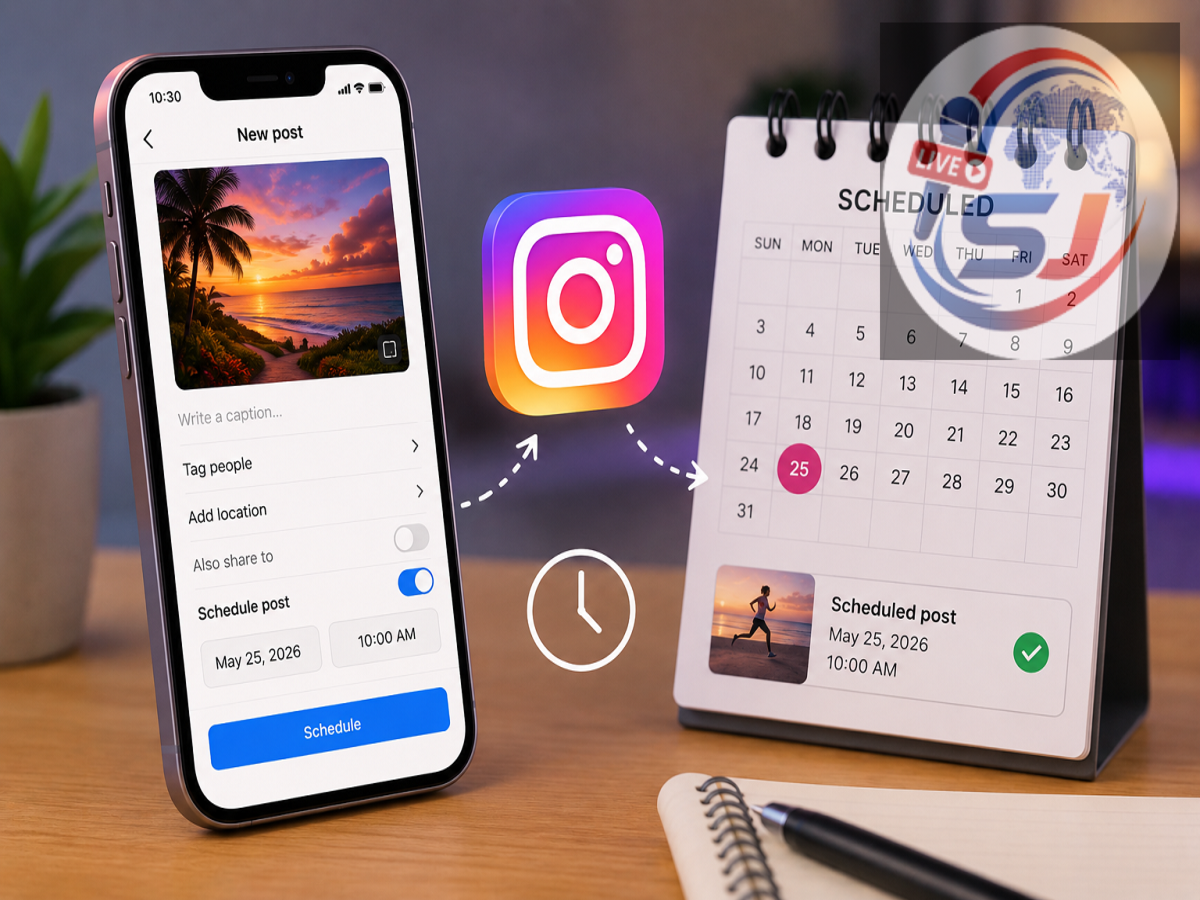
Instagram Schedule Posts Feature: Posting consistently on Instagram can be challenging, especially for creators and businesses managing content throughout the week. You may prepare a Reel or photo in advance but forget to publish it at the planned time. Instagram's built-in scheduling feature is designed to solve this problem by letting eligible users prepare content now and set it to go live later.
Instead of keeping a reminder or returning to Instagram at the exact publishing time, users can select a future date and time while preparing their content. Instagram then handles the scheduled publication.
The tool can be particularly useful for creators, brands and social media managers who prepare several posts in advance. However, there are eligibility requirements and some content features may not work with scheduled posts.
Here's what you should know before using Instagram's scheduling option.
What Does Instagram's Scheduling Feature Do?
Instagram's scheduling tool allows eligible users to prepare a photo, carousel or Reel and select a future time for publication.
You create the content much like an ordinary Instagram post—choose the media, make edits, prepare the caption and configure the available settings. Instead of publishing immediately, however, you select the scheduling option and choose when you want the content to appear.
Once scheduled, you don't have to manually press the Share button at that exact time.
This makes the feature useful when you already know what you want to publish but may not be available when you want the post to go live.
Who Can Schedule Instagram Posts?
The scheduling feature is not necessarily available in the same way for every Instagram account.
According to Instagram's current feature information, eligible public accounts can schedule supported content from within the Instagram app.
If you cannot find the scheduling controls described below, check whether your account meets the applicable requirements and whether you're using the latest version of the Instagram app.
Features can also change or roll out gradually, so menu names and locations may differ slightly depending on your app version and device.
What Type of Instagram Content Can Be Scheduled?
Instagram's built-in tool can be used with several commonly published content formats.
Eligible users can schedule:
-
Regular photo posts
-
Video content supported by the posting interface
-
Carousel posts
-
Instagram Reels
This means creators can prepare much of their standard feed content ahead of time rather than manually uploading every post.
However, not every Instagram feature is compatible with scheduled publishing.
Some Features May Not Work With Scheduled Posts
Before planning your entire content calendar around automatic publishing, be aware that certain Instagram tools may be unavailable for scheduled content.
Instagram indicates that features such as collaborative posts, product tagging, sponsored content and fundraisers may not be compatible with scheduled publishing.
Availability can change as Instagram updates its platform, so check the options displayed inside the app when preparing the post.
If a feature you need disappears after enabling scheduling, you may need to publish that particular post manually instead.
How Far in Advance Can You Schedule Instagram Content?
Instagram places limits on how much content users can schedule through the feature.
According to the stated limits, eligible users can schedule up to 25 posts per day, with content scheduled as far as 30 days ahead.
For most individual creators and small businesses, that provides enough flexibility to build a substantial content calendar in advance.
For example, you could prepare several posts at the beginning of the week and schedule each one for a different day and time.
Rather than interrupting your work every time something needs to be published, Instagram can handle the actual posting according to the schedule you've created.
How to Schedule an Instagram Post or Reel
The process is similar to publishing normal content, with an additional scheduling step before the final confirmation.
Follow these steps:
-
Open the Instagram app and access the content creation menu.
-
Choose whether you want to create a Post or Reel.
-
Select the photograph, video or other supported media you want to publish.
-
Tap Next and make your desired edits.
-
Add your caption and configure the available post settings.
-
Scroll through the publishing options and open More options.
-
Look for Schedule this post or Schedule this reel.
-
Turn on the scheduling option.
-
Choose the date and time when you want the content to be published.
-
Tap Done to confirm your selection.
-
Return to the previous publishing screen.
-
Review your content and tap Schedule rather than publishing it immediately.
Instagram should then save the content as a scheduled post and publish it at the selected time, subject to the platform's normal operation and account status.
Double-Check Everything Before Scheduling
Scheduling saves time, but it can also make mistakes easier to overlook.
Before pressing the final Schedule button, carefully review your caption, images, video, tags and other settings.
Pay particular attention to dates, promotional information, prices or time-sensitive details. Something that is correct when you prepare the post may no longer be accurate when it is eventually published.
Businesses should also make sure scheduled posts don't conflict with campaigns, announcements or other content planned for the same period.
What Happens to Audience and Privacy Settings?
Scheduling a post does not mean Instagram automatically changes its intended audience settings.
According to the feature description, scheduled content retains the relevant privacy and audience configuration selected when the content was scheduled.
This is another reason to review all settings before confirming the schedule.
If you later change your broader account strategy, don't assume previously scheduled content has automatically adopted every new preference. Review upcoming scheduled posts where necessary.
Why Instagram Scheduling Can Be Useful for Creators
Consistency is one of the biggest challenges in maintaining an active social media account.
A creator may have enough content for the entire week but may not have time to open Instagram and manually publish it every day.
Scheduling separates content creation from content publishing.
For instance, a creator could use one afternoon to edit several Reels, write captions and prepare posts for the coming days. Each piece of content can then be assigned its own publication time.
That reduces repetitive work and makes it easier to maintain an organised content calendar.
Businesses Can Plan Campaigns More Efficiently
The feature isn't only useful for influencers.
Small businesses, shops, restaurants and other organisations can use scheduling to prepare routine posts ahead of time.
A business could prepare content for an upcoming product launch, event or promotional campaign and distribute the posts across several days.
Scheduling can also be useful for teams where the person creating content isn't always available when it needs to be published.
However, time-sensitive promotional posts should always be reviewed before they go live, particularly if stock, prices, dates or campaign conditions have changed.
Scheduling Doesn't Guarantee Better Reach
It is important to distinguish between convenience and performance.
Scheduling a post at a particular time does not guarantee more views, likes, followers or engagement.
Audience behaviour varies considerably between accounts. A posting time that works well for one creator may perform poorly for another.
Instead of relying on generic claims about the "best time to post," creators with access to Instagram insights can study when their own audience tends to be active and experiment with different publishing times.
Scheduling then becomes a tool for implementing that strategy rather than a shortcut to guaranteed reach.
What If the Scheduling Option Isn't Showing?
If you cannot see Schedule this post or Schedule this reel, start by updating Instagram through your device's official app store.
Then check whether your account meets the current eligibility requirements.
The feature interface can also change over time, so scheduling controls may appear under a slightly different menu as Instagram updates the app.
Avoid downloading unofficial Instagram apps that promise to unlock unavailable features. Modified applications can create account security and privacy risks.
Should You Use Instagram's Scheduling Feature?
For anyone who publishes occasionally, scheduling may simply be a convenient extra.
For creators, businesses and users managing several posts every week, however, it can become a valuable productivity tool.
The biggest advantage is straightforward: you can prepare content when you have time and publish it when you want your audience to see it.
Instagram's built-in scheduling eliminates the need to remain online at the exact publishing time and reduces dependence on manual reminders.
Just remember to review the post carefully, select the correct date and time, check your audience settings and make sure the content doesn't rely on a feature that isn't supported by scheduled publishing.
With those precautions, Instagram's scheduling tool can make managing a regular content calendar considerably easier.