
Instagram May Let You Edit Stories After Posting: No Need to Delete Them for Small Mistakes
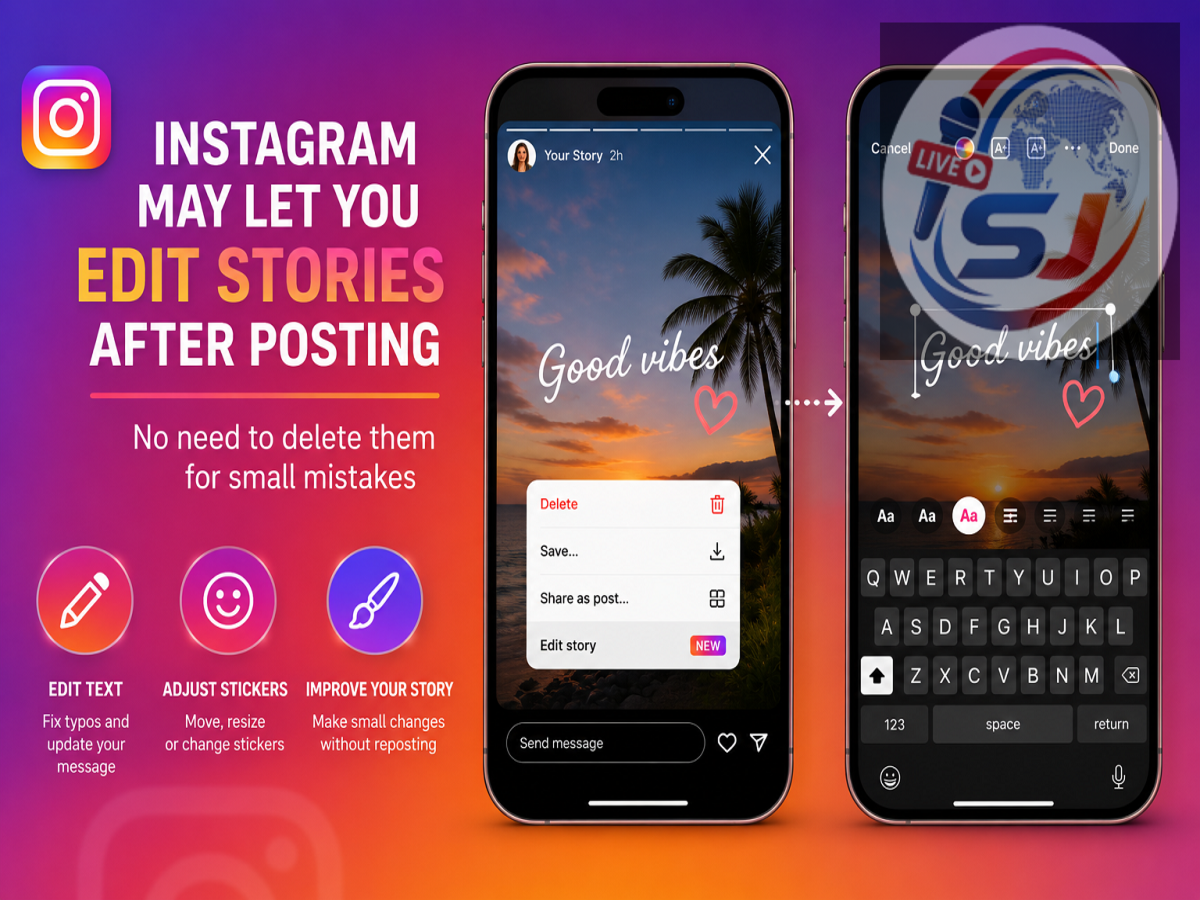
Instagram appears to be testing a useful feature that could solve one of the most frustrating problems with Stories: discovering a mistake only after the Story has already been published. Instead of deleting the entire Story and uploading it again, some users are reportedly getting an option to edit a published Story.
The reported feature has initially appeared for a limited number of iPhone users. Screenshots shared by users on social media suggest that an Edit option is being added to the menu available for an active Instagram Story.
However, there is an important catch. Editing a published Story may effectively replace its original version, meaning existing likes, reactions or comments associated with it could be reset.
Instagram has not yet provided complete public details about the feature, so its availability and functionality may change as testing continues.
Instagram Story Editing Could Fix a Long-Standing Problem
Instagram Stories are designed to remain visible for 24 hours unless users delete them earlier or save them as Highlights. Their temporary nature makes them popular for quick updates, announcements and casual content.
Until now, however, making a mistake in a published Story could be inconvenient.
If a creator noticed a typo, incorrect tag, misplaced sticker or some other error after publishing, the usual solution was to remove the Story, make the correction and upload it again.
That process could mean losing the engagement already received on the original Story.
The new editing option appears intended to make corrections easier, although the reported reset of existing engagement means users may still need to decide whether a minor mistake is worth fixing.
How Could the Instagram Story Edit Option Work?
According to screenshots and reports shared by users, the editing process appears relatively straightforward.
A user would first open the Story that has already been published and access its options menu. If the feature is available for that account, an Edit option should appear among the available controls.
Tapping Edit reportedly brings up a warning before the editing process begins.
The warning indicates that starting an edit will remove or replace the original version of the Story. Engagement associated with that original Story, including likes, reactions and comments, may also be reset.
Users should therefore read the warning carefully before proceeding.
Will You Lose Likes and Reactions After Editing?
Based on the information available from the reported test, this appears to be one of the biggest limitations.
If editing replaces the original Story rather than simply modifying the existing upload, engagement attached to the previous version may not carry over.
For a personal account with only a handful of views, that may not matter much. For influencers, businesses, media organizations and professional creators, however, the decision could be more significant.
Imagine that a Story has already received substantial engagement before the creator notices a small spelling error. Correcting that typo could potentially mean sacrificing the reactions or interactions already accumulated.
For that reason, users may want to weigh the importance of the correction against the engagement they could lose.
What Parts of an Instagram Story Can Be Edited?
This remains one of the biggest unanswered questions.
Instagram Stories can contain multiple elements, including text, music, stickers, GIFs, mentions, location tags, hashtags and links.
At the time of the reported rollout, it was not clear exactly which of these elements users would be allowed to modify after publication.
For example, Instagram could permit changes to text while restricting modifications to the original photo or video. Alternatively, the editing interface could allow users to reposition stickers, correct mentions or change other overlays.
Until Instagram provides detailed documentation or expands the test, users should not assume that every element of a published Story will be editable.
Limited Rollout Reported for iPhone Users
The feature has reportedly begun appearing for a limited group of iPhone users, suggesting that Instagram may still be testing how it performs before considering a wider release.
This type of gradual rollout is common for social media platforms. A new feature may first be provided to a small number of accounts so the company can evaluate technical performance and user response.
As a result, two people using the same version of Instagram may not necessarily have access to identical features.
If you cannot see an Edit option on your Story, it does not automatically mean that something is wrong with your app or account.
What About Android Users?
Android users may have to wait longer if the feature remains limited to selected iOS accounts during its initial testing phase.
The source report did not indicate a confirmed Android rollout date.
Instagram could eventually expand Story editing to more users and platforms if the test is successful, but there is no guarantee that every tested feature will be released globally in exactly the same form.
Users should therefore be cautious about claims suggesting that a specific Android release date has already been confirmed.
Don't See the Edit Button? Updating the App May Not Be Enough
When a new Instagram feature is announced or spotted online, users often immediately visit the App Store or Google Play Store expecting an update to unlock it.
That does not always work.
Instagram frequently activates features from the server side. This means having the latest version of the application can be helpful, but it does not guarantee immediate access.
Users can keep their Instagram app updated, but if their account is not included in the current rollout, they may still need to wait.
Avoid downloading unofficial or modified Instagram apps that promise to unlock unreleased features. Such applications can introduce security and privacy risks.
Story Editing Could Be Particularly Useful for Creators
The ability to edit a Story after publishing could be especially useful for professional accounts.
Creators frequently use Stories for promotional campaigns, product recommendations, polls and announcements. Businesses may use them to share prices, event details, opening hours or limited-time offers.
A small mistake in any of this information can create confusion.
For example, a brand could accidentally publish the wrong event time, a creator could tag the wrong account, or a media page could spot a typo after thousands of followers have already seen the Story.
An editing tool could make correcting such mistakes significantly more convenient than deleting everything and rebuilding the Story.
Instagram Has Been Experimenting With More Editing Controls
The reported Story editing feature comes amid a broader series of changes and experiments on Instagram.
The platform has been working on tools intended to give users greater control over the content they publish and the way they interact.
One recently reported addition allowed users to edit comments for a limited period after posting them. Such changes reflect a broader push toward giving users opportunities to correct mistakes without necessarily starting over.
Stories have historically offered fewer post-publication editing options, making this reported development particularly noteworthy.
Should You Edit or Delete and Repost a Story?
If the feature reaches your account, the best choice may depend on the type of mistake.
For a serious error—such as incorrect information, a wrong link or an inaccurate announcement—editing or replacing the Story may be worthwhile even if engagement is reset.
For a tiny typo that does not change the meaning, leaving the original Story untouched could sometimes make more sense, especially if it has already generated substantial interaction.
Creators should also review important Stories carefully before publishing to reduce the need for corrections later.
A Small Feature That Could Make Instagram Stories More Flexible
Editing published Stories may sound like a minor change, but it could eliminate a common inconvenience for millions of users.
Instead of automatically deleting and recreating a Story whenever something goes wrong, selected users may now have an opportunity to make corrections through an Edit option.
There are still several unanswered questions, particularly regarding which Story elements can be changed and whether existing engagement will always be reset.
For now, the feature appears to be part of a limited rollout involving some iPhone users rather than a universally available Instagram tool.
If Instagram eventually makes Story editing widely available on both iPhone and Android, it could become particularly valuable for creators, businesses and anyone who has ever spotted an embarrassing mistake seconds after tapping the Share button.