
Fake WhatsApp App Alert 2026: Over 5 Lakh Downloads Reported on Google Play Store, Check How to Stay Safe
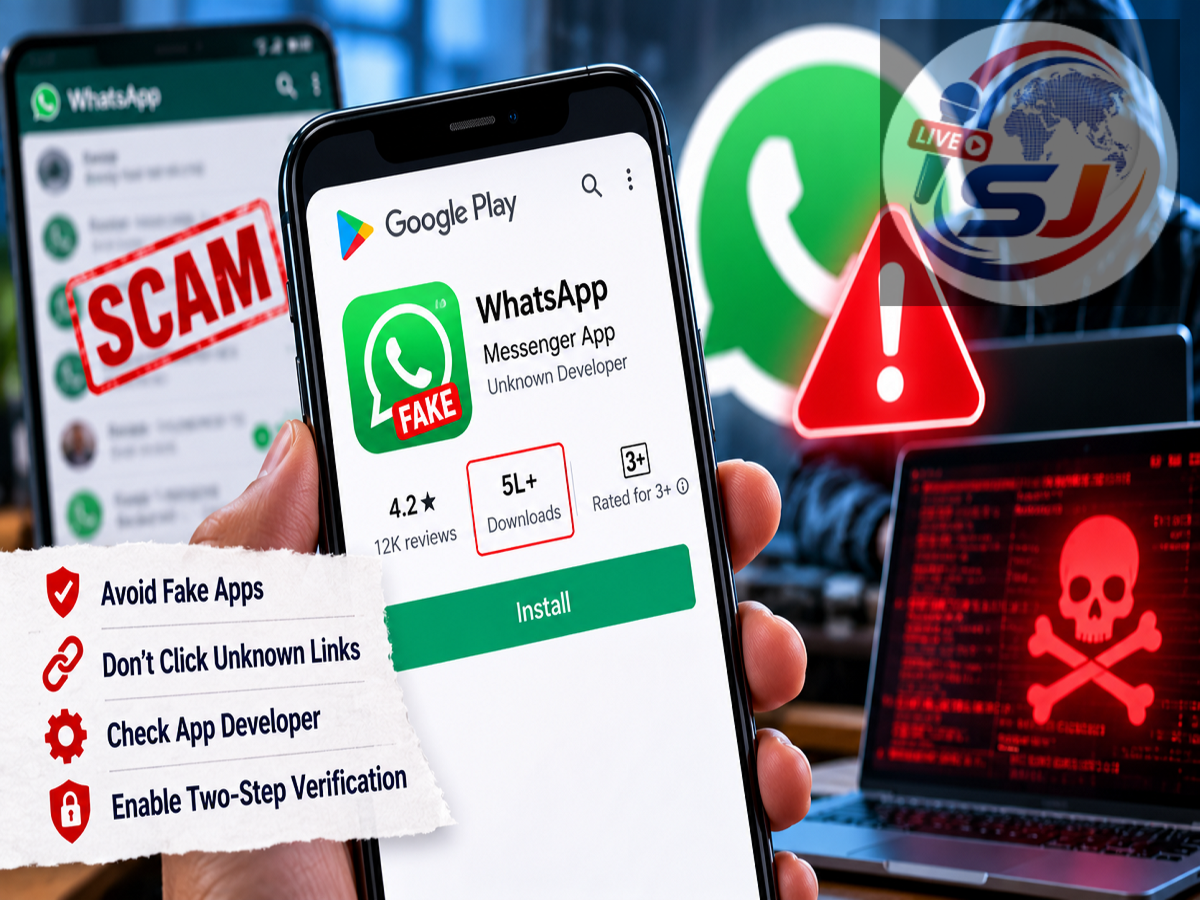
WhatsApp Fake App Warning 2026: Android smartphone users have been warned about a suspicious application that reportedly impersonated the official WhatsApp Messenger app on the Google Play Store. According to reports published on October 19, 2026, the lookalike application had crossed 500,000 downloads, raising concerns about user privacy and mobile security.
What makes the incident particularly worrying is that the suspicious application reportedly used a name, logo, screenshots and description resembling the genuine WhatsApp app. It was also reportedly displayed as a sponsored result above the official application in some Google Play Store searches.
This could make it difficult for users to distinguish between the original messaging service and an imitation, especially when downloading WhatsApp on a new smartphone.
However, there is an important distinction: the reported download count does not establish that 500,000 users had their personal information stolen. The actual security impact depends on the application's behaviour, the permissions granted and whether users entered sensitive information.
Here is what Android users should know about the reported fake WhatsApp application and the steps they can take to protect their accounts.
Fake WhatsApp App Reportedly Crosses 500,000 Downloads
The incident reportedly came to public attention after a Reddit user noticed a suspicious WhatsApp-like application listed on the Google Play Store.
The application appeared similar to the official WhatsApp Messenger, potentially misleading users searching for the popular messaging platform.
Technology publications, including Android Authority and The Verge, subsequently reported on the discovery.
According to the October 19 report, the suspicious application had reportedly been available on the Play Store since September 2026 and had accumulated more than five lakh downloads.
The report also claimed that the application appeared in a sponsored listing above the genuine WhatsApp app.
Such placement can create additional confusion because some users may assume that the first application shown in search results is the official one.
However, sponsored placement does not independently establish that an application is genuine or safe.
How Did the Fake WhatsApp App Look So Convincing?
The reported application allegedly copied several recognisable elements of the genuine WhatsApp listing.
These included its name, familiar green branding, promotional screenshots and description.
Users who quickly glance at the search results may focus on the app icon rather than checking the developer information.
This is why identifying an application solely by its logo or title can be risky.
A fake application may imitate the appearance of a legitimate service while being published by an unrelated developer.
In this case, the suspicious app was reportedly published under the developer name Agment Assets sallu, rather than the official WhatsApp developer.
The genuine WhatsApp Messenger application on Google Play is published by WhatsApp LLC.
What Are the Risks of Installing a Fake WhatsApp App?
An imitation messaging application can present several potential security risks.
Depending on how the application operates and which permissions users grant, it could potentially access sensitive information stored on a smartphone.
For example, an application requesting access to contacts may be able to read contact information if permission is granted.
Similarly, access to files, notifications or other sensitive features could expose additional information.
A malicious application might also attempt to trick users into entering phone numbers, passwords or verification codes.
However, the presence of a suspicious application does not automatically mean that all these activities occurred.
There has been no evidence in the supplied report establishing that every person who downloaded the lookalike WhatsApp app suffered data theft.
Users should therefore take the warning seriously without assuming that their information has necessarily been compromised.
How to Identify the Real WhatsApp App on Google Play Store
Before downloading WhatsApp, Android users should verify several important details.
| Security Check |
What Users Should Look For |
|---|---|
| App Name |
WhatsApp Messenger |
| Official Developer |
WhatsApp LLC |
| Download Source |
Official Google Play listing or WhatsApp website |
| App Reviews |
Genuine, relevant user feedback |
| App Permissions |
Permissions appropriate for the app's functions |
| Sponsored Listing |
Do not assume a sponsored result is official |
These checks can reduce the likelihood of installing an imitation application.
1. Verify the Developer's Name
The most important initial check is the name of the company publishing the application.
The official WhatsApp Messenger app on Google Play is published by WhatsApp LLC.
If an application uses the WhatsApp name and logo but lists an unrelated developer, users should avoid installing it.
2. Do Not Trust Download Numbers Alone
A large download count may make an application appear credible.
However, download numbers do not guarantee that an application is genuine.
The reported fake WhatsApp app allegedly crossed 500,000 downloads, demonstrating why this information should not be the only factor considered.
3. Read Reviews and Examine the Listing
Before installing an unfamiliar application, users should examine its reviews, description and publisher information.
Unusual complaints, misleading descriptions or inconsistencies in the listing can be warning signs.
Ratings and reviews can also be manipulated, so they should be considered alongside other checks.
4. Check App Permissions
Users should pay attention to the permissions requested by an application.
If a messaging app requests access that appears unrelated to its stated functions, investigate before granting permission.
Android users can review and manage permissions through their phone's settings.
5. Use Official Download Sources
One way to reduce the risk of installing a lookalike app is to begin from WhatsApp's official website.
The official website directs users to legitimate download options for supported devices.
Users should avoid installing WhatsApp through unfamiliar advertisements, unsolicited messages or third-party download links.
What Should You Do if You Installed a Fake WhatsApp App?
Anyone who suspects that they installed the reported imitation app should act promptly.
Step 1: Remove the Suspicious Application
Open the smartphone's settings, locate the suspicious application and uninstall it.
If the application has been granted unusual administrative or accessibility privileges, those privileges may need to be disabled before removal.
After uninstalling it, restart the device if necessary.
Step 2: Install the Genuine WhatsApp Messenger
Download WhatsApp Messenger from its verified Google Play listing or through the official WhatsApp website.
Check that the publisher is WhatsApp LLC before proceeding.
Avoid installing another similarly named application without verifying its identity.
Step 3: Secure Your WhatsApp Account
If you entered your phone number or verification code into the suspicious application, register your number again using the genuine WhatsApp app.
Then review the devices connected to your account.
To check connected devices, open WhatsApp and navigate to Settings → Linked Devices.
Log out of any session that you do not recognise.
You should also enable two-step verification through Settings → Account → Two-step verification, where available.
Step 4: Review Permissions and Scan Your Phone
Open your Android settings and review permissions granted to unfamiliar applications.
Check whether suspicious apps have access to contacts, files, notifications, accessibility services or other sensitive functions.
You can also run Google Play Protect to scan installed applications.
If the suspicious application requested highly sensitive permissions, further security checks may be necessary.
Step 5: Change Compromised Passwords
If you entered passwords or other account credentials into the suspicious application, change those credentials using the official service.
Where possible, enable two-factor authentication.
If banking information was exposed or unauthorised financial transactions occurred, contact the bank immediately.
In India, suspected financial cybercrime can also be reported through the national cybercrime reporting system or the 1930 helpline.
Can Fake Apps Appear on Google Play Store?
Yes. Although Google Play uses security checks and policies intended to identify harmful applications, no app distribution system can guarantee that every listing is safe at all times.
Suspicious or deceptive applications may occasionally appear before they are detected and removed.
Users should therefore continue checking application details even when downloading from an established app store.
This is particularly important when an app imitates a widely used service such as WhatsApp.
Fake WhatsApp App Warning 2026: What Android Users Should Remember
The reported discovery of a WhatsApp lookalike application with more than five lakh downloads highlights the importance of checking app authenticity before installation.
The imitation reportedly resembled the official application and appeared in a sponsored Google Play listing, increasing the possibility of confusion.
However, the report does not establish that every download resulted in stolen personal information.
The most important precaution is to verify that WhatsApp Messenger is published by WhatsApp LLC and avoid unfamiliar apps that copy its branding.
Users who have already installed a suspicious application should remove it, review their device permissions, secure their WhatsApp account and change any potentially exposed credentials.
A few additional checks before downloading an application can significantly reduce the risk of falling victim to an impersonation scam.
Disclaimer: This article is based on reports available on October 19, 2026. The reported application's current Play Store availability and the extent of any data compromise have not been independently verified. Users should follow official WhatsApp and Android security guidance for account protection.