
ChatGPT Chrome Extension Gets Major Upgrade: AI Can Read Open Tabs, Compare Products and Fill Forms
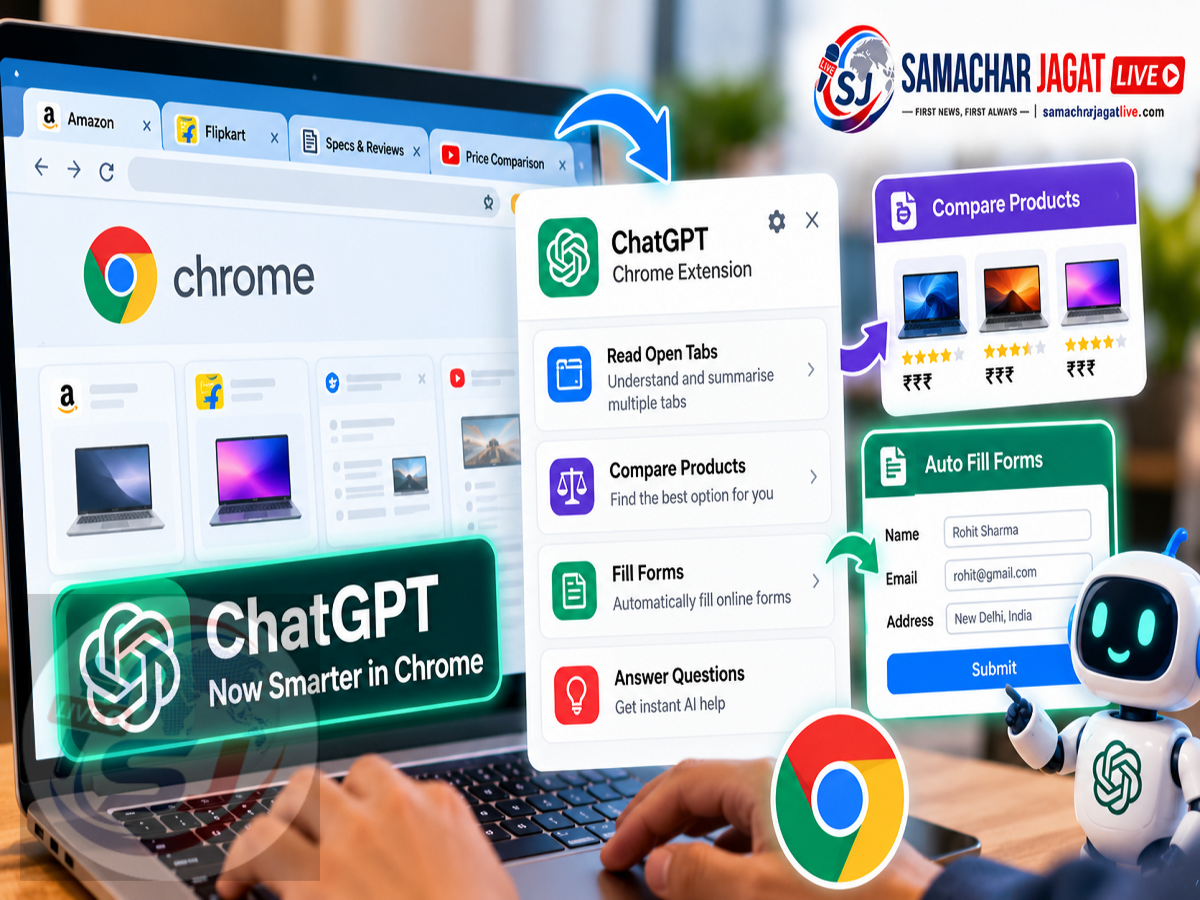
ChatGPT Chrome Extension Update 2026: OpenAI has reportedly introduced new capabilities for its ChatGPT Chrome extension, making it easier for users to work with information across multiple browser tabs. The upgrade is designed to reduce the need to copy information from websites and paste it manually into ChatGPT.
According to a report published on October 16, 2026, the updated extension can help users understand content from open Chrome tabs, compare products, organise research and complete certain browser-based tasks.
The update also improves the ChatGPT sidebar experience inside Chrome, allowing users to interact with the AI assistant without constantly switching between browser windows.
More advanced functionality is reportedly available through ChatGPT Work, which can help with tasks such as filling forms, managing tabs, downloading files and interacting with supported websites.
However, the availability of these capabilities may depend on the user's ChatGPT plan, extension permissions and supported features.
Here is everything you need to know about the reported upgrade and how it could make everyday browsing more productive.
What's New in the ChatGPT Chrome Extension?
The biggest change is the ability to use information from open Chrome tabs as context for ChatGPT conversations.
Previously, users often needed to copy text from different websites or upload information manually to get assistance.
With the upgraded integration, ChatGPT can reportedly access relevant information from browser tabs after the necessary permissions have been granted.
For example, someone researching a new smartphone may have several shopping websites open.
Instead of manually comparing prices, specifications and other details, the user could ask ChatGPT to examine the available information and prepare a comparison.
The same approach could be useful for travel planning, academic research, online shopping and business-related tasks.
The feature is intended to make ChatGPT more useful while users are actively browsing the internet.
ChatGPT Can Use Information From Multiple Chrome Tabs
One of the most useful capabilities described in the report is cross-tab analysis.
Many people open several browser tabs when researching products, services or important decisions.
However, comparing information across these pages can become time-consuming.
The upgraded ChatGPT integration is designed to help organise that information.
For example, users could open multiple product pages and ask ChatGPT to compare their specifications.
The assistant may help identify differences in pricing, available features and other details presented on those pages.
This could reduce the amount of manual work involved in preparing comparison tables or research summaries.
However, users should still verify important information, particularly prices, availability and technical specifications that may change frequently.
Compare Smartphones, Electronics and Furniture More Easily
Online shopping is one area where the upgraded extension could be particularly useful.
Suppose a user is comparing three smartphones across different shopping websites.
Each product page may contain details about display size, battery capacity, storage, camera features and pricing.
The user could ask ChatGPT to organise these details into a comparison.
A similar process could be used when shopping for sofas, televisions, laptops or household appliances.
Instead of reading each product page repeatedly, users may be able to obtain a structured overview.
For example, a comparison might include:
| Comparison Category | Information ChatGPT Could Organise |
|---|---|
| Product Name | Model or item listed on each website |
| Price | Displayed selling price |
| Specifications | Features mentioned on the product page |
| Warranty | Available warranty information |
| Delivery | Delivery details shown by the seller |
| Key Differences | Notable distinctions between options |
The usefulness of the comparison will depend on the accuracy and completeness of the information available on the pages.
ChatGPT should not be treated as independently verifying every seller's claims simply because it can read the displayed content.
ChatGPT Can Help With Research Across Websites
The updated Chrome integration could also simplify research tasks.
For example, someone studying a particular topic may open several articles, reports and reference pages.
ChatGPT could help summarise the information, identify recurring themes and organise findings.
This may be useful for students, researchers, journalists and professionals who regularly work with multiple online sources.
Users could also ask the assistant to highlight differences between documents or prepare a structured summary of the information available in their browser.
However, AI-generated research summaries should be checked against the original material.
Important quotations, statistics and factual claims should be verified before they are used in reports or published content.
ChatGPT Can Assist With Online Forms
The report also highlights the possibility of using ChatGPT to help complete forms through supported browser interactions.
For example, a user preparing to register for an event might have the event details open in one tab and the registration form in another.
With appropriate access and user instructions, ChatGPT Work may be able to use the available information to help fill relevant fields.
This could reduce repetitive typing and make certain online processes more convenient.
However, form completion does not mean users should allow an AI assistant to submit sensitive information without reviewing it.
Names, addresses, payment details and other personal information should be checked carefully before submission.
The exact level of automation will depend on the supported website, permissions and available ChatGPT capabilities.
ChatGPT Work Can Handle More Complex Browser Tasks
The supplied report describes additional functionality through ChatGPT Work.
Unlike ordinary question-and-answer interactions, Work is designed to support more involved tasks that may require several steps.
Depending on the supported workflow, ChatGPT may help users interact with websites, manage browser tabs, download files or complete forms.
For example, someone comparing home renovation service providers could ask ChatGPT to organise information about services and prices.
A user preparing for an event might ask it to gather details from several pages and assist with registration.
The report also mentions website messaging as a possible browser-based task.
However, users should review important actions before authorising them, particularly when they involve personal information, payments or communications with other people.
Not every browser task or website interaction will necessarily be supported.
ChatGPT Sidebar Makes Browsing More Convenient
Another improvement concerns the ChatGPT experience inside Chrome.
The updated extension reportedly provides easier access to ChatGPT through the browser sidebar.
This allows users to ask questions while continuing to view the website they are working on.
For example, someone reading a technical article could ask ChatGPT to explain an unfamiliar term without leaving the page.
A shopper could request a comparison while keeping product listings visible.
The sidebar experience may also provide access to previous conversations, helping users continue earlier work with relevant context.
This could be particularly useful for people who frequently move between research, writing and browsing tasks.
How to Use ChatGPT With Chrome Tabs
According to the supplied report, users need to install the supported ChatGPT Chrome extension and grant the necessary permissions.
The general process is described as follows:
-
Install the official ChatGPT extension for Google Chrome.
-
Sign in to the appropriate ChatGPT account.
-
Review the extension's requested permissions.
-
Open the websites or pages needed for the task.
-
Select the supported Chrome integration from ChatGPT's web or desktop experience, where available.
-
Ask ChatGPT to analyse or compare the information from the relevant tabs.
-
Review the results and verify important details.
The exact steps may differ depending on the extension version, account eligibility and product interface.
Users should install extensions only from verified publishers and official distribution channels.
What Can You Ask ChatGPT to Do With Open Tabs?
The reported capabilities could support several practical tasks.
For example, users might ask:
-
Compare the specifications and prices of products open in different tabs.
-
Summarise the main points from several research articles.
-
Organise information from multiple service provider websites.
-
Identify differences between two product descriptions.
-
Help prepare information for an online registration form.
-
Create a structured summary from several reference pages.
These examples illustrate the types of workflows the integration may support.
Actual results will depend on what information ChatGPT can access and whether the requested action is supported.
Is the ChatGPT Chrome Extension Safe?
Browser extensions can be useful, but they may also require access to website content.
This makes permissions an important consideration.
Before enabling the integration, users should review what information the extension is allowed to access.
Particular care is necessary when working with banking websites, payment portals, confidential business documents or personal accounts.
Users should avoid granting unnecessary access to sensitive pages.
They should also review AI-generated actions and outputs rather than assuming every automated step is correct.
For important financial or administrative tasks, it is sensible to verify all details before submitting forms or approving transactions.
Can ChatGPT Access Every Open Chrome Tab Automatically?
The supplied report does not establish that ChatGPT can freely access every open tab without permission.
The integration is described as requiring the supported extension and relevant access settings.
The information available to ChatGPT may depend on the user's permissions, product configuration and supported browser environment.
Users should not assume that all browser content is automatically shared with the assistant.
It is important to understand the permission prompts and privacy controls associated with the integration.
ChatGPT Chrome Extension vs Regular ChatGPT
The main difference is how users provide information and interact with websites.
| Feature | Regular ChatGPT | ChatGPT With Supported Chrome Integration |
|---|---|---|
| Answer Questions | Yes | Yes |
| Analyse Pasted Text | Yes | Yes |
| Use Open Tab Content | Requires supported context sharing | Reportedly supported |
| Compare Multiple Web Pages | Possible with supplied or retrieved information | More directly supported through tab access |
| Browser Sidebar | Not required | Available through the integration |
| Form Assistance | Depends on available tools | Supported in eligible workflows |
| Browser Task Automation | Depends on product capabilities | Available through supported Work functionality |
The precise capabilities may vary by account, platform and rollout stage.
Will the Update Be Available to All ChatGPT Users?
The supplied report does not provide a complete eligibility list or confirm that every ChatGPT account has access to all the new capabilities.
Some functionality may be limited by subscription plan, platform or feature rollout.
Advanced browser automation through ChatGPT Work may also have different requirements from basic sidebar assistance.
Users should check the options available in their own ChatGPT account and consult official product information for current eligibility.
Why This Update Matters
The reported upgrade reflects a broader shift in how AI assistants are being integrated into everyday digital tasks.
Instead of operating only as separate chat interfaces, AI tools are increasingly being designed to work alongside users as they browse, research and complete online activities.
Access to relevant browser context can reduce repetitive copying and pasting.
It can also help users organise large amounts of information more efficiently.
For professionals, the benefits may include faster research and easier preparation of comparisons.
For everyday users, the feature could simplify online shopping, planning and administrative tasks.
However, the value of these tools depends on accurate information, appropriate permissions and careful human review.
Frequently Asked Questions
What is the new ChatGPT Chrome extension update?
According to the report, the update allows ChatGPT to use information from supported open Chrome tabs to assist with comparisons, research and other tasks.
Can ChatGPT compare products from different tabs?
The reported integration can help organise and compare information displayed on different product pages.
Can ChatGPT fill online forms?
Eligible ChatGPT Work workflows may assist with form completion on supported websites, subject to permissions and user review.
Does ChatGPT work inside the Chrome sidebar?
The report describes an improved sidebar experience that allows users to interact with ChatGPT while browsing.
Can ChatGPT download files from websites?
File downloading is among the browser tasks described in the report, although availability depends on supported Work functionality.
Does the extension require permission to access browser content?
Yes. Users should review and understand the relevant extension and browser access permissions.
Is the update available for free users?
The supplied report does not confirm that every feature is available to all users or subscription plans.
Final Thoughts
The reported ChatGPT Chrome extension upgrade could make browsing and online research more convenient by allowing the assistant to work with information from open tabs.
Features such as product comparisons, research summaries, browser sidebar access and supported form assistance may help reduce repetitive tasks.
More advanced browser interactions through ChatGPT Work could also expand the ways users complete activities online.
However, users should carefully review extension permissions and verify important information before allowing AI tools to interact with sensitive websites or submit details on their behalf.
The update highlights how AI assistants are evolving from standalone chat tools into more integrated productivity services.
Disclaimer: This article is based on the supplied October 16, 2026 report, which attributes details to The Verge. The specific Chrome extension capabilities, availability and rollout requirements have not been independently verified against OpenAI's current official product documentation. Features may vary by account, platform and subscription plan.