
BHIM MyUPI AI Assistant: PaySafe, Safety Switch and New UPI Security Features Explained
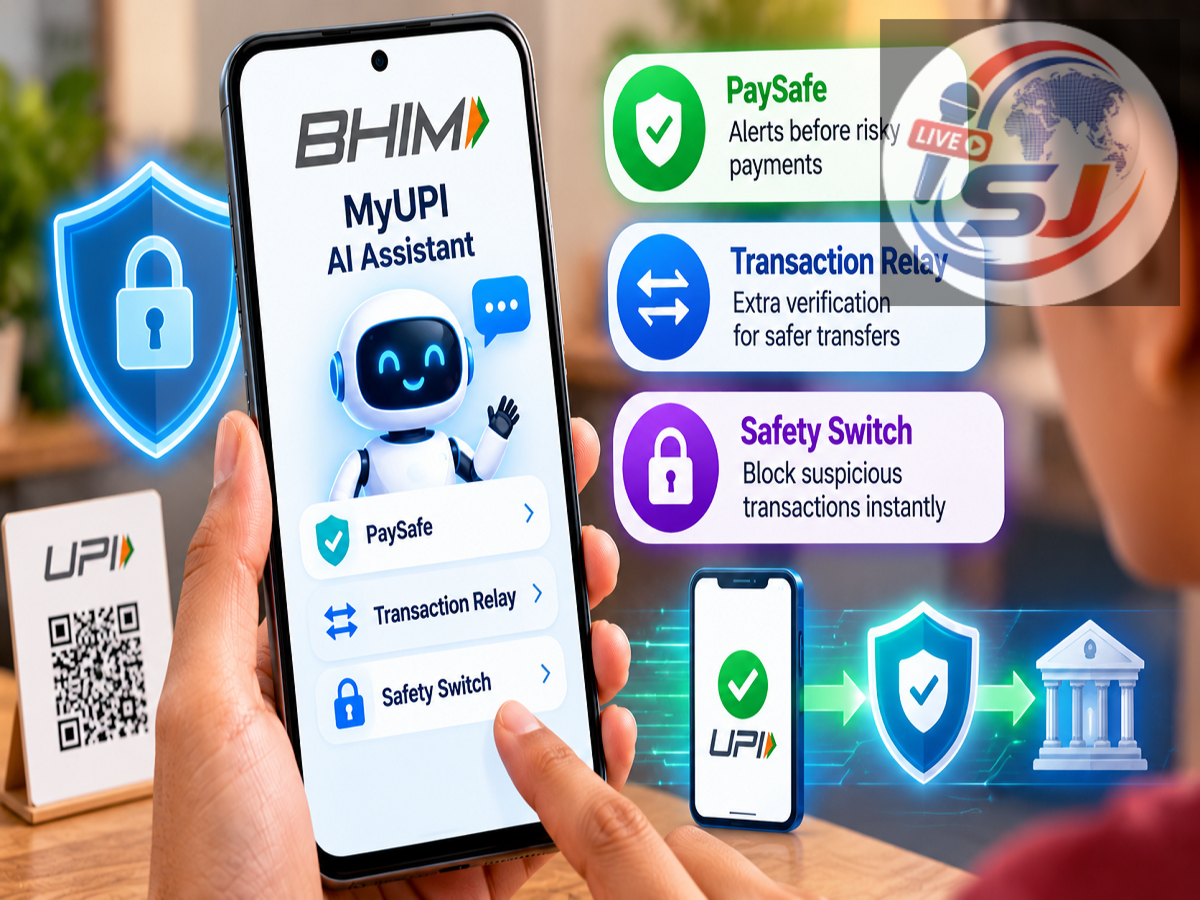
UPI users may soon have smarter tools to help them check payment details, understand transactions and respond more quickly when something appears suspicious. BHIM has introduced MyUPI, an AI-powered conversational assistant designed to simplify several payment-related tasks through text and voice interactions.
The feature was showcased at Global Fintech Fest 2026 and brings AI-based assistance into the BHIM experience. According to the information released about the service, MyUPI can help users with payment queries, transaction history, complaints, AutoPay mandates and security-related actions.
The new functionality also includes features such as PaySafe, Transaction Relay and Safety Switch, which are intended to reduce common payment mistakes and give users more control over their UPI accounts.
However, users should remember that no AI or security feature can guarantee complete protection against fraud. Checking recipient details and keeping the UPI PIN confidential remain essential.
What Is BHIM's MyUPI AI Assistant?
MyUPI is designed as a conversational virtual assistant available through the Quick Actions section of the BHIM app.
Instead of navigating through multiple menus, users can type or speak a request to find information or perform supported payment-related tasks.
For example, a user may be able to ask about a previous transaction, seek information about a failed payment, check an AutoPay debit or start the process of reporting a problem.
The assistant is initially being offered in Hindi, English, Telugu, Bengali and Tamil, according to the supplied information. More Indian languages could be added as the service expands.
Voice and Text Commands Make UPI Tasks Easier
One of MyUPI's main objectives is to make digital payment support more conversational.
Rather than searching through different sections of the app, users can describe what they need through text or voice.
The assistant is designed to help with tasks such as locating previous transactions, understanding payment issues and initiating complaints.
Where applicable, it can also provide a reference number that users can use to track a complaint.
This could make payment support more accessible, particularly for people who are less comfortable navigating complicated app menus.
What Is the PaySafe Feature?
PaySafe is one of the security-focused features highlighted with the new system.
Before sending money to an unfamiliar recipient, a user can provide a UPI ID or supported QR information to check the recipient details presented by the system.
The idea is simple: verify who is receiving the money before approving the transaction.
This can be particularly useful when making a first-time payment to a shop, service provider or individual.
However, users should not interpret PaySafe as a guarantee that every payment will be fraud-free.
A recipient name appearing correctly does not necessarily prove that a transaction itself is legitimate. Fraudsters can sometimes persuade victims to willingly authorise payments to accounts controlled by them.
Can MyUPI Prevent Money From Going to the Wrong Account?
The new verification tools can help reduce the risk of sending money to an unintended recipient, but users still need to check the information displayed before entering their UPI PIN.
Before confirming a payment, compare the recipient's displayed name with the person or business you intend to pay.
Also verify the amount carefully.
Once a UPI payment has been successfully authorised and processed, recovering money sent to the wrong recipient may not always be immediate or guaranteed.
That makes verification before payment particularly important.
What Is Transaction Relay?
Another feature highlighted in the new BHIM experience is Transaction Relay.
It is intended to simplify repeat transactions by allowing users to access supported previous payment information and initiate a similar transaction without manually entering all the details again.
According to the supplied information, this functionality can also help with transaction information originating from other supported UPI apps.
Users should still verify the recipient and payment amount before authorising any repeated transaction.
A previous payment being genuine does not mean every future payment request involving the same details should automatically be approved.
MyUPI Can Help Explain AutoPay Debits
UPI AutoPay has become increasingly common for recurring payments such as subscriptions and other scheduled services.
Sometimes users notice an automatic debit and cannot immediately identify why the money was deducted.
MyUPI is designed to make this information easier to understand by helping users identify the relevant AutoPay mandate.
Users can also review upcoming mandates and, where supported under the applicable rules, manage, pause or cancel them.
This can give customers greater visibility into recurring payments linked to their UPI accounts.
What Is the BHIM Safety Switch?
The Safety Switch is another important security feature described as part of the updated experience.
It is intended for situations where a user believes their UPI access may have been compromised—for example, after losing a phone or noticing suspicious account activity.
The feature is designed to quickly restrict UPI access associated with bank accounts linked through BHIM.
The exact scope of the restriction and the process for restoring access should be checked within the latest BHIM app instructions.
A security switch can be useful in an emergency, but it should not replace contacting the bank when fraud or unauthorised transactions are suspected.
Lost Your Phone? Don't Depend on One Security Feature
If your smartphone containing UPI apps is lost or stolen, act quickly.
Use the available security controls to restrict access, but also contact your bank and mobile operator where appropriate.
If an unauthorised transaction has already occurred, report it through your bank's official fraud-reporting mechanism as soon as possible.
Quick reporting can be important when banks and payment-service providers investigate disputed transactions.
AI Cannot Make UPI Fraud-Proof
AI can help identify risks, simplify support and make important information easier to access, but users remain an essential part of UPI security.
Never share your UPI PIN, OTP, debit-card PIN, CVV or internet-banking password with anyone.
A legitimate person receiving money from you does not need your UPI PIN sent to them. The PIN should only be entered by you inside the authorised payment interface when approving an appropriate transaction.
Also be suspicious of anyone who asks you to install a screen-sharing application or claims that you must enter a UPI PIN simply to receive money.
What BHIM Users Should Check
Users interested in MyUPI should make sure they are running the latest official version of the BHIM app and then check whether the feature has been enabled for their account.
Because new digital-payment features can be introduced in stages, functionality and language support may not necessarily appear for every user at exactly the same time.
The combination of conversational AI, recipient verification, mandate management and emergency security controls could make routine UPI tasks easier while adding useful safeguards.
The most important rule, however, remains unchanged: verify the recipient, check the amount and purpose of the payment, and only then enter your UPI PIN.
Note: Features such as MyUPI, PaySafe, Transaction Relay and Safety Switch may be subject to phased availability, app version and applicable NPCI/BHIM rules. These tools can reduce certain risks but cannot guarantee that a UPI transaction will be completely protected from fraud or user error.