
5 Warning Signs Your Laptop Charger Is Failing and Should Be Replaced
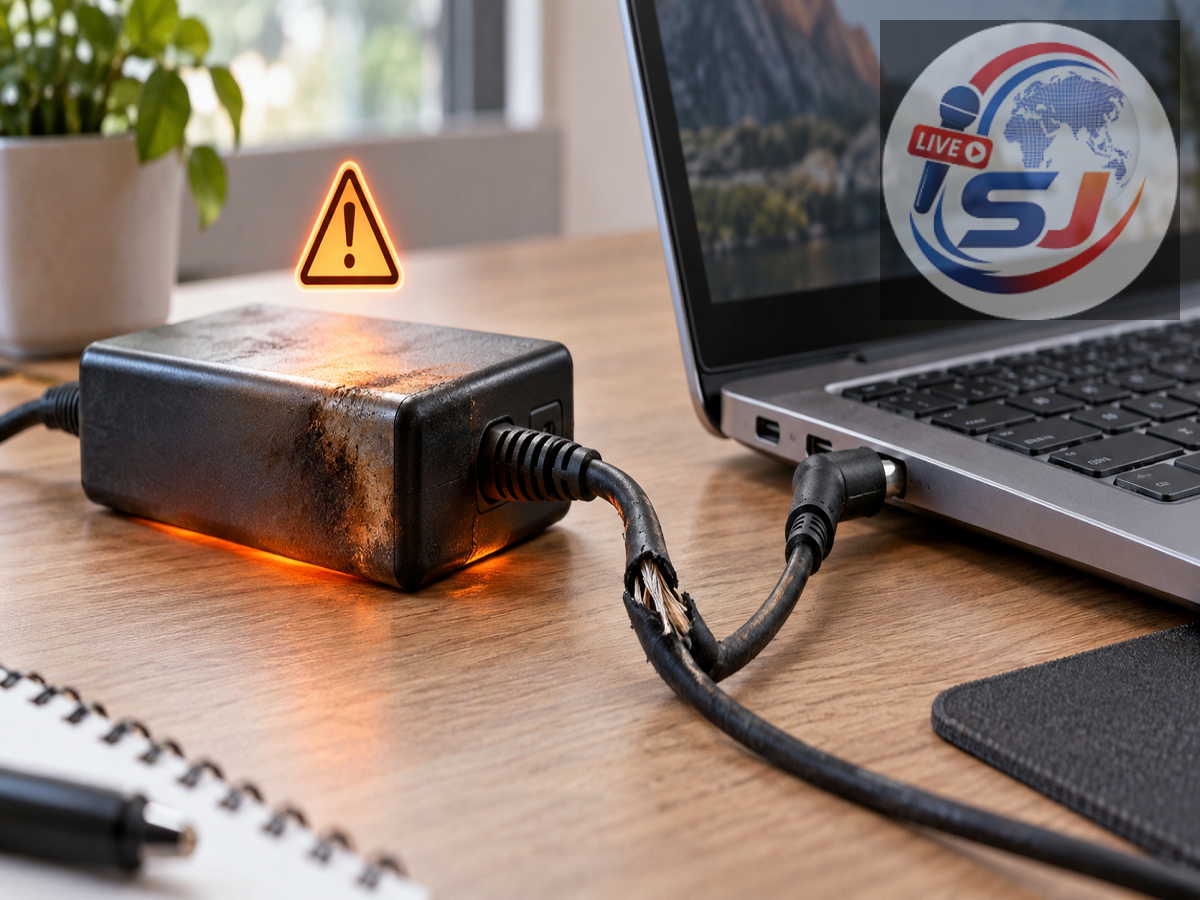
A laptop charger may look like a simple accessory, but it plays an essential role in protecting both the computer and its battery. A damaged or incompatible adapter can lead to unreliable charging, reduced performance and damage to the laptop’s charging port. In more serious situations, a faulty charger may increase the risk of overheating, electric shock or fire.
Some warmth during charging is normal because the adapter converts household electricity into the voltage required by the laptop. However, excessive heat, exposed wiring, unusual sounds and visible burn marks should never be ignored.
Here are five warning signs that may indicate your laptop charger needs professional inspection or immediate replacement.
1. The Power Adapter Becomes Extremely Hot
It is common for a laptop’s charging brick to feel warm, especially when the battery is low or the computer is performing demanding tasks. Excessive heat is different. If the adapter becomes too hot to touch comfortably, repeatedly shuts down or produces a burning smell, disconnect it from the electrical outlet.
Overheating may be caused by an internal fault, inadequate ventilation, an incompatible charger or a damaged cable. Placing the adapter on a bed, sofa, pillow or thick carpet can also trap heat.
Keep the charging brick on a hard, dry and well-ventilated surface. Apple confirms that USB-C power adapters can become warm during normal operation but advises against using them in poorly ventilated areas or covering them with insulating material. Apple’s charger guidance also recommends getting the adapter inspected if charging problems continue.
2. The Cable Is Frayed, Cracked or Exposing Wires
A cable with a split outer covering, exposed wires or severe bending near the connector should not remain in use. Damage commonly develops where the cable meets the charging brick or laptop connector because these points experience frequent bending.
A damaged cable can create an unstable electrical connection and may expose users to electric shock. It can also produce heat or short circuits.
Do not attempt to treat electrical tape as a permanent repair for exposed conductors. Tape may hide the damage without restoring the cable’s original insulation or strength. Dell warns that damaged, frayed or exposed adapter cables can cause an electric shock and advises users not to touch the damaged section. Dell’s official safety instructions recommend switching off power at the wall immediately.
3. You Notice a Burning Smell, Buzzing or Crackling
A functioning laptop charger should not produce a burning-plastic smell, smoke or repeated crackling noises. A faint electrical hum may occur with some adapters, but a new, loud or irregular sound deserves attention—particularly when accompanied by excessive heat or charging interruptions.
If the charger smells burnt, sparks repeatedly or makes unusual noises, unplug it safely from the wall and disconnect it from the laptop. Do not plug it into another outlet simply to test it again.
A tiny spark at the plug blades can sometimes occur when an adapter is connected to a live socket. However, sparking from the cable, charging brick or laptop connector is not normal. Discoloration or melting near any part of the charger also requires immediate attention.
4. Charging Starts and Stops When the Cable Moves
Intermittent charging is another common warning sign. If the laptop charges only when the wire is held at a particular angle, the cable or connector may have an internal break.
The problem could also be located in the laptop’s charging port, battery, electrical outlet or operating system. Begin by shutting down the computer and checking the cable, plug and adapter for visible damage. Test a different wall outlet and, where possible, use a known-compatible charger.
Do not repeatedly twist or press the connector to restore charging. That can worsen the damage and place additional stress on the laptop’s port.
If another compatible adapter works normally, the original charger is probably responsible. If both chargers behave in the same way, the laptop’s charging port or battery may require professional inspection.
5. The Adapter, Plug or Connector Shows Physical Damage
Cracks in the charger casing, bent plug pins, loose connectors, black marks, corrosion or melted plastic are strong reasons to stop using the unit.
Damage to the outer casing may expose internal components or allow moisture and dust to enter. A loose connector can also create electrical arcing and excessive heat.
Microsoft states that power cords weakened by repeated sharp bending or tight wrapping can crack, fray or bulge. Damaged cords may overheat and create fire or shock hazards. The company recommends winding power cables in loose coils instead of wrapping them tightly around the adapter. Microsoft’s cable-care guidance explains these precautions.
How to Select a Safe Replacement Charger
A replacement adapter must meet the electrical requirements of the laptop. Check the original charger’s label, the laptop manufacturer’s website or the device manual for the required connector, voltage and power rating.
For traditional barrel-style chargers, the voltage and connector type must match the laptop’s specifications. The replacement should also provide sufficient current or wattage.
For USB-C laptops, the charger and cable should support USB Power Delivery and deliver enough wattage for the computer. A low-powered phone charger may charge some laptops very slowly, fail to charge them during use or not work at all. Not every USB-C cable supports the same charging capacity.
Where possible, buy an original adapter or a certified product from a reputable manufacturer. Extremely cheap, unbranded chargers may lack reliable protection against overheating, short circuits and voltage fluctuations.
When Should You Stop Using the Charger Immediately?
Disconnect the charger without delay if you see smoke, exposed wires, melted plastic or burn marks, or if you notice a strong burning smell. Stop using it if it produces repeated sparks or becomes dangerously hot.
Do not open the charging brick or attempt an internal repair unless you are a trained technician. Power adapters contain components that may retain electrical charge even after being unplugged.
Replacing a questionable charger costs far less than repairing a damaged laptop—or dealing with an electrical accident. Regular inspection, proper cable storage and the use of a correctly rated adapter can keep both the laptop and its user safer.