
Wrong PF Account Linked to UAN? Here's How to Delink an Incorrect Member ID Online
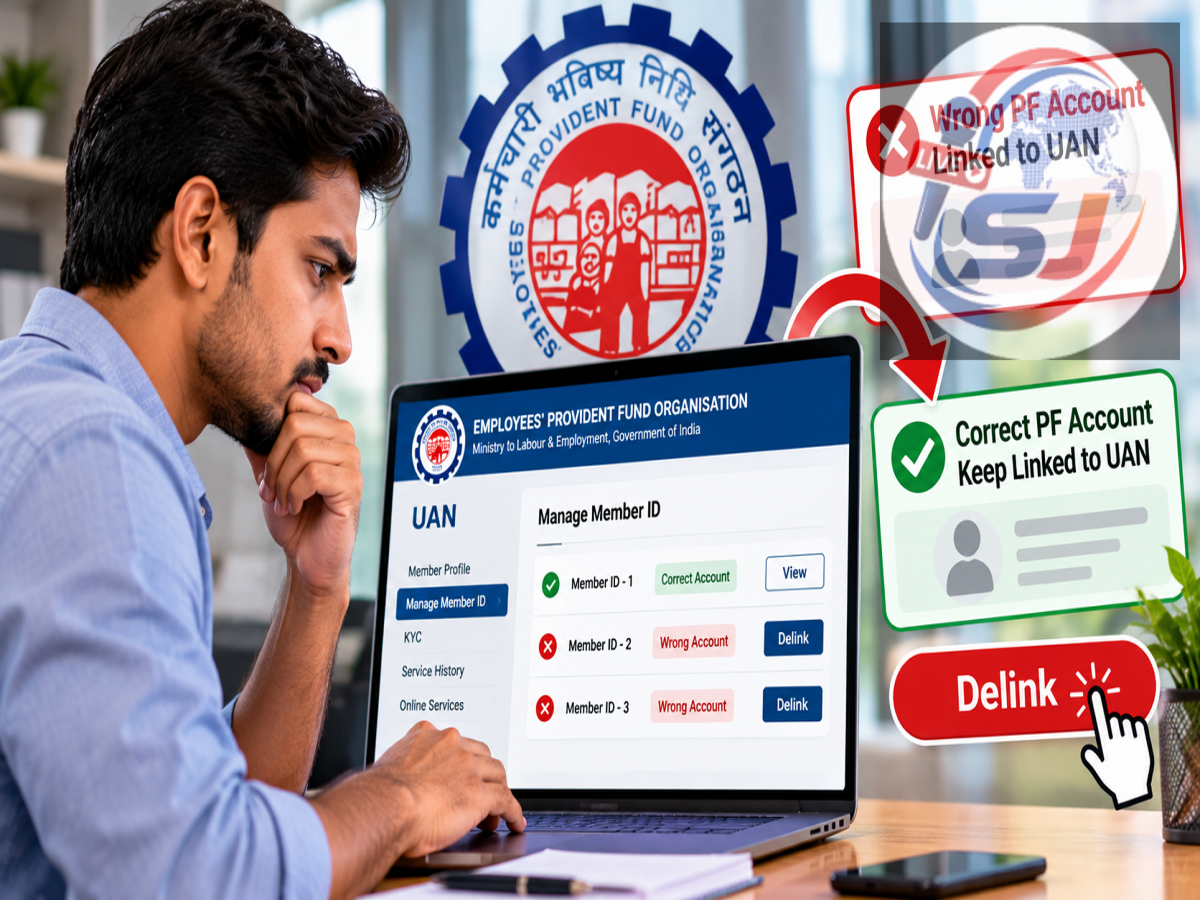
EPFO UAN Update: Employees should periodically check the PF accounts linked to their Universal Account Number (UAN), particularly after changing jobs. If an unfamiliar employer or PF Member ID appears in your service history, ignoring it could potentially create complications during future PF transfers, withdrawals or other EPFO-related processes.
The Employees' Provident Fund Organisation (EPFO) provides an online facility for eligible cases where an incorrectly linked Member ID needs to be delinked from a UAN.
However, employees should be extremely careful before using this facility. A genuine PF account from a previous employer should not be removed merely because the employee has left that organisation.
Here's how to identify an incorrect PF account and what to know before submitting a delinking request.
First Check All PF Accounts Linked to Your UAN
Before attempting to remove anything, employees should verify their complete employment and PF history.
Log in to the EPFO Unified Member Portal using your UAN and password.
Open the relevant service details or service-history section and review all the Member IDs associated with the UAN.
Check information such as the employer's name, employment period and PF Member ID against your actual work history.
If the portal displays a company where you never worked or a Member ID that does not belong to your employment record, it may indicate an incorrect linkage that requires further action.
Don't Delink a Genuine Old PF Account
Employees should understand that having multiple Member IDs under a single UAN is not necessarily an error.
When a person changes jobs, a new employer may create a new PF Member ID that is linked to the employee's existing UAN.
Therefore, an older Member ID belonging to a company where you genuinely worked should not be treated as incorrect simply because you no longer work there.
Removing or attempting to delink a genuine employment record could create additional complications.
The delinking facility should be used only where the Member ID has been incorrectly associated with your UAN.
How to Delink an Incorrect PF Member ID
Once you have identified a Member ID that appears to have been wrongly linked, check whether the online delinking option is available for that particular record.
Select the relevant Member ID and proceed with the delinking request.
The portal may ask you to provide a reason explaining why the Member ID does not belong to you.
For example, there may be a situation where an employer issued an employment offer or initiated records but the employee never actually joined the organisation.
After choosing or providing the applicable reason, the employee needs to accept the required declaration.
Identity verification is then completed through an Aadhaar-based OTP process, according to the supplied information.
After successful verification, the delinking request is submitted for further processing.
Where Will the OTP Be Sent?
Employees should ensure that the mobile number required for UAN/Aadhaar-based authentication is active and accessible before beginning the process.
The OTP verification step is intended to ensure that the request is being made by the authorised UAN holder.
If there is a problem with the registered mobile number or Aadhaar-related verification, the employee may need to resolve that issue before completing the online request.
What If PF Contribution Has Already Been Deposited?
An incorrect Member ID becomes more complicated when an employer has already deposited PF contributions against it.
According to the supplied information, EPFO expanded the scope of the delinking facility in April 2026, allowing requests in certain cases even where employer contributions have already been credited to the incorrectly linked Member ID.
However, such cases may not be resolved automatically.
The request may require further examination by the employer or the relevant EPFO field office before the Member ID can be delinked.
This is because contribution records can affect service history and financial entries, requiring additional verification before changes are approved.
Some Member IDs May Not Be Eligible for Online Delinking
Employees should not assume that every incorrectly linked Member ID can be removed immediately through the online facility.
According to the supplied details, restrictions may apply where a claim connected with the Member ID has already been processed, settled or is pending.
The report also states that limitations may apply to online requests involving an incorrect Member ID with more than six contributions.
In such cases, additional verification or intervention from the employer or EPFO office may be necessary.
Employees should therefore check the status shown on the portal and follow the applicable EPFO process for their specific case.
Can a Wrong PF Account Affect Your Claim?
An incorrect employment record can potentially create inconsistencies in an employee's PF service history.
For example, an unfamiliar Member ID could cause questions to arise about employment periods, contributions or service records when an employee later attempts a PF transfer or withdrawal.
However, it would be too broad to say that every incorrectly linked Member ID will automatically cause a PF claim to be rejected.
The actual impact depends on the nature of the incorrect record and the claim being submitted.
The safest approach is to identify and correct genuine errors before they create complications.
Keep Employment Documents Ready
Employees facing a disputed Member ID should preserve documents that can establish their genuine employment history.
Useful records can include appointment or joining letters, salary slips, relieving documents, PF statements and communication with employers.
These documents can help establish whether you actually worked for a particular organisation and may be required if the issue has to be examined by the employer or EPFO.
Employees should avoid deleting old employment documents immediately after changing jobs.
Why Service History Should Be Checked After Changing Jobs
A good time to review your UAN is after joining a new employer.
Check whether the new PF Member ID has been correctly linked and whether your previous employment records remain accurate.
The basic details to verify include:
| Detail | What to Check |
|---|---|
| Employer Name | Whether you actually worked for the listed organisation |
| Member ID | Whether it belongs to your genuine PF record |
| Joining Date | Whether it matches your employment history |
| Exit Date | Whether the previous employer has recorded it correctly |
| PF Contributions | Whether contributions correspond to actual employment |
| Claim Status | Whether any transfer/withdrawal claim is pending or settled |
Finding an error early can make it easier to resolve before a PF transfer, withdrawal or pension-related process is initiated.
How to Access EPFO Services
Employees can access member-related services through the EPFO official website and proceed to the Unified Member Portal as applicable.
Avoid entering your UAN, password, Aadhaar details or OTP on links received from unknown messages, social media posts or unofficial websites.
EPFO-related OTPs and passwords should never be shared with another person.
What If the Online Delinking Request Doesn't Work?
If the Member ID is genuinely incorrect but cannot be removed online, employees should not repeatedly make changes without understanding the reason.
Keep screenshots or details of the problematic record and collect documents proving your actual employment history.
Depending on the case, the matter may need to be taken up with the concerned employer or the relevant EPFO office.
Where applicable, employees can also use EPFO's official grievance channels to seek resolution.
Bottom Line
Employees should regularly review the PF Member IDs linked to their UAN, especially after changing jobs.
If a Member ID appears for an organisation where you never worked, check whether it qualifies for EPFO's online delinking facility. The process can involve selecting the incorrect Member ID, providing a reason, accepting the required declaration and completing Aadhaar-based OTP verification.
At the same time, employees should never delink a legitimate Member ID from a previous employer simply because they have changed jobs.
Cases involving existing PF contributions, pending or settled claims, or other restrictions may require additional verification by the employer or EPFO.
Keeping your UAN service history accurate can help reduce the risk of complications when you later transfer or withdraw PF benefits.