
Online Exam and Admission Form 2026: e-Mitra Advises Students to Check These Details Before Submission
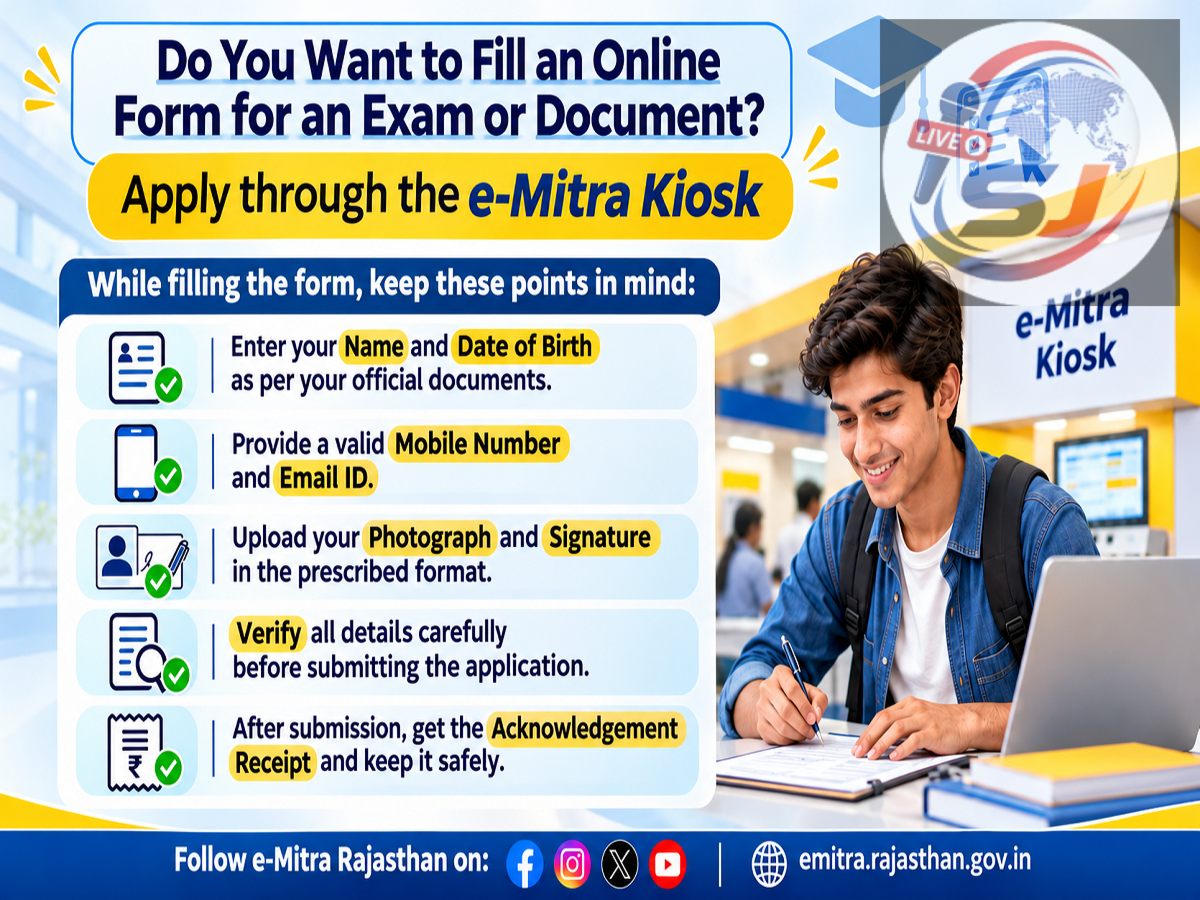
Online Exam and Admission Form 2026: Students and job applicants filling out online examination or admission forms should be especially careful while entering their personal information. Rajasthan's e-Mitra service has issued an awareness message advising applicants to verify important details such as their name, date of birth, mobile number, email address, photograph and signature before submitting any application.
The advisory also recommends keeping the application receipt and registration number safe after completing the process.
Even a minor mistake in an online form can create difficulties during document verification, admit card generation, counselling or admission procedures.
The e-Mitra message is particularly relevant to students applying for competitive examinations, college admissions, recruitment examinations and other online application-based services.
e-Mitra Issues Important Advisory for Online Applications
Rajasthan's e-Mitra platform has encouraged citizens to exercise caution while completing online examination and admission forms.
According to the advisory, applicants should carefully enter all personal and contact information and review every detail before final submission.
The message specifically highlights six important items: name, date of birth, mobile number, email ID, photograph and signature.
Applicants have also been advised to preserve their application receipt or application number after submitting the form.
These precautions can help reduce errors and make it easier to track an application later.
Online Form 2026: Important Details to Check
| Information | What applicants should verify |
|---|---|
| Applicant's name | Correct spelling as required by the notification |
| Date of birth | Matches the prescribed supporting document |
| Mobile number | Active and accessible number |
| Email ID | Correct and regularly monitored address |
| Photograph | Meets the prescribed format and size |
| Signature | Clear image matching the application guidelines |
| Application number | Saved securely after submission |
| Payment receipt | Retained as proof of the transaction |
1. Enter Your Name Correctly
The applicant's name is one of the most important details in an examination or admission form.
Students should enter their names exactly as required by the relevant examination authority or educational institution.
Some applications require the name to match Class 10 certificates, while others may specify different supporting documents.
Applicants should read the official instructions before entering their details.
Spelling errors or differences between application records and supporting documents can create complications during verification.
2. Check Your Date of Birth Carefully
Date of birth is frequently used to determine eligibility for examinations, admissions and recruitment.
An incorrect date may affect age-related eligibility checks.
Applicants should verify the date against the document specified in the official notification.
They should also pay attention to the required date format.
For example, an application may request the date in day-month-year format.
Entering the correct numbers in the wrong order can result in an error.
3. Use an Active Mobile Number
Mobile numbers are commonly used for registration-related communication.
Depending on the application system, applicants may receive OTPs, registration updates or other notifications.
Students should use a mobile number that remains active throughout the examination or admission process.
They should avoid entering another person's number without ensuring that important messages can be accessed.
Applicants should also remember that legitimate registration messages may contain sensitive information.
OTPs should never be shared with unknown callers or agents.
4. Verify Your Email Address
Email addresses are another important communication channel.
Examination authorities and educational institutions may send registration confirmations, notices or other updates through email.
A typing error in the email address can prevent applicants from receiving important information.
Students should check spelling, special characters and the domain name before submission.
They should also monitor their inbox and spam folder during the application period.
5. Upload the Correct Photograph
Many online applications require a recent photograph.
However, photograph specifications can differ across examination authorities.
Some forms specify image dimensions, background colour, file format, file size or recency requirements.
Applicants should follow the instructions given in the relevant notification.
Uploading an unclear photograph or a file that does not meet the prescribed requirements may cause the application to be flagged for correction or rejection, depending on the rules.
Students should preview the uploaded photograph before submitting the form.
6. Upload a Clear Signature
The signature is another important part of many online application processes.
Applicants should ensure that the signature image is clear and meets the prescribed technical requirements.
They should avoid uploading the wrong image or a photograph in place of the signature.
Some authorities have specific instructions regarding the colour of ink, background and image dimensions.
These requirements should be followed exactly.
How to Fill an Online Exam or Admission Form Safely
Applicants can follow a simple process to reduce mistakes.
Step 1: Visit the official website mentioned in the examination or admission notification.
Step 2: Read the eligibility criteria, instructions and application deadline.
Step 3: Keep the required documents and information ready.
Step 4: Complete registration using accurate personal details.
Step 5: Enter educational qualifications and other requested information.
Step 6: Upload the photograph, signature and supporting documents in the prescribed format.
Step 7: Review the complete application before final submission.
Step 8: Pay the application fee, if applicable, through an authorised payment channel.
Step 9: Confirm that the application has been successfully submitted.
Step 10: Save the acknowledgement, application number and payment receipt.
The exact process may vary according to the examination authority or institution.
Why Should You Save the Application Number?
An application or registration number may be required at different stages of the process.
For example, applicants may need it to access application status, correction facilities, admit cards, counselling information or admission records.
The number may also help when contacting an official helpdesk.
Students should save it in a secure location.
They can retain a digital copy of the acknowledgement and, where useful, a printed copy.
What if You Make a Mistake After Submitting the Form?
Correction options depend on the examination or admission authority.
Some organisations provide a limited application correction window.
Others may restrict changes to certain fields or may not allow changes after final submission.
Applicants should check the official notification and correction policy.
If a correction facility is available, it should be used within the prescribed period.
Students should not assume that every error can be corrected later.
Applying Through an e-Mitra Centre? Follow These Precautions
Applicants using an e-Mitra kiosk should personally verify the information entered by the operator.
They should check the complete application preview before authorising final submission.
If the kiosk operator uploads documents, applicants should confirm that the correct files have been selected.
They should also verify the fee amount and collect the official transaction receipt.
The application should not be considered complete merely because a payment has been initiated.
Students should confirm successful submission through the authorised portal.
Common Mistakes Students Should Avoid
Some frequent online application mistakes include entering incorrect personal details, selecting the wrong category, uploading unsuitable images and missing important deadlines.
Other problems can arise when applicants use an inaccessible mobile number or email address.
Submitting multiple applications without checking the examination rules may also create complications.
Applicants should read the official instructions carefully instead of relying only on unofficial social media messages.
Important Cyber Safety Advice
Online examination and admission periods can also attract fraudulent websites and misleading registration links.
Students should access application portals through official notifications.
They should avoid sharing passwords, OTPs or payment credentials with unknown individuals.
Before making a payment, verify that the website and payment channel are legitimate.
Applicants should also be cautious of messages promising guaranteed selection or admission in exchange for money.
Conclusion
Rajasthan e-Mitra's latest advisory reminds students and applicants to be careful when filling out online examination and admission forms.
Correct personal details, clear document uploads and a final review can help reduce avoidable application errors.
Applicants should also preserve their registration number, acknowledgement and payment receipt for future reference.
The most important precaution is to verify every detail before pressing the final submission button.
Source Credit: Rajasthan e-Mitra, Government of Rajasthan — Official public awareness advisory on online examination and admission form submission.
Official e-Mitra Portal: https://emitra.rajasthan.gov.in/
Disclaimer: This article provides general guidance based on the e-Mitra awareness message. Application requirements, correction facilities, document specifications, fees and deadlines vary by examination authority and educational institution. Applicants should follow the relevant official notification.