
Credit Card Not Working? Here’s How to Request a Replacement From Home and Keep Making Payments
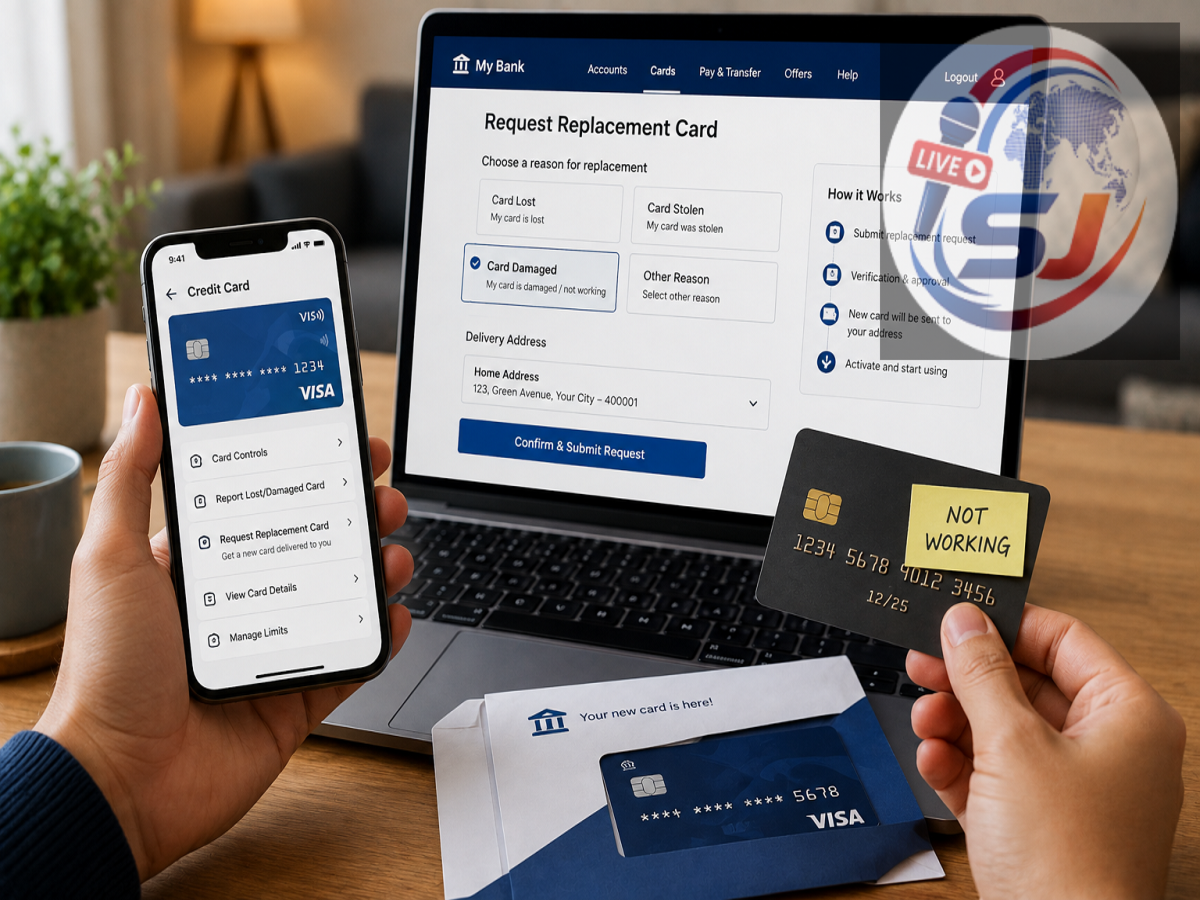
A credit card can suddenly stop working even when the account itself is active. You may notice that a payment terminal is unable to read the card, swipe transactions repeatedly fail or the tap-to-pay feature no longer responds. In many cases, the problem may be with the physical card rather than your credit account.
Damage to the EMV chip, scratches on the magnetic stripe, bending or cracking of the card and problems with the contactless function can all affect card usability. Instead of repeatedly trying to use a damaged card, customers can request a replacement from their bank.
The process is relatively simple, and many banks allow customers to raise a replacement or reissue request through mobile banking, internet banking or customer care without visiting a branch.
Why Can a Credit Card Suddenly Stop Working?
A physical credit card goes through regular wear and tear. Frequent use, improper storage or accidental damage can eventually affect its ability to communicate with payment terminals.
One common problem involves the EMV chip. If the chip becomes scratched or physically damaged, a point-of-sale machine may fail to read it properly.
The magnetic stripe on the back of the card can also deteriorate over time. Deep scratches or other damage may cause swipe transactions to fail.
Physical bending is another possible reason. Keeping a card loosely in a pocket, exposing it to excessive pressure or damaging its outer layers can affect its functionality.
The card's NFC-based contactless payment feature can also stop working even when chip-based transactions continue to function.
First Check Whether the Card Is Actually Damaged
One failed transaction does not necessarily mean that your credit card is physically defective.
Payments can also fail because of a temporary network problem, insufficient available credit limit, an expired card, disabled transaction controls or restrictions on online, international or contactless transactions.
Before requesting a replacement, check your banking app to see whether the card is active and whether the required transaction type has been enabled.
If the card repeatedly fails across different payment terminals despite having an adequate available limit and active transaction controls, physical damage may be the reason.
How to Request a Replacement Credit Card From Home
If the card is damaged and needs to be replaced, you can usually initiate the process digitally.
Open your bank's official mobile application or internet banking service and locate the Cards, Card Management, Service Request or a similarly named section.
Select the affected credit card and look for options such as Replace Card, Reissue Card or Damaged Card Replacement.
Choose the appropriate reason and follow the verification process shown by your bank.
If the online option is unavailable, contact customer care using the number published on the bank's official website or banking application.
Make it clear that the card is physically damaged or experiencing a technical problem rather than being lost or stolen. Banks may handle these situations differently.
Should You Block a Damaged Credit Card?
Follow the instructions provided by your card issuer.
Depending on the bank's process, the existing physical card may need to be blocked or deactivated when a replacement request is initiated. If the card is lost, stolen or you notice an unauthorised transaction, however, it should be reported and blocked immediately.
For a card that remains in your possession but is physically damaged, use the specific replacement procedure provided by the issuer rather than selecting a lost-card option unless instructed to do so.
Check Your Registered Address Before Submitting the Request
A replacement credit card is generally delivered to the address registered with the bank.
Before confirming your request, check whether the address displayed in your account is current. If you have recently moved, you may need to update your communication address according to the bank's procedure before the new card can be dispatched.
This simple check can prevent delivery delays or the card being sent to an outdated address.
Will the Bank Charge a Replacement Fee?
Replacement charges vary by issuer and card type.
Some banks may replace a damaged card without a fee in certain circumstances, while others can levy a card replacement or reissue charge.
The applicable amount, if any, is generally displayed before the service request is confirmed or is mentioned in the card issuer's schedule of charges.
Customers should check this information rather than assuming that every replacement will be free.
Save the Service Request Number
After successfully submitting a replacement request, the bank generally provides confirmation through SMS, email or its mobile application.
This may include a service request or reference number.
Keep the number until the new card has been received and activated. Many issuers also provide card-dispatch and courier-tracking information, allowing customers to monitor delivery.
How Can You Pay While Waiting for the New Card?
A replacement card may take several days to arrive, but that does not necessarily mean you have to stop making all payments.
Depending on the services offered by your bank, several alternatives may be available.
If your issuer provides a virtual credit card or immediate digital access to the replacement card, it may be possible to continue eligible online transactions through the banking app.
RuPay credit card customers may also be able to link an eligible card to a supported UPI application and make permitted UPI transactions. Availability and transaction rules depend on the card issuer and UPI framework.
For essential payments, customers can also use other available methods such as UPI linked to a bank account, debit cards or net banking.
What Happens to Existing Auto-Pay Instructions?
Customers should pay particular attention to recurring payments.
If the replacement results in a new card number, expiry date or CVV, some merchants or subscription services may require the payment details to be updated.
Review upcoming credit card-based subscriptions and standing instructions after receiving the replacement card. This can help prevent missed payments for services such as utilities, insurance premiums or digital subscriptions.
The treatment of recurring transactions varies, so check with the bank if an important payment is due while the replacement is being processed.
What to Do After the Replacement Card Arrives
Once the new credit card is delivered, activate it using the method specified by the issuer. This could involve the banking app, internet banking, ATM or another authorised channel.
Set or confirm the PIN and review transaction controls for online, contactless and international payments according to your requirements.
If the old damaged card is no longer valid, destroy it securely before disposal. Cut through the chip and magnetic stripe so that the physical card cannot be reused.
Don't Keep Trying a Damaged Card
Repeatedly inserting or swiping a visibly damaged card is unlikely to solve the underlying problem and can cause unnecessary inconvenience at payment counters.
If the issue persists after checking account status and transaction settings, requesting a replacement is usually the more practical solution.
Most major banks now provide digital card-management facilities, making it possible to request a reissue, check applicable charges, verify the delivery address and track dispatch without visiting a branch.
Until the new card arrives, available digital payment alternatives can help you manage essential transactions while keeping the damaged physical card out of use.